.svg)


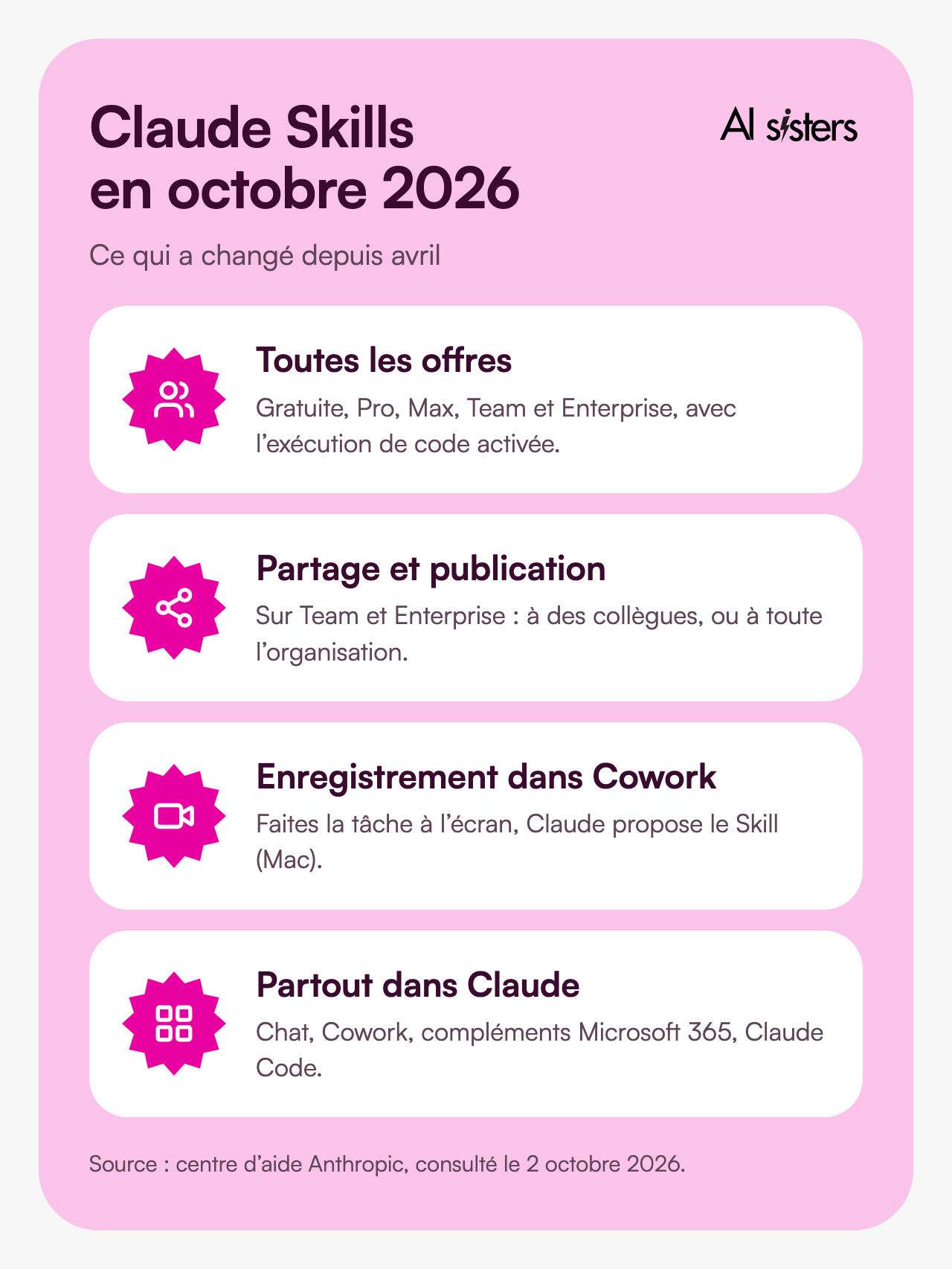
Updated on 2 October 2026. Since April, Claude Skills have been open to all plans, can be shared across a team and can be recorded on video in Cowork.
Every conversation with Claude starts with the same paragraph: your sector, your tone, your format, what it must not do at any cost. 😅
Fifteen messages later, the result is finally right. The next day, you start all over again.
That is what Skills are for. You write the method once, then Claude loads it on its own every time the task comes up, for you and for your colleagues.
Here is what a Skill is, how to create one in about ten minutes and which ones to install first, role by role 👇
"Claude only accesses a skill when it is relevant to the task at hand." Anthropic, Agent Skills announcement, 16 October 2025.
In short
- A Claude Skill is a folder of instructions (a SKILL.md file, sometimes templates) that Claude loads on its own when your request matches.
- Available on all plans, including the free plan, provided code execution is switched on. Everything is managed in Customize > Skills.
- Three ways to create one: describe it to Claude in a conversation, write the file yourself, or record yourself doing the task in Cowork (Mac, Pro, Max and Team plans).
- The description is what triggers the Skill: 200 characters at most to say what it does and when to use it.
- On Team and Enterprise, a Skill can be shared with colleagues or published for the whole organisation.
- Start with three Skills for weekly tasks: a job description in HR, a meeting summary for a manager, a sales proposal.
New · Free library
49 ready-to-install Claude Skills, free for your teams
First outreach email, pipeline analysis, n8n workflow: each Skill does one specific task (written in French). Pick your role, download the Skill and import it in Customize > Skills.
Also worth reading
Explore our other articles to go further with Claude at work:
What is a Claude Skill?
A Skill is a working method written once and for all, which Claude applies whenever the situation calls for it.
In practice, it is a folder containing at least one SKILL.md file. This file starts with two fields: a name and a description. Then comes the method, in plain language. The folder can also contain a Word or PowerPoint template, brand guidelines or a script.
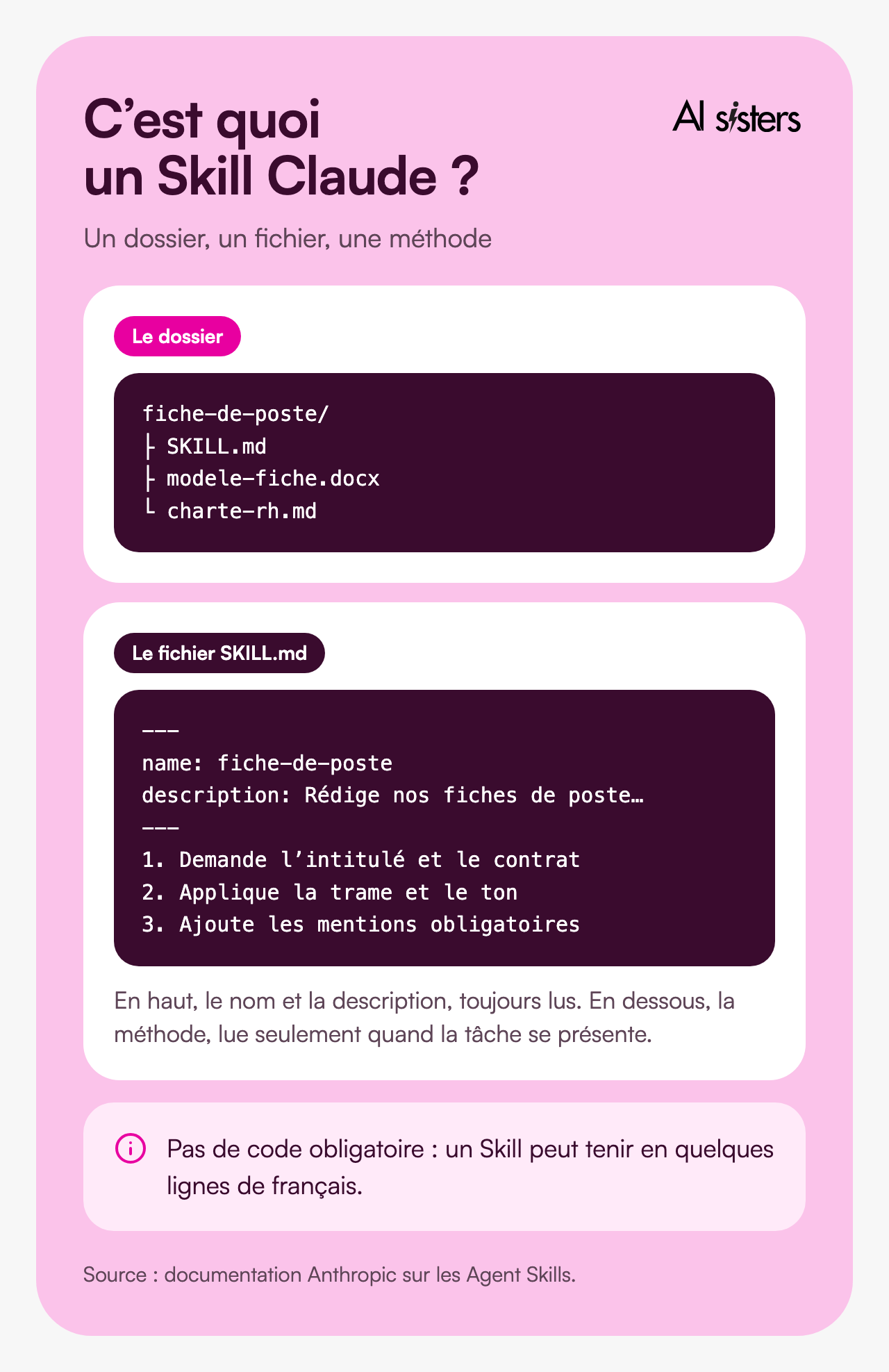
At first, Claude reads only the name and description of each enabled Skill, and opens the rest only if your request matches. Anthropic calls this "progressive disclosure": you can install lots of Skills without weighing down your conversations.
Anthropic also provides its own Skills, already active: creating Excel, Word, PowerPoint and PDF files. They are what allow Claude to produce files, as in Claude Slides.
💡 To put it simply: a Skill is the procedure sheet kept in the binder at reception. The new starter does not reread it every morning. They read the headings, and pull out the right sheet when a customer asks the question.
Skill, Project, memory or connector: which one for what?
We are often asked this in training: Claude now offers four ways to keep context.
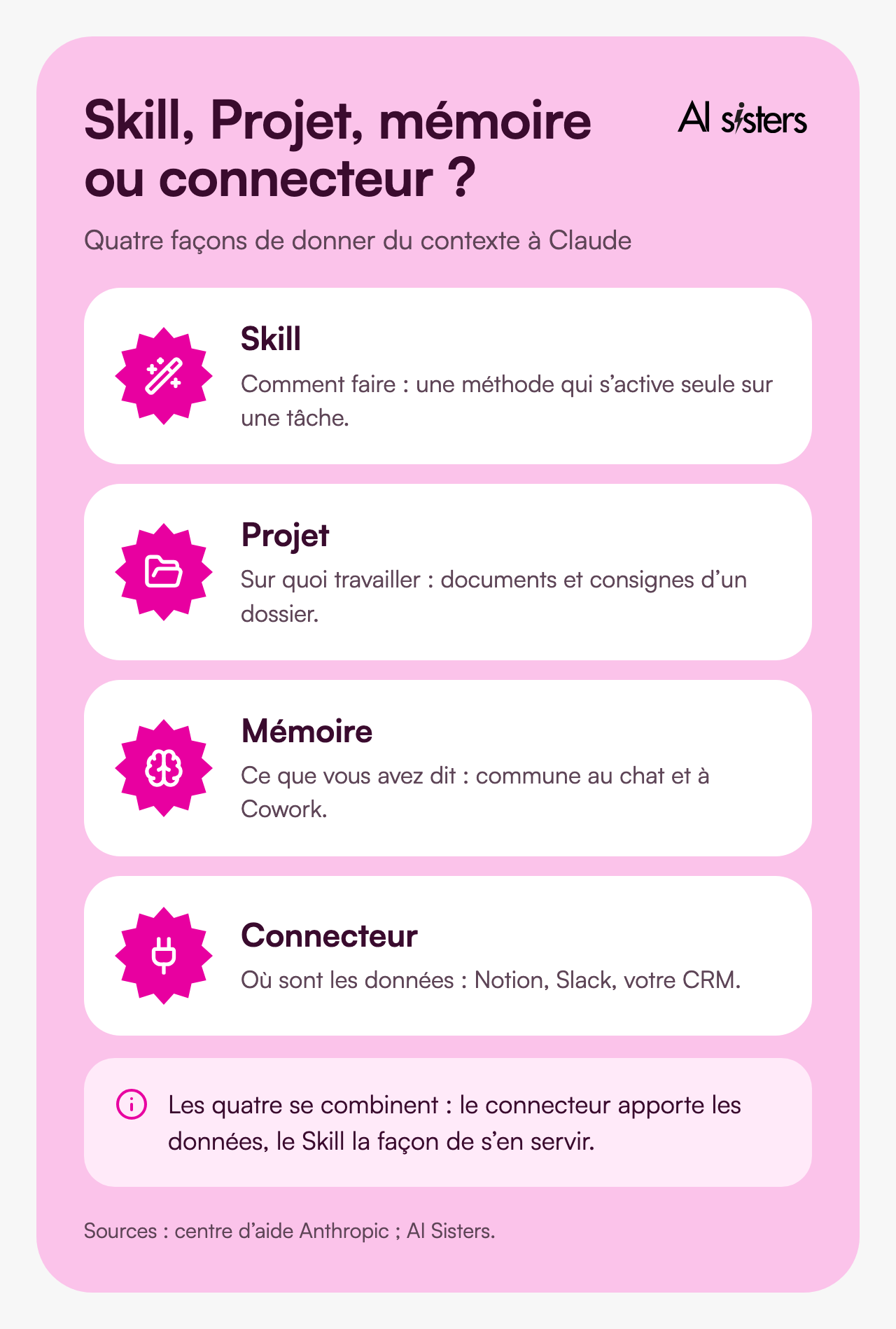
The Skill says how to do it.
A method that switches on by itself for a given task, in any conversation.
The Project says what to work on.
Documents and instructions loaded permanently for a specific file, a client or a tender.
Memory keeps what you have said.
Since late August 2026, it is shared between chat and Cowork, and can be viewed and deleted, as we explained in our article on what is new in Claude Cowork. It does not replace a written procedure that you review and share.
The connector plugs Claude into a tool.
Notion, Slack, your CRM. It brings the data; the Skill brings the way to use it.
All four can be combined. At the LBO fund Ciclad, the Invest team's workshop combined connectors, Skills and Projects on its own deal files.
Discover our AI training & book a call
Explore our different training modules and choose, with us, the one that best meets your AI needs.
📚 See our AI training 📞 Book a discovery call
What has changed since April 2026
Here is the situation as of 2 October 2026, according to Anthropic's help centre.
Every plan is eligible.
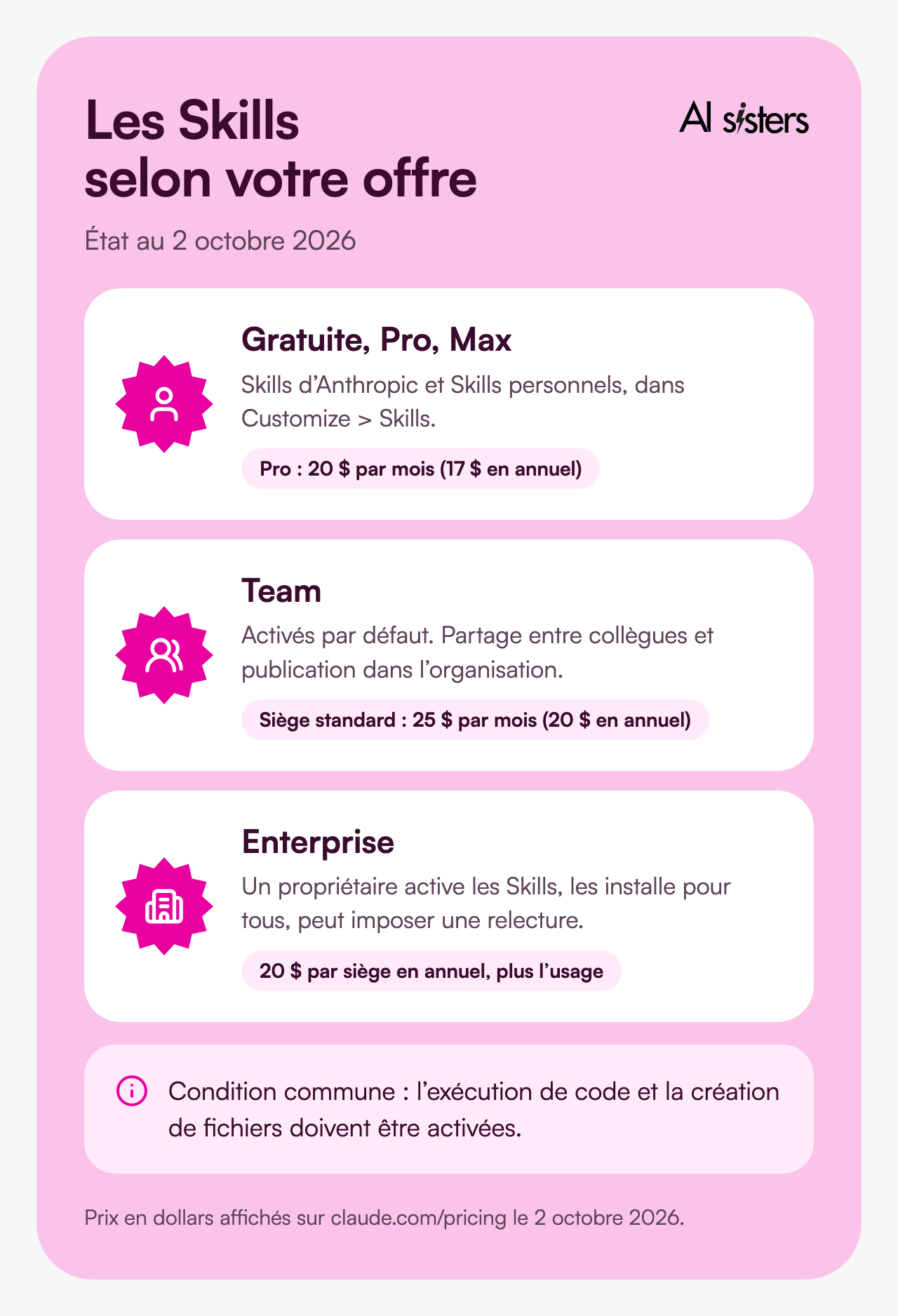
Free, Pro, Max, Team and Enterprise. The only condition: the code execution and file creation option must be switched on (Settings > Capabilities). On Team, it is on by default. On Enterprise, an owner switches it on in Organization settings > Plugins & skills.
The menu has changed.
Skills are managed in Customize > Skills, with a directory (Discover tab) that includes partner Skills such as Notion, Canva, Figma or Atlassian.
They can be shared.
On Team and Enterprise, you share a Skill with colleagues (read-only, updated automatically), or you publish it to the organisation's library.
They can be recorded.
In Cowork on Mac, you do the task while talking it through out loud, for about ten minutes at most, and Claude suggests a Skill for you to review before saving it.
They follow you.
Your Skills work in the Claude add-ins for Excel, PowerPoint, Word and Outlook (type "/" to list them) and sync with Claude Code when you are signed in to the same account.
On pricing, Anthropic lists the following as of 2 October 2026: Pro at 20 dollars a month (17 billed annually), Team at 25 dollars per seat per month (20 billed annually) for a standard seat, which includes Cowork and Claude Design.
How to create a Skill in Claude, step by step
Starting rule: if you have typed the same instructions more than three times, it should be a Skill.
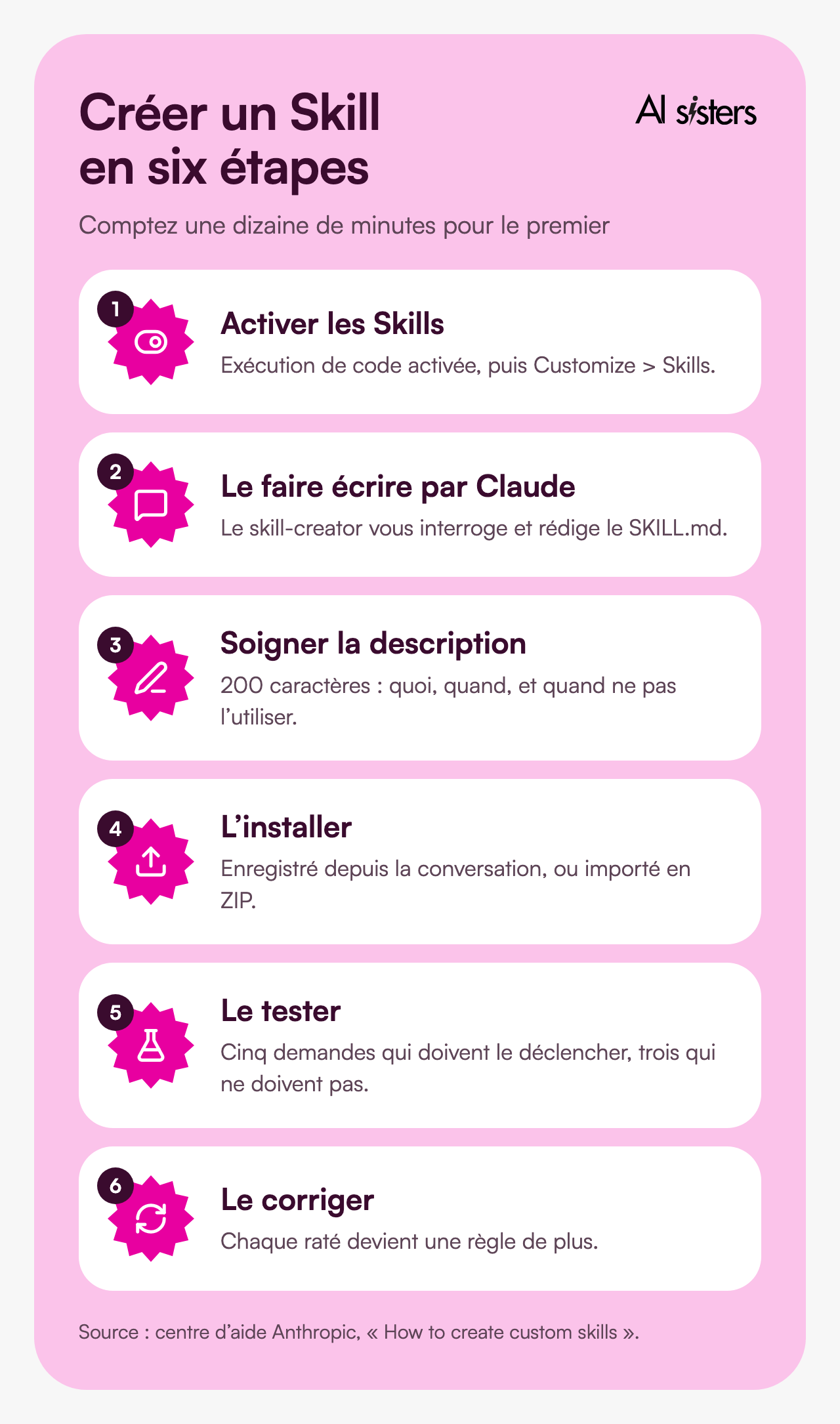
1. Switch on Skills.
Code execution switched on, then Customize > Skills.
2. Have Claude write it.
Anthropic's "skill-creator" Skill asks you questions, drafts the SKILL.md and prepares the folder. Prompt to copy:
"Use the skill-creator to help me create a Skill that [writes our meeting summaries]. Ask me your questions one at a time, as if you were writing an internal procedure: context, steps, expected format, mistakes to avoid, examples."
3. Polish the description.
200 characters maximum. Say what the Skill does and when to use it, and add what it must not do.
❌ Too vague: "Writes LinkedIn posts."
✅ Precise: "Writes the company's LinkedIn posts: short hook, three paragraphs, closing question. Use for any LinkedIn post. Not for emails."
4. Install it.
If Claude created it in the conversation, save the Skill file it offers you. Otherwise, compress the folder into a ZIP (the folder at the root, with the same name as the Skill) and import it via "+", "Create skill", "Upload a skill".
5. Test it on five phrasings.
"Write me a LinkedIn post", "I need a post for tomorrow"… Then requests where it must not trigger, such as "Write an email". If it triggers, the description is too broad.
6. Correct it every time it misses.
Add the missing rule. To edit a file, highlight the passage and click "Edit with Claude".
The mistakes we see most often: a Skill that tries to do everything (three Skills are better than one "communication" Skill), a vague description, a Skill that is never corrected. On security, only install Skills written by you, by Anthropic or by your organisation: a Skill can run code, and Anthropic recommends treating it like software.
Examples of Skills by role
Here are Skills we build with teams during our training sessions.
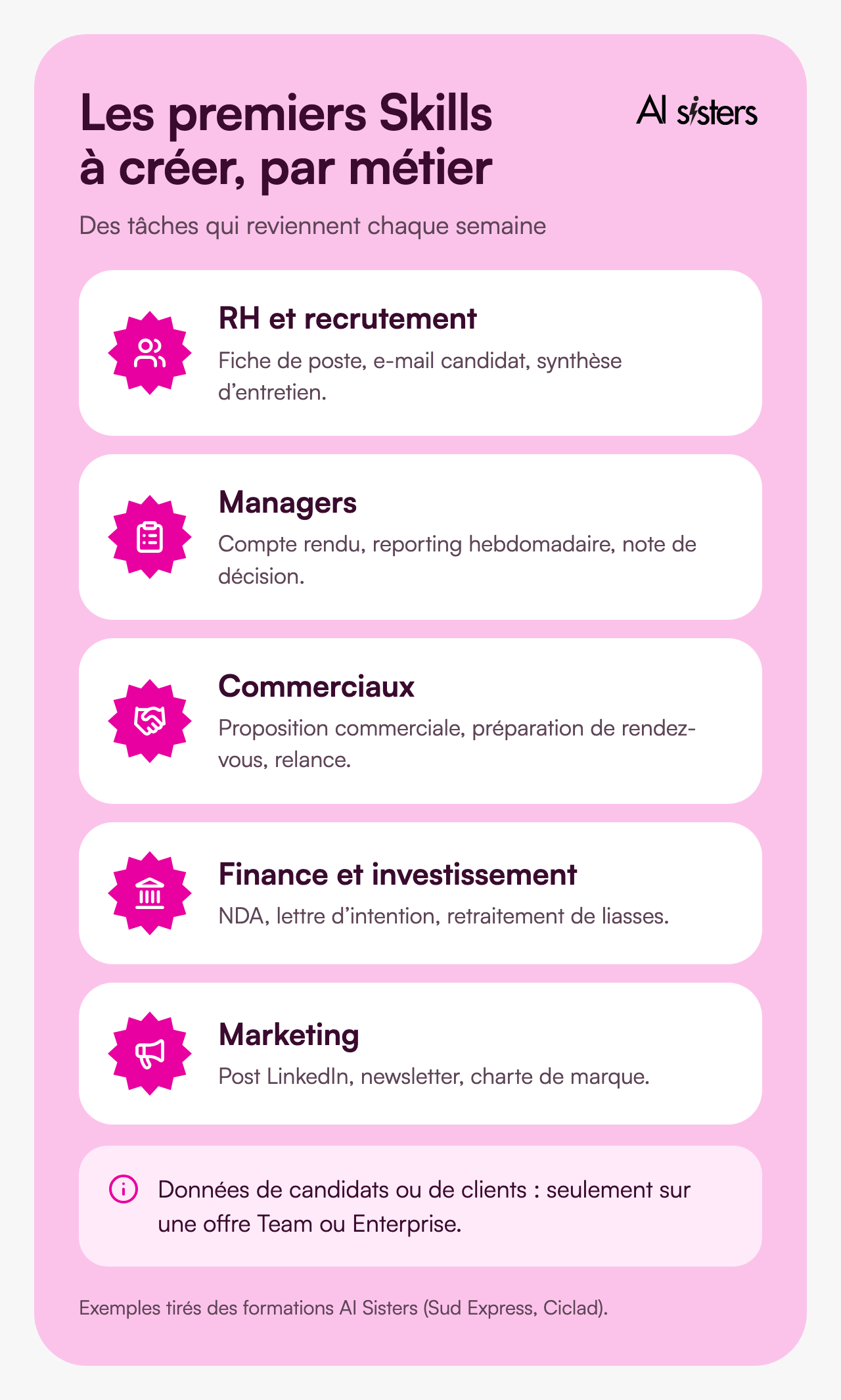
For HR and recruitment: job description, candidate email, interview summary.
The "job description" Skill contains your template, your mandatory wording and your tone: a three-line brief is then enough. At Sud Express, a job description for a store manager was written in three minutes during the training. Keep candidate data on a Team or Enterprise plan. Our guides to AI for HR departments and recruiting with AI set out the precautions.
Trigger phrase: "Job description for a permanent recruitment officer in Lyon, two years' experience."
For managers: meeting summary, weekly reporting, decision memo.
The Skill sets the expected format: decisions, actions, owners, deadlines. You paste the transcript, it returns the document. To go further, see our AI training for executives and managers.
For sales teams: sales proposal, meeting preparation, follow-up.
The Skill knows your offers and your template. If it contains your PowerPoint template, Claude's PowerPoint add-in loads it as is.
For finance and investment: NDA, letter of intent, tax returns.
At Ciclad, the Invest team built Skills and Projects for the tasks that come up on every deal, with one constant instruction: challenge the AI's calculations. That is the format of our role-based workshops.
For marketing: LinkedIn post, newsletter, brand guidelines.
The brand guidelines Skill (colours, fonts, logo) works in chat and in Cowork.
Book your 30-minute call now
A no-obligation conversation to build your AI training around your tools.
👉 Tell us about your AI project 👈
Rolling out Skills across a team
When a Skill is shared, the whole team applies the same method, including the colleague who joined yesterday. Four decisions to make before you launch.
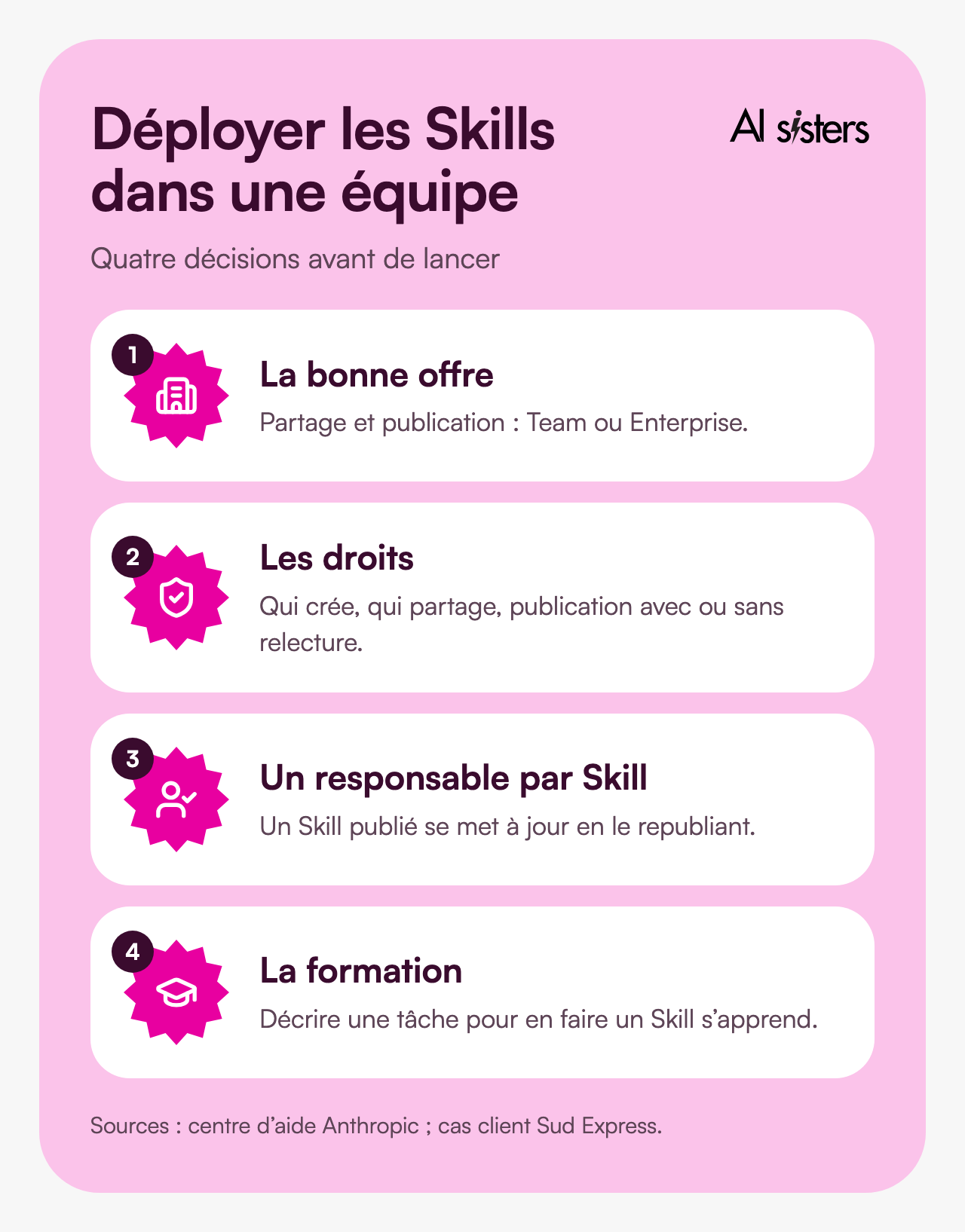
1. Choose the right plan.
Sharing and publishing are reserved for Team and Enterprise. If you are still unsure about the tool, compare Claude, ChatGPT and Gemini.
2. Set permissions.
An owner decides who can create and share Skills, and whether publishing goes through a review. They can also install a Skill for everyone.
3. Name owners.
A published Skill belongs to the organisation and is updated by republishing it. Appoint one owner per role.
4. Train before rolling out.
Describing a task to turn it into a Skill is a learnable skill: it is one of the pillars of rolling out Claude across your teams. At Sud Express, eight roles were trained in one day focused on Claude: Chat, Artifacts, Projects and Skills. Our guide to corporate Claude training sets out the possible formats, and our top 5 AI training courses helps you choose the format.
For more free guides and tools, our resources page brings together what we have published.
Book your 30-minute call now
A no-obligation conversation to build your AI training around your tools.
👉 Tell us about your AI project 👈
Key takeaways
- A Skill encodes a method that Claude loads on its own when the task comes up.
- All plans have access; team sharing requires Team or Enterprise.
- Polish the description: what the Skill does, when to use it and when to avoid it.
- Have Claude write it with the skill-creator, or record yourself in Cowork.
- Test it on five phrasings, and correct it every time it misses.
- Start with three weekly tasks, with one owner per Skill.
Sources
- Anthropic, Introducing Agent Skills, 16 October 2025.
- Anthropic, Skills for organizations, partners, the ecosystem, 18 December 2025.
- Claude Help Centre, What are skills?, accessed 2 October 2026.
- Claude Help Centre, Use skills in Claude, accessed 2 October 2026.
- Claude Help Centre, How to create custom skills, 22 July 2026.
- Claude Help Centre, Provision and manage skills for your organization, accessed 2 October 2026.
- Claude documentation, Agent Skills, accessed 2 October 2026.
- Anthropic, Claude pricing, accessed 2 October 2026.
- AI Sisters case study, Sud Express, a training day focused on Claude.
- AI Sisters case study, Ciclad, the Invest team moves from prompt to skill, 27 March 2026.
Where does your company stand with AI? Take the free AI diagnostic in 5 minutes and get your action priorities.







.avif)