.svg)


Updated on 2 October 2026. Gamma AI generates presentations, documents and web pages from a simple request. Here is what it does in 2026, what it costs, and how to create your first PowerPoint with it.
The committee meeting is on Monday, the presentation isn't done, and nobody wants to spend their Sunday lining up blocks in PowerPoint. 😅
Gamma promises to take care of it: you describe what you want, and it writes, lays out and illustrates. We tested the tool in January 2025. Since then, it has changed a lot: an agent that asks questions before building, credits instead of quotas, and new competitors, including Claude.
We took another look in October 2026: verified prices, free version, step-by-step guide and alternatives 👇
“In Gamma, creation starts with a conversation, not a perfect prompt.” Gamma Help Center.
In brief
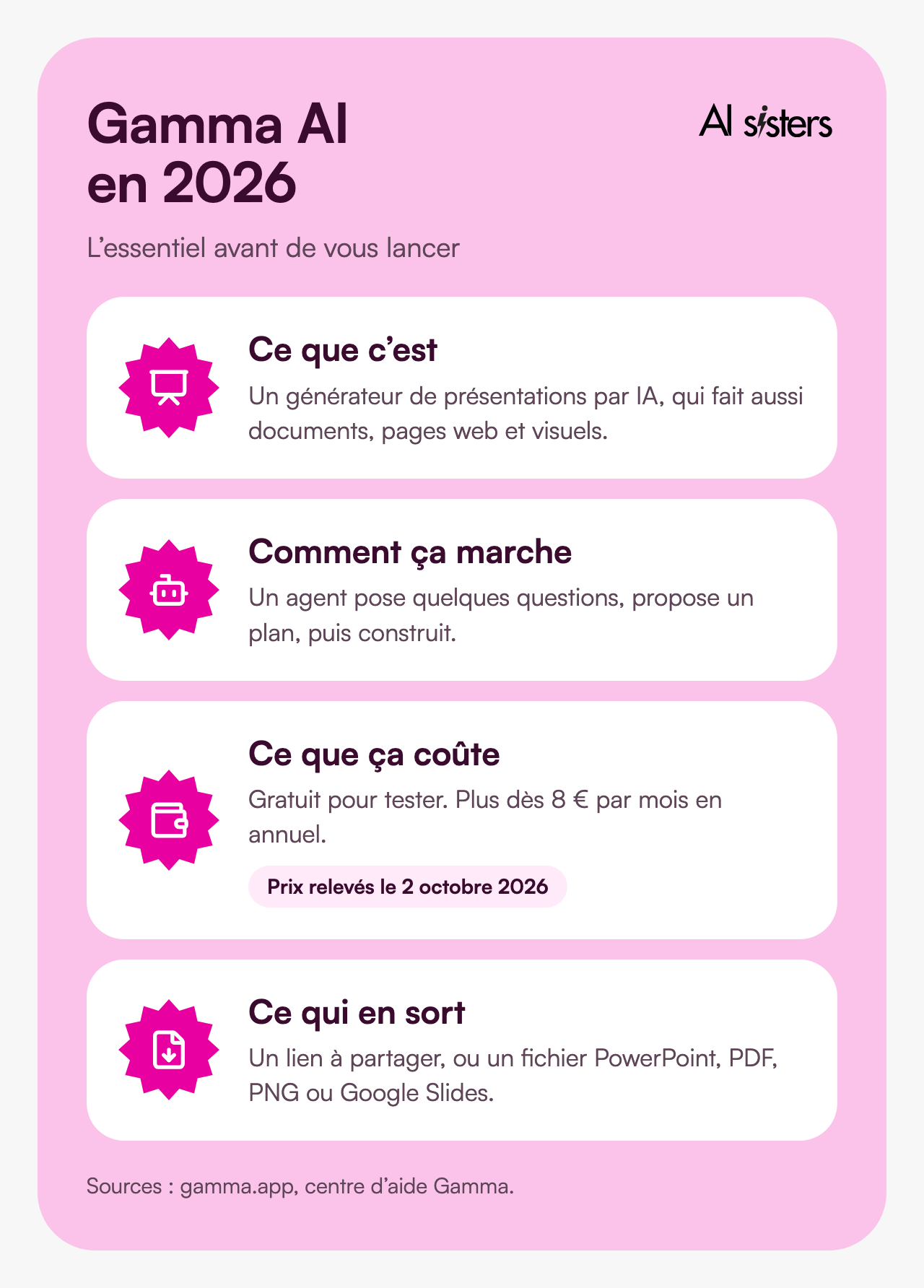
- Gamma AI is an AI presentation generator. It also produces documents, web pages, social media posts and images.
- There is a free plan: 400 credits on sign-up, a maximum of 10 slides per request, PowerPoint export with the “Made by Gamma” badge.
- Paid plans range from €8 to €77.33 per month with annual billing (Plus, Pro, Ultra), and €35 per user for Business.
- Since Gamma 3.0, an agent does the work: it asks a few questions, suggests an outline, then builds the presentation.
- PowerPoint export is included on every plan, with editable tables. Complex layouts sometimes need touching up.
- The alternatives have improved: Claude Slides since 16 September 2026, ChatGPT and Copilot in PowerPoint, Genspark.
Also worth reading
Discover our other articles to go further with your AI presentations:
What is Gamma AI?
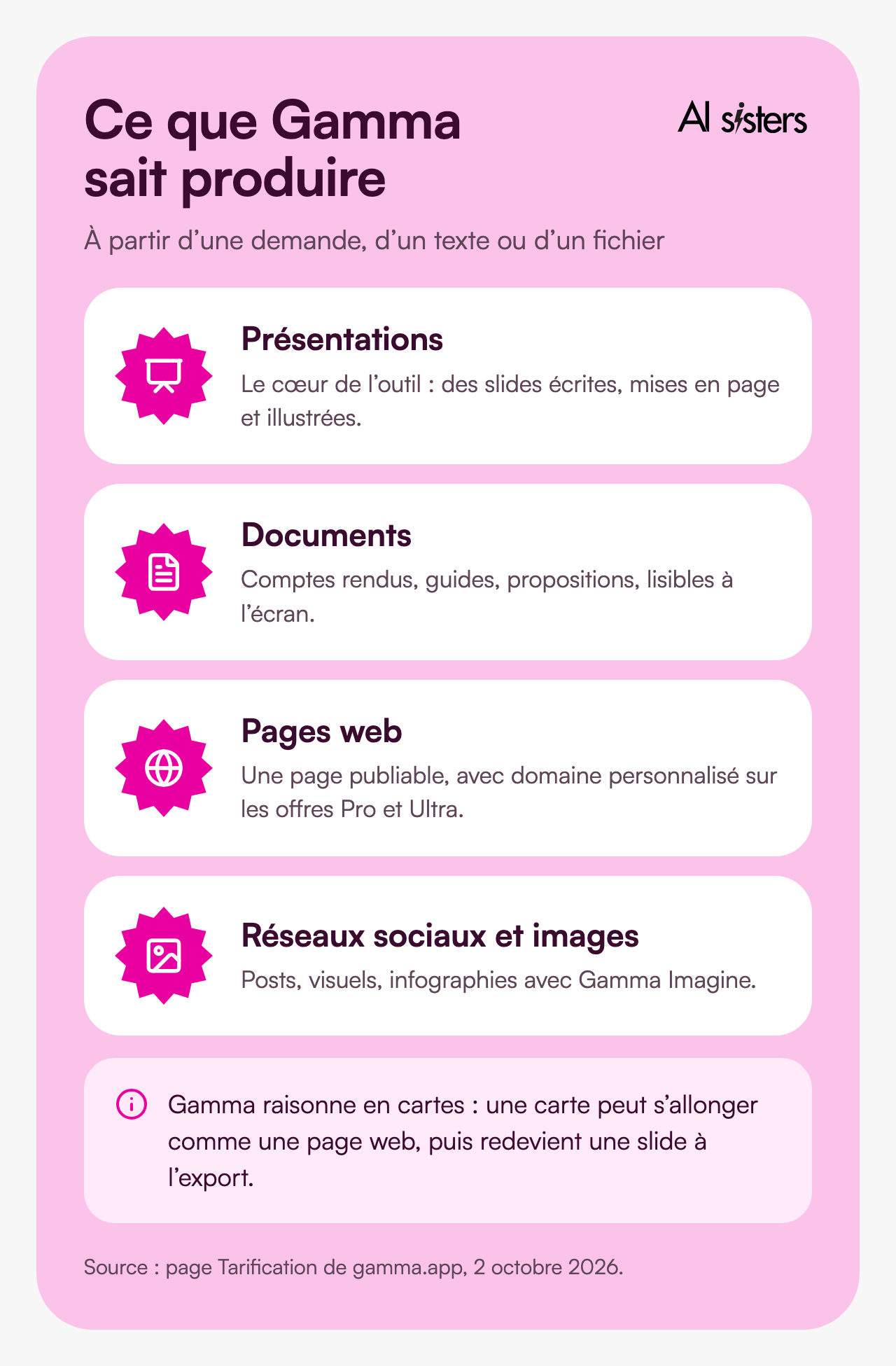
Gamma is a web application created in 2020 by the start-up of the same name, led by Grant Lee. It generates presentations, documents, websites, social media content and images from a written request, pasted text or an imported file.
You work in Gamma, then you present from Gamma or export a PowerPoint, PDF, PNG or Google Slides file.
The tool has grown fast. According to TechCrunch, Gamma was approaching 100 million users in March 2026 and passed $100 million in annual recurring revenue. The company raised $68 million in November 2025, at a valuation of $2.1 billion.
The interface is available in French, as is the help centre. So you can ask for a presentation in French and get it in French.
💡 To understand. Gamma thinks in “cards” rather than slides. A card is a slide that can grow longer like a web page. When you export to PowerPoint, each card becomes a fixed-format slide again: this is where some layouts shift.
Gamma AI free or paid: prices in 2026
Everything runs on credits. Generating a presentation uses them, per slide and per image. So does editing with the agent or trying another layout.
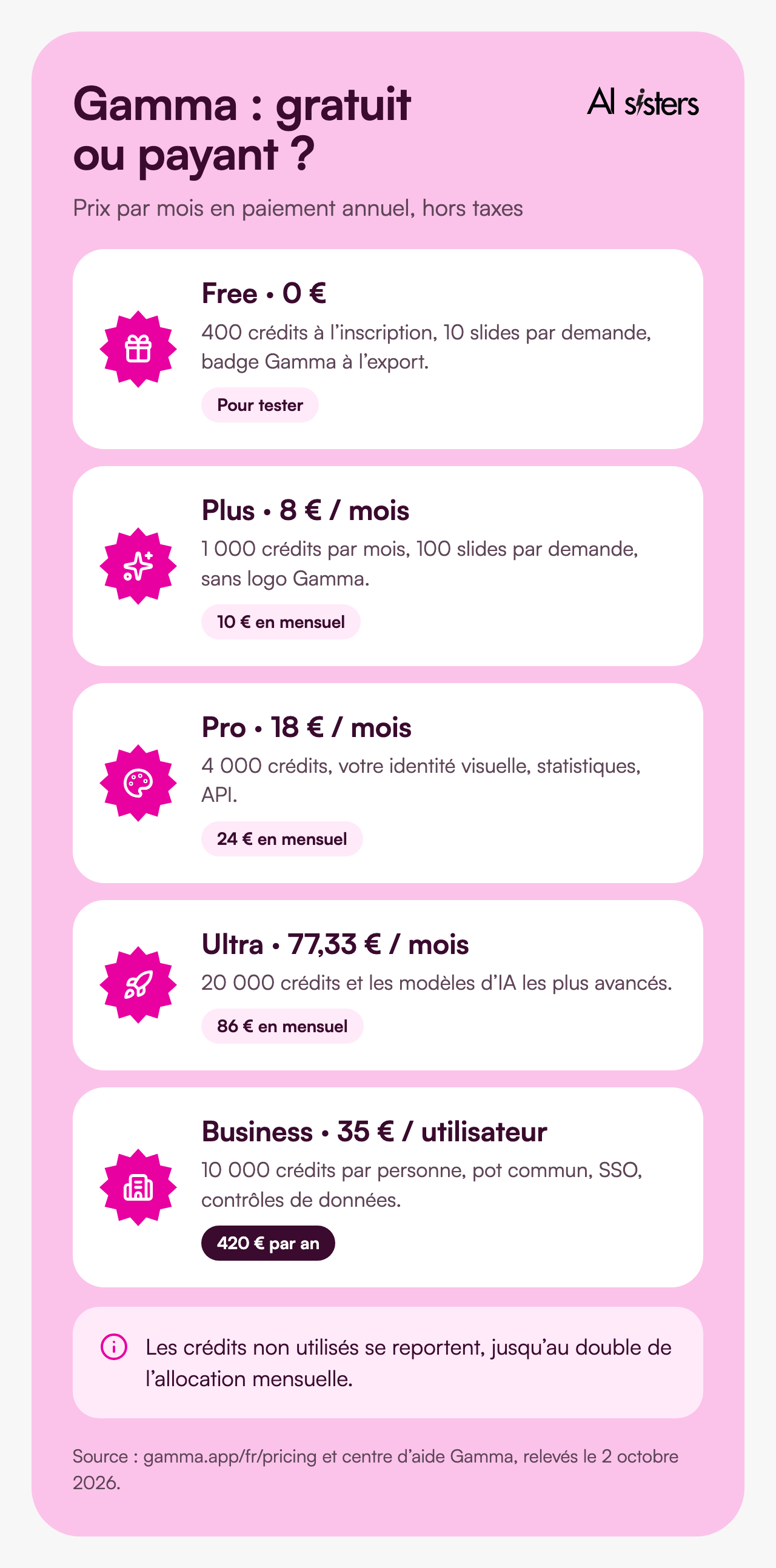
The free plan (Free):
400 credits on sign-up, which do not renew. Up to 10 slides per request. PDF and PowerPoint import, export to PDF, PowerPoint, PNG and Google Slides. PDF and PowerPoint exports carry the “Made by Gamma” badge. Each referral earns 200 credits.
Plus, €8 per month billed annually (€10 billed monthly):
1,000 credits per month, up to 100 slides per request, no Gamma logo, more advanced image models.
Pro, €18 per month billed annually (€24 billed monthly):
4,000 credits per month, your brand identity, detailed analytics, up to 10 custom domains and API access.
Ultra, €77.33 per month billed annually (€86 billed monthly):
20,000 credits per month and the most advanced AI models, including for video.
Business, €35 per user per month (€420 per year):
10,000 credits per user, a shared credit pool for the team, single sign-on (SSO) and advanced data controls. Enterprise is priced on quote.
These are the prices shown on gamma.app on 2 October 2026, excluding tax depending on your country. Unused credits roll over, up to twice the monthly allowance.
💡 In short: the free version is enough to test on an internal presentation. As soon as the presentation goes to a client, the Gamma badge gets in the way, and the Plus plan removes it.
Discover our AI training & book a call
Explore our training modules and choose, with us, the one that best fits your AI needs.
📚 See our AI training 📞 Book a discovery call
What has changed in Gamma since 2025
In January 2025, Gamma asked four onboarding questions, then generated the presentation in one go. It no longer works the same way.
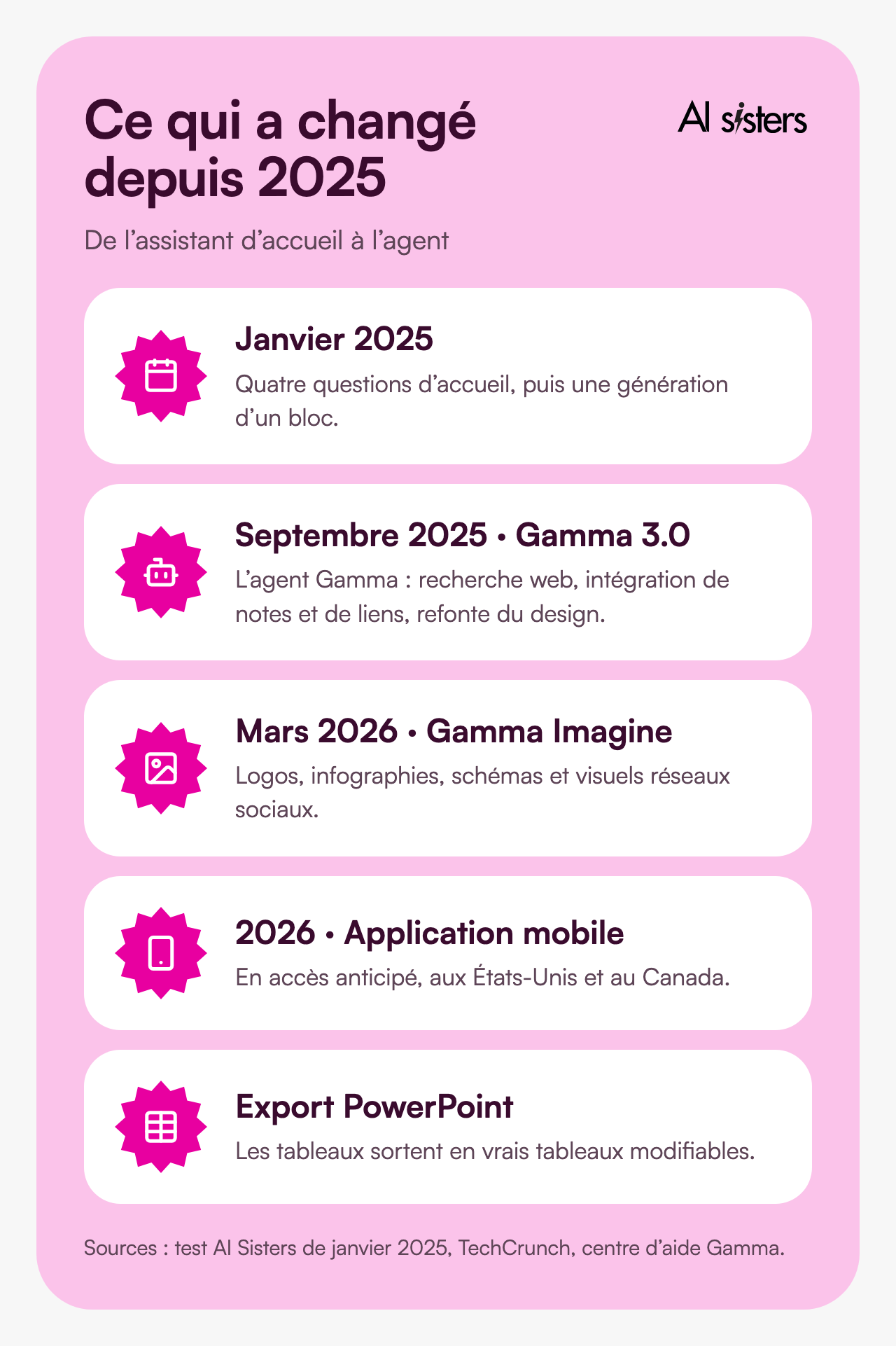
September 2025, Gamma 3.0:
the Gamma agent arrives. It searches the web for information, takes in your notes, links and screenshots, and redesigns a presentation in a single request. We covered this version in detail in our article on Gamma V3.
March 2026, Gamma Imagine:
a tool to create logos, infographics, diagrams and social media visuals, directly in Gamma. TechCrunch sees it as an offensive against Canva and Adobe.
2026, the mobile app:
viewing, generating and editing with the agent from your phone. According to the help centre, it is still in early access, in English, and limited to the United States and Canada.
On PowerPoint export:
tables now come out as real editable tables, on every plan.
Gamma or the others: Claude Slides, Genspark, AI in PowerPoint
Since our first test, three other ways of making slides with AI have taken hold.
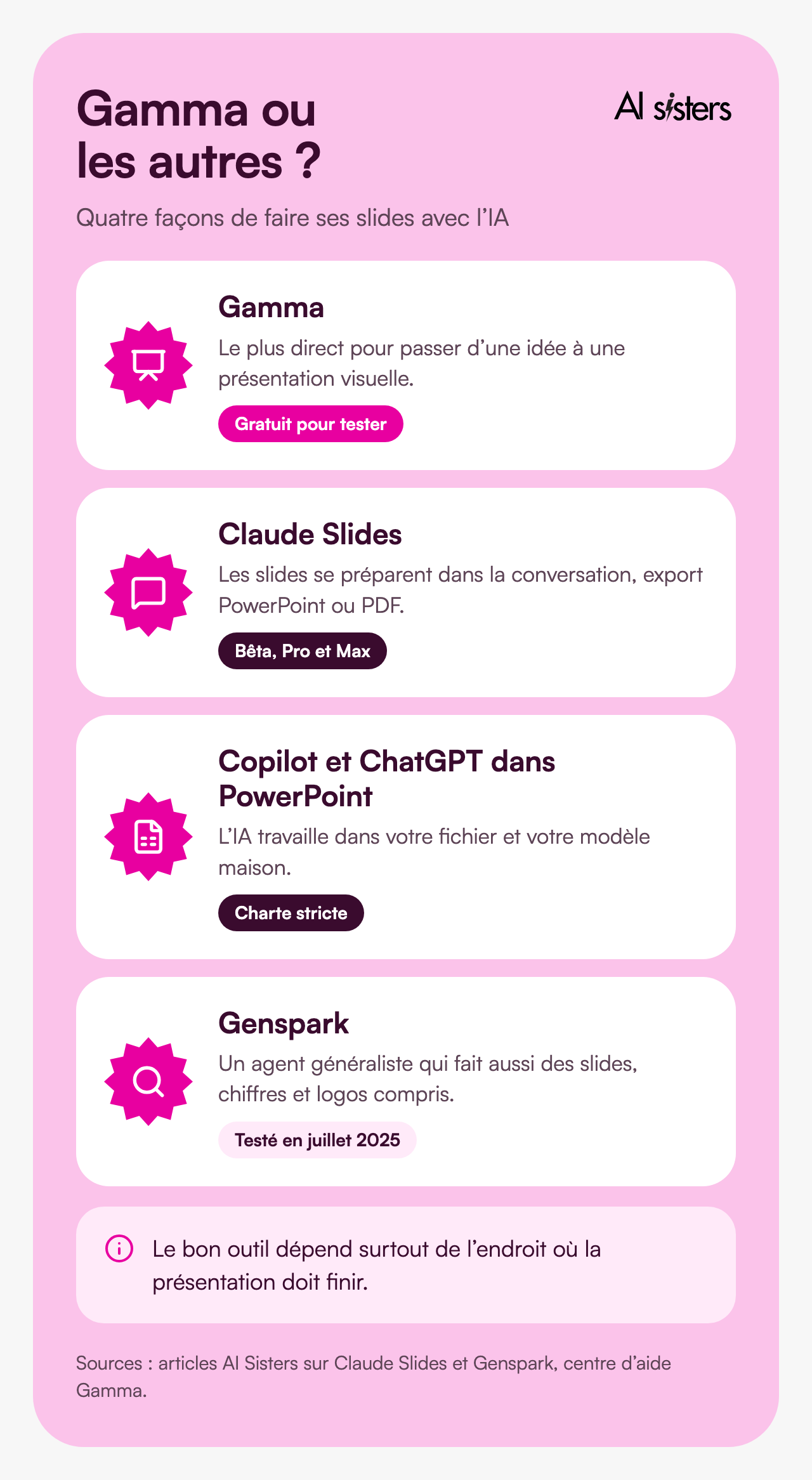
Claude Slides:
released in beta on 16 September 2026, it prepares the presentation in the conversation with Claude. You edit, you present, and you export to PowerPoint or PDF. For now it is limited to Pro and Max subscribers, with no free plan. Everything is explained in our article on Claude Slides.
ChatGPT and Copilot in PowerPoint:
the AI works directly in your file and your in-house template. ChatGPT arrived there on 6 July 2026. It is the safest option when your company's brand guidelines are strict. See our guide to Copilot in the workplace.
Genspark:
a general-purpose agent that also makes slides, fetching figures and logos. We tested it in July 2025.
Gamma:
the most direct way to go from an idea to a presentable deck, especially for an external audience. Its weak point: a look that is quickly recognisable if you don't work on your theme.
To choose the right method for your constraints, we wrote a complete guide to creating a PowerPoint with AI. And to see how these tools compare with the others, see the most widely used AI tools in companies.
Gamma at work: three uses that work
For a marketing team:
a launch presentation or a product brochure from a brief. The agent suggests a structure, looks for data and illustrates. You stay in control of the message.
For managers:
a quarterly update or a committee report from notes. Gamma does the layout, you check the figures. The AI rephrases well, but it does not check your data.
For training and onboarding:
training material or a welcome guide, shared by link. The Pro plan analytics show who opened what.
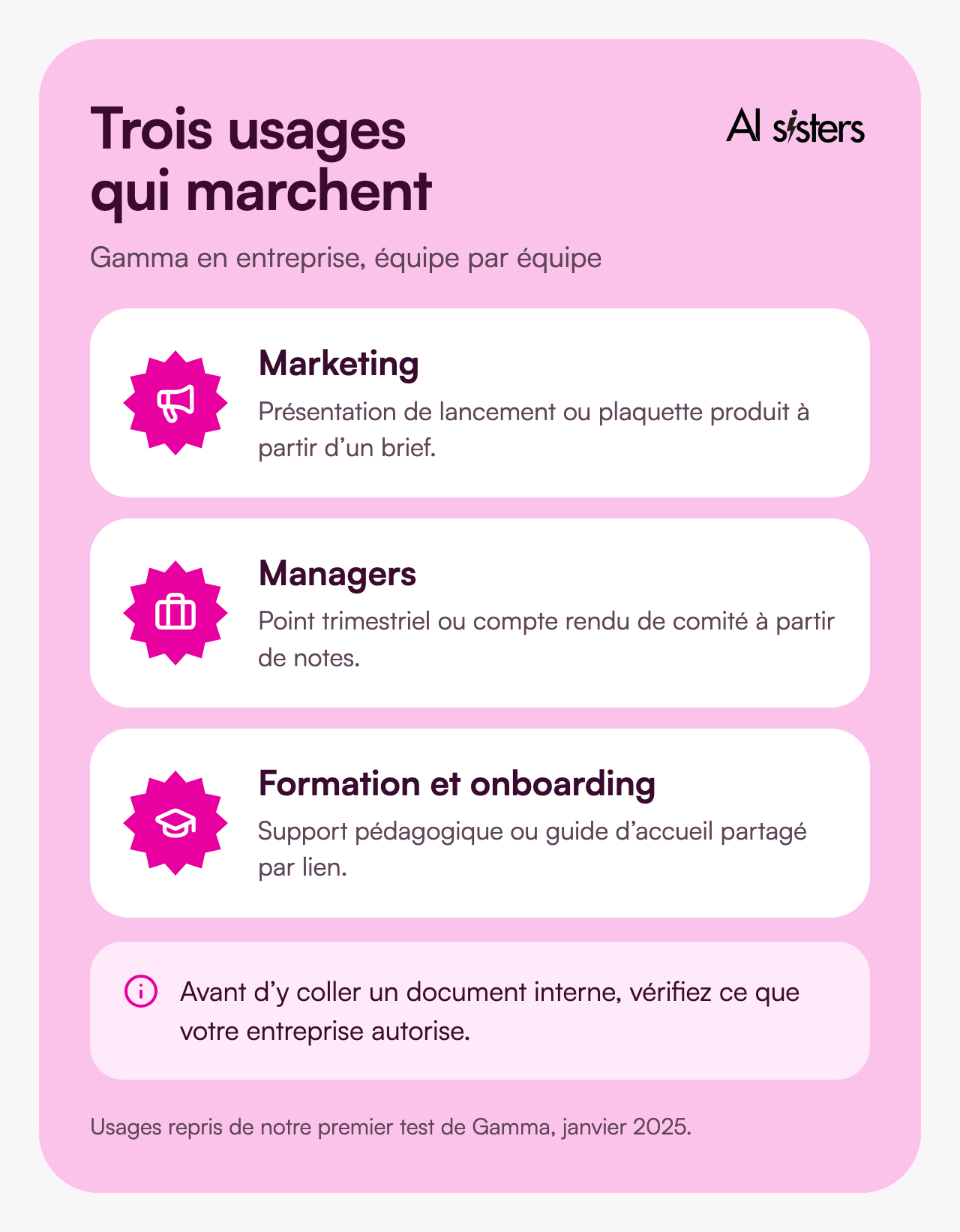
A word of caution: what you paste into Gamma goes to an American provider. Before adding an internal document, check what your company allows. The Business plan adds SSO and advanced data controls.
Book your 30-minute call now
A no-obligation conversation to build your AI training around your tools.
👉 Tell us about your AI project 👈
Create a PowerPoint with Gamma, step by step
Creation goes through the agent. It takes a little longer than with the old generator, because it asks questions and prepares an outline, but you can ask it to go straight to a first draft.
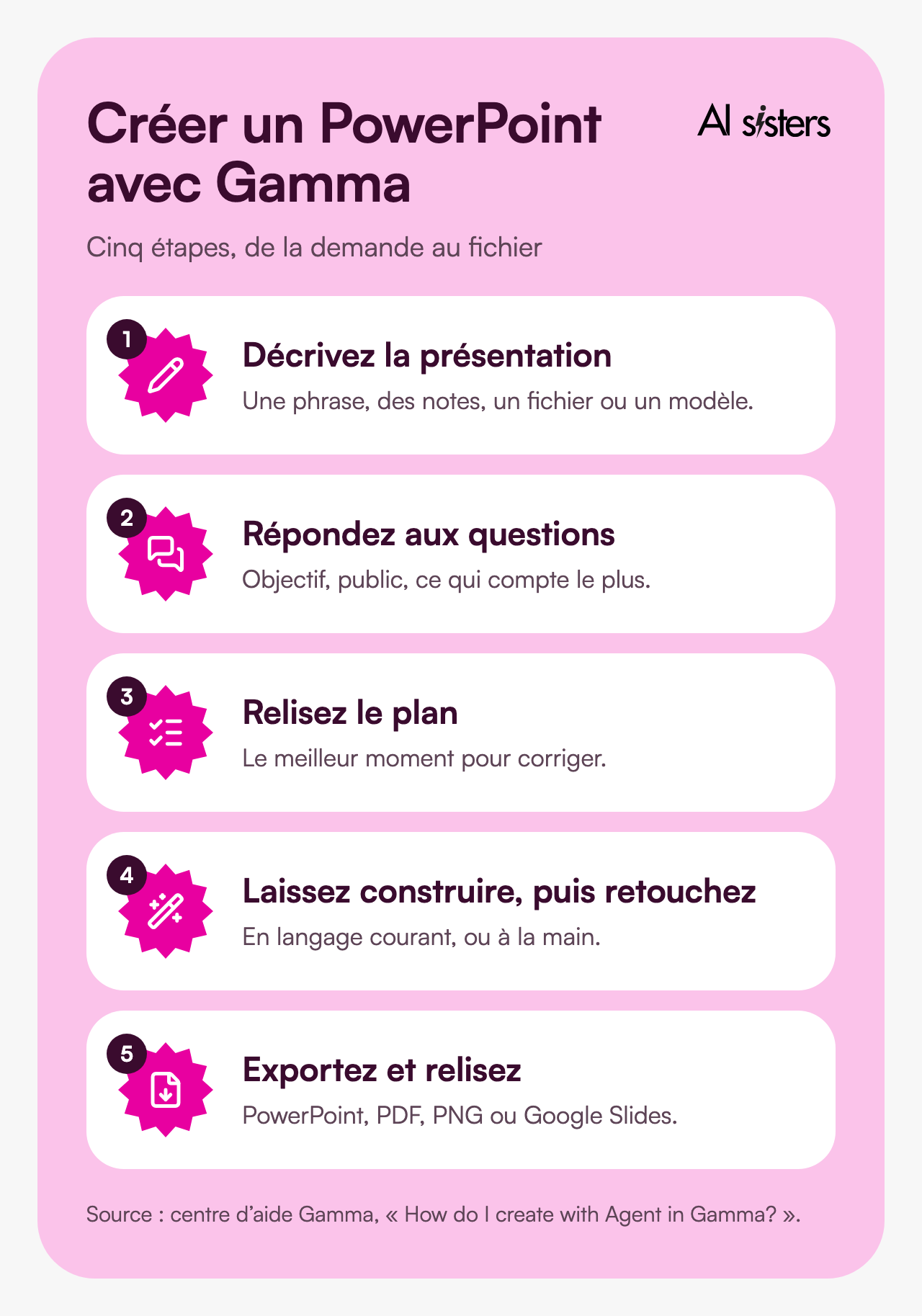
1. Describe the presentation.
One sentence is enough. You can also paste notes, attach a file or start from a template. Example to copy: “8-slide presentation for the leadership team: review of the marketing quarter, three results with figures, two difficulties, three priorities for next quarter. Sober tone.”
2. Answer the agent's questions.
Goal, audience, what matters most. If you are in a hurry, ask it to decide for you or to skip the questions.
3. Review the outline.
The agent shows the story, the style and the visual mood before building. This is the best time to make corrections: thirty seconds here saves several rounds of changes.
4. Let it build, then edit.
Ask in plain language: “slide 4 is too busy, make it more visual”. To change the look without touching the content, ask for a new style rather than a new generation.
5. Export.
From the share menu, choose PowerPoint export (.pptx). Check the file in PowerPoint: replaced fonts, shifted blocks, overly dense slides.
To help your teams get the most out of it, our AI workshops start from their real presentations. You can also find our free guides on our resources page, and our selection of the most requested AI training courses.
Book your 30-minute call now
A no-obligation conversation to build your AI training around your tools.
👉 Tell us about your AI project 👈
Key takeaways
- Gamma AI generates a complete presentation from a single request, in French.
- The free version gives 400 credits and 10 slides per request, with the Gamma badge on export.
- Plus costs €8 per month billed annually (€10 billed monthly) and removes the badge. Pro adds your brand guidelines and the API.
- Always review the agent's outline before it builds.
- Check the PowerPoint export before sending it.
- Strict brand guidelines: stay in PowerPoint with Copilot or ChatGPT. Everything in the conversation: Claude Slides.
To save this time for all your teams, discover our corporate AI training.
Where does your company stand with AI? Take the free AI assessment in 5 minutes and receive your action priorities.
Sources
- Gamma, Pricing page (gamma.app/fr/pricing), checked on 2 October 2026.
- Gamma, help centre, How do credits work in Gamma?, accessed on 2 October 2026.
- Gamma, help centre, How do I create with Agent in Gamma?, accessed on 2 October 2026.
- Gamma, help centre, What’s the easiest way to export my Gamma?, accessed on 2 October 2026.
- Gamma, help centre, Does Gamma have a mobile app?, accessed on 2 October 2026.
- TechCrunch, Gamma adds AI image-generation tools in bid to take on Canva and Adobe, 17 March 2026.
- TechCrunch, AI PowerPoint-killer Gamma hits $2.1B valuation, $100M ARR, 10 November 2025.
- AlternativeTo, Gamma 3.0 shifts from presentation tool to visual storytelling platform with AI agents, September 2025 (Gamma 3.0 release date).
- Wikipedia, Gamma (app), accessed on 2 October 2026.







.avif)