.svg)

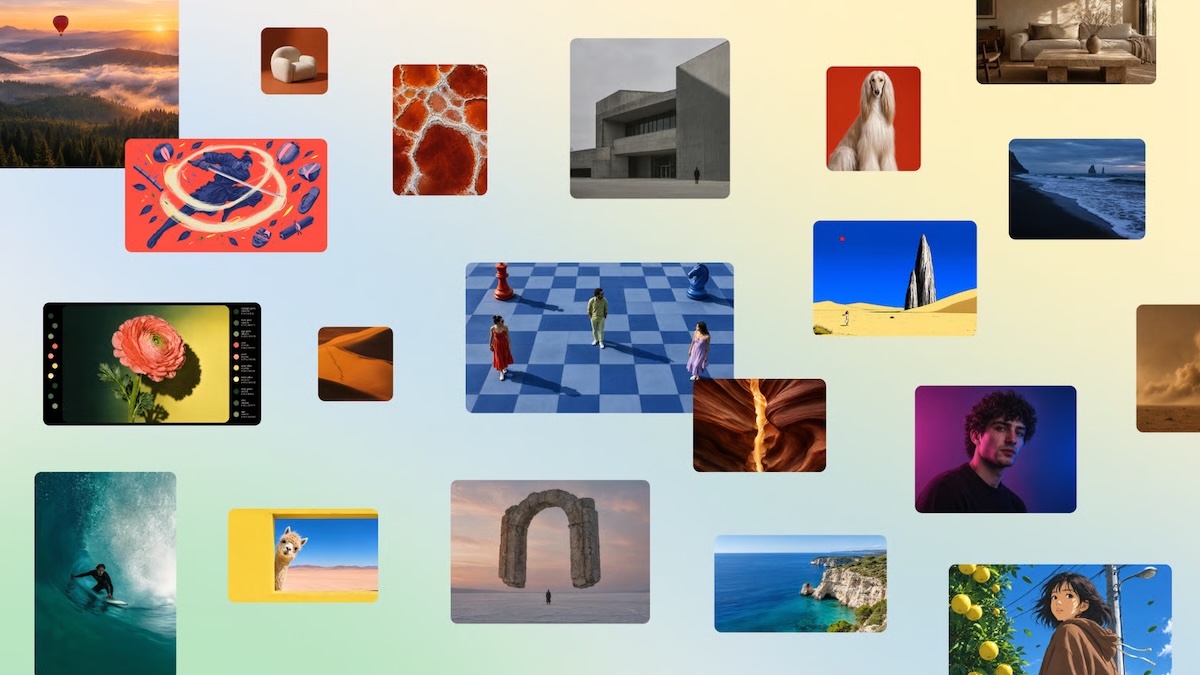
Canva Craft creates posters, visuals and photos with text that is finally legible, then lets you edit every element as in a standard design. We tested it in Canva on 30 October, starting with what it does best according to the DesignArena comparison: landscapes.
Read also: our guide to ChatGPT Images 2.5 and Claude connected to Canva.
What you can do with Canva Craft
Craft is the new engine behind Dream Lab, Canva’s image tool. It has been open to all accounts since 22 October 2026, including free ones.
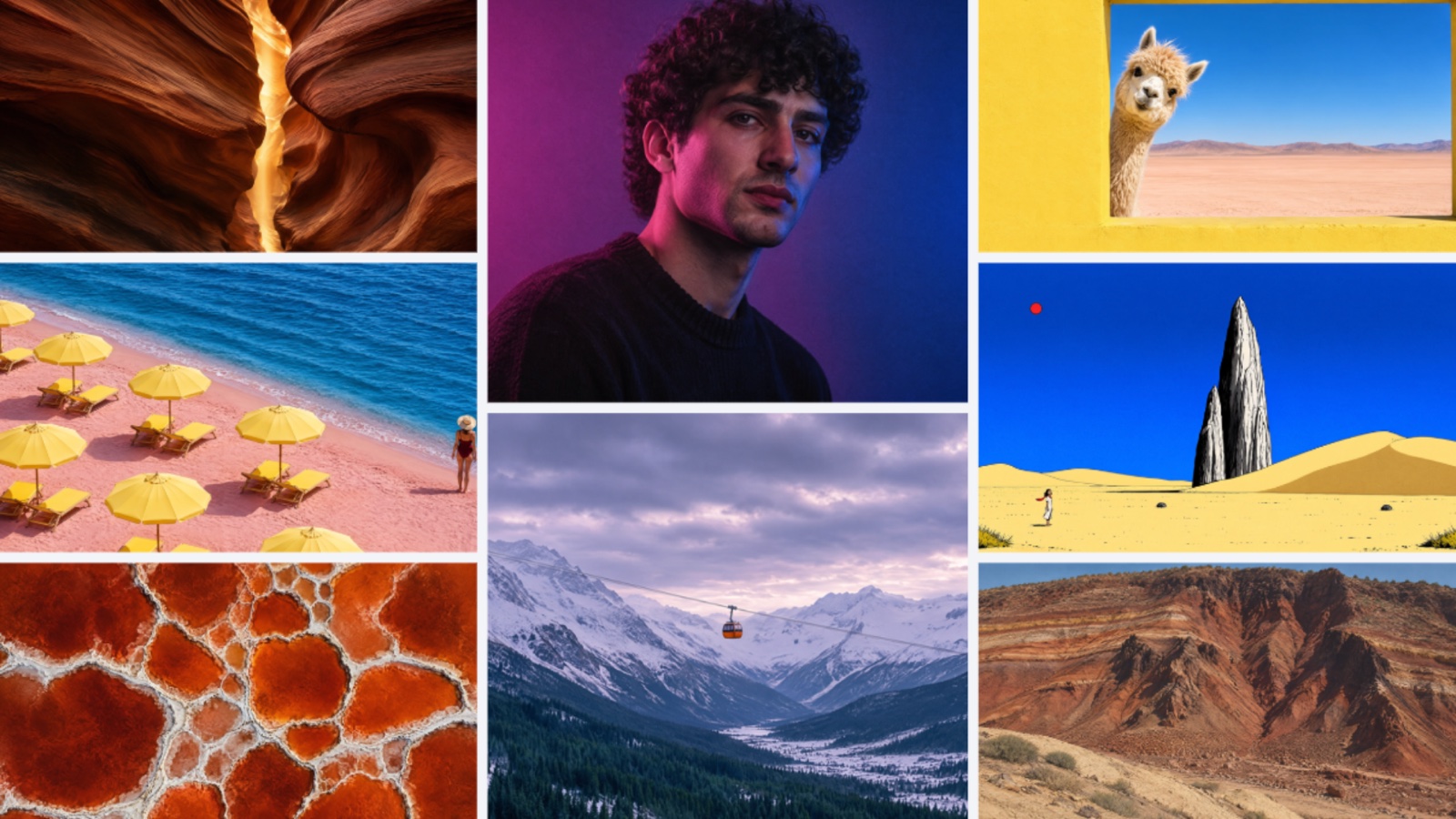
We repeated the exercise in Dream Lab, with no text in the image, sticking to the categories where Craft ranks best: portraits and landscapes, plus an interior.
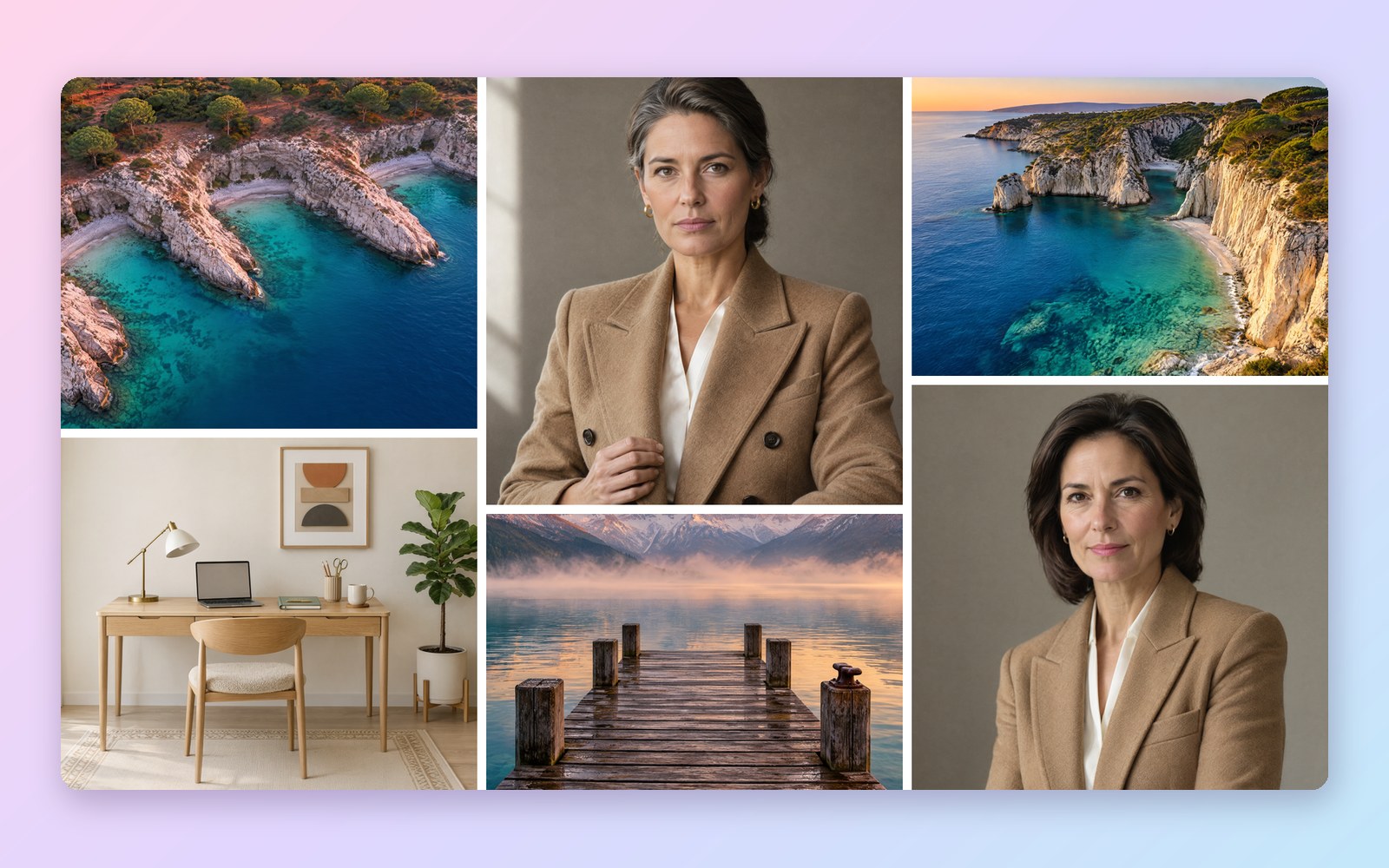
Start with what it does best: landscapes and portraits
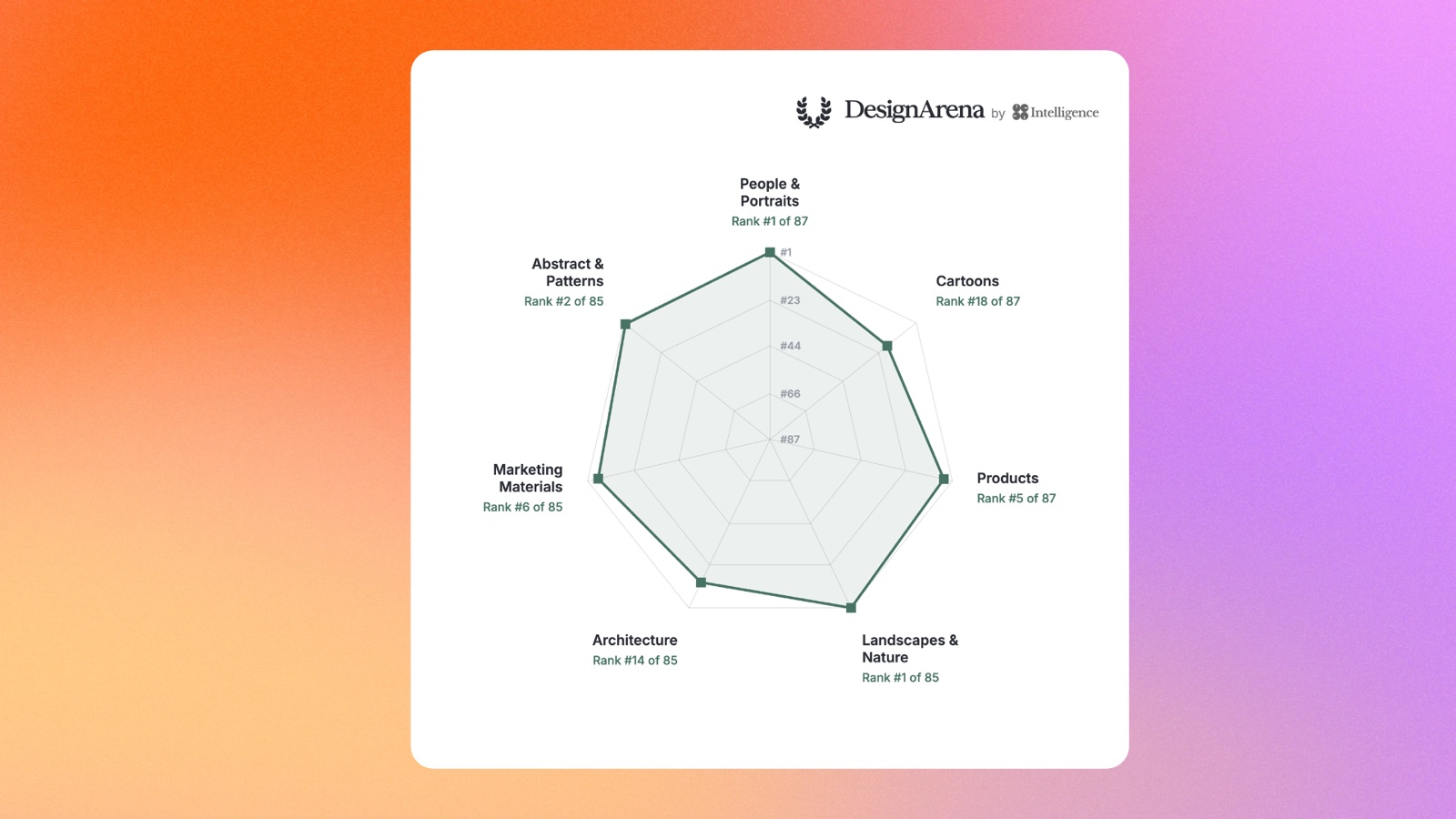
DesignArena compares image generators, Craft included, through head-to-head votes by users. Canva publishes its rankings by category: Craft is first out of 85 models for landscapes and nature, and first out of 87 for people and portraits. It is only sixth for marketing materials, and fourteenth for architecture.
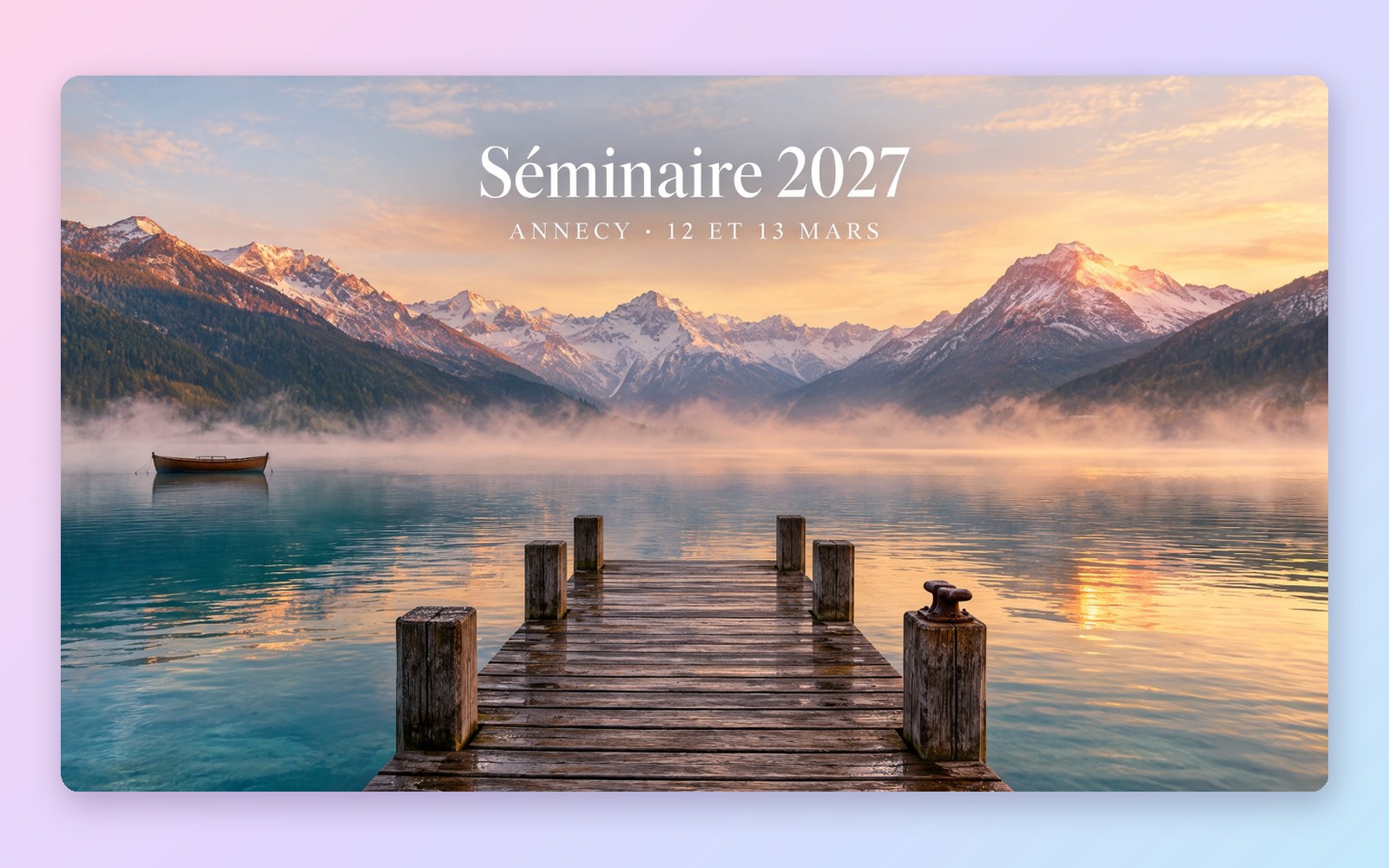
So we tested a landscape first, with a practical use: an invitation to a team away day.
Editorial landscape photograph for a company away-day invitation. Lake Annecy at dawn, light mist on the water, snow-capped mountains, a wooden jetty in the foreground. Natural golden light. At the top, in elegant white serif type: « Séminaire 2027 ». Below, in small spaced capitals: « Annecy · 12 et 13 mars ». No people.
The result matches a travel-brochure photo: mist, reflections, snow on the peaks. The title and date are correct, accents included. For an invitation, a newsletter banner or an opening slide, this is the use case where Craft is most reliable.
A poster with the right text, first time
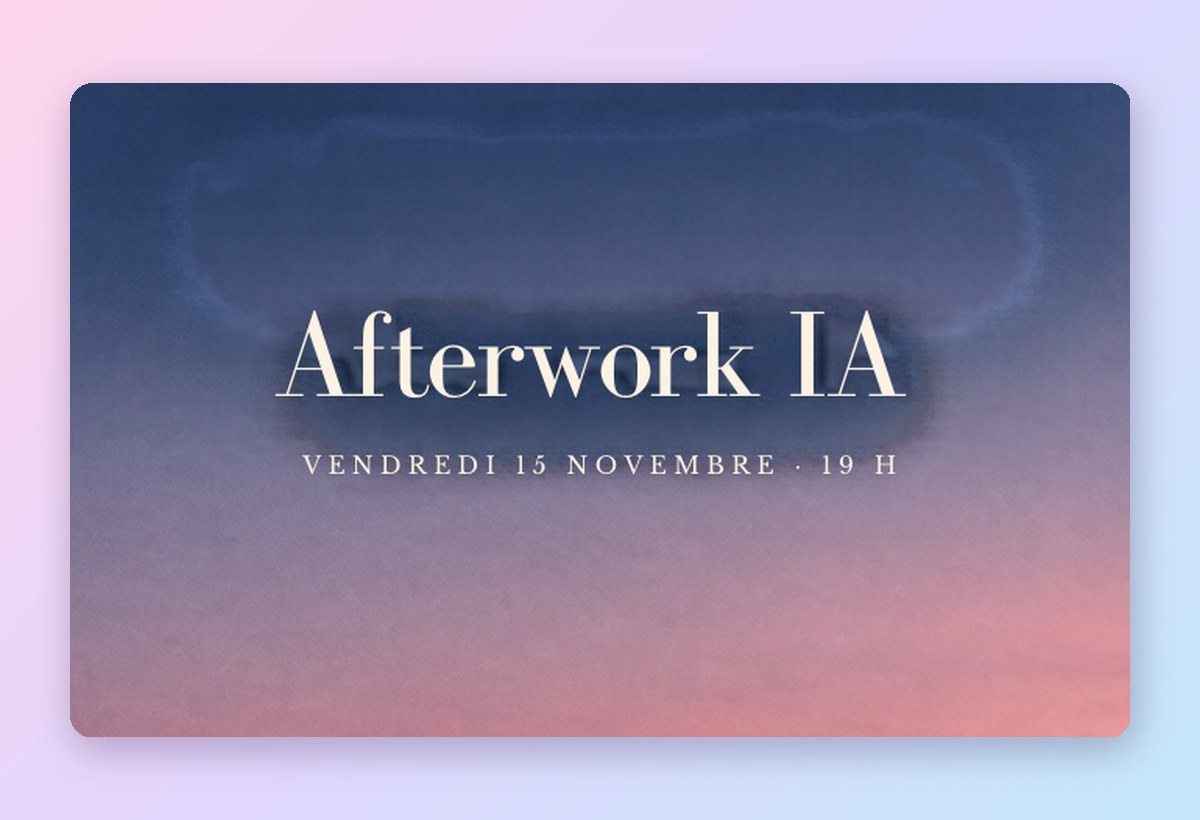
We asked it for an afterwork poster, with a title and a date in French.
High-end editorial poster, luxury magazine style. At the top, a title in elegant serif type, off-white: « Afterwork IA ». Below, in small spaced capitals: « Jeudi 14 novembre · 18 h 30 ». Photograph of an empty Parisian rooftop at dusk: two glasses of champagne on a marble table. No people. Natural light, plenty of negative space.
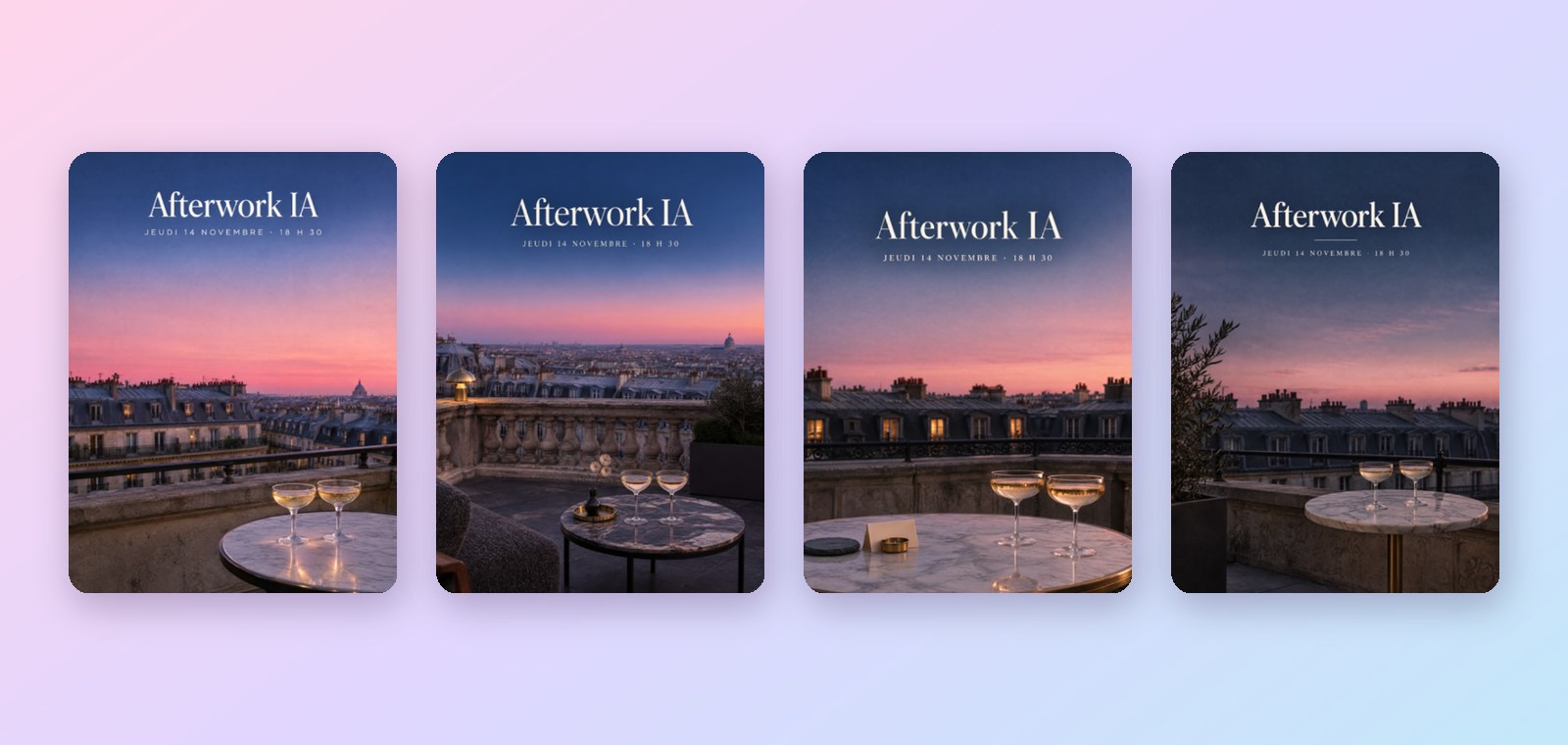
Across the four options, the title, date, accents and middle dot are all correct. With image generators, text has until now been the weak point: invented letters, truncated words. Canva puts the difference down to its method. Craft first prepares a plan of the image, with the position of the title and text, then it draws.
Product photos with an editorial finish
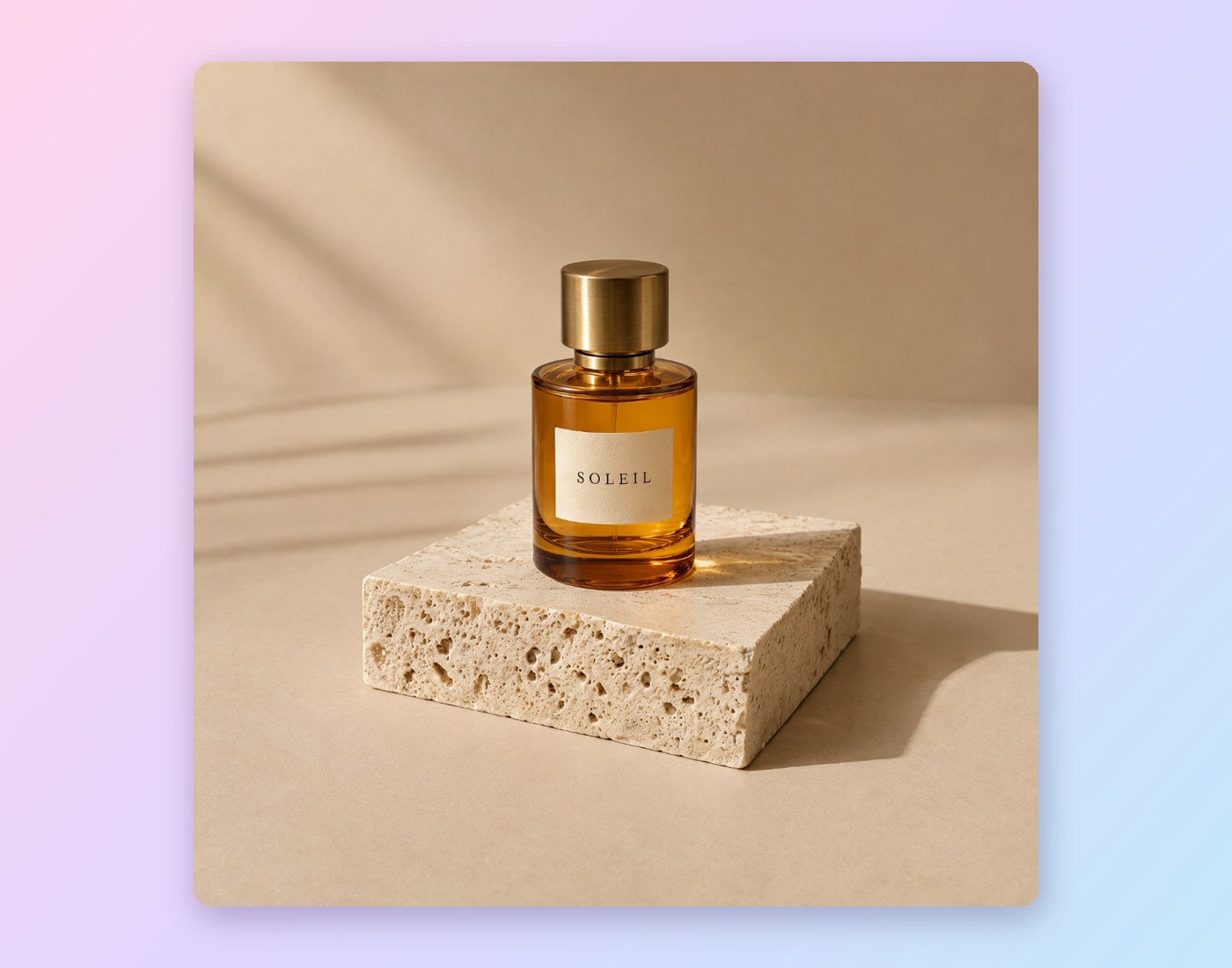
In product photography, Craft is fifth on DesignArena. Yet our test on a perfume bottle produced an image worthy of a campaign, with the requested « SOLEIL » label. Images come out in 2K, enough for a product page, a slide or a web banner.
A visual that stays editable
This is the real change. A Craft image can go through Canva’s Magic Layers: the title becomes text again, and each object becomes a separate element. You can correct a date or move an object without regenerating everything.
Every format, every language
More than 30 formats are available, from the Instagram square to the banner, and text in the image works in 55 languages, French included.
Before / after: what has changed
Same prompt, one year apart
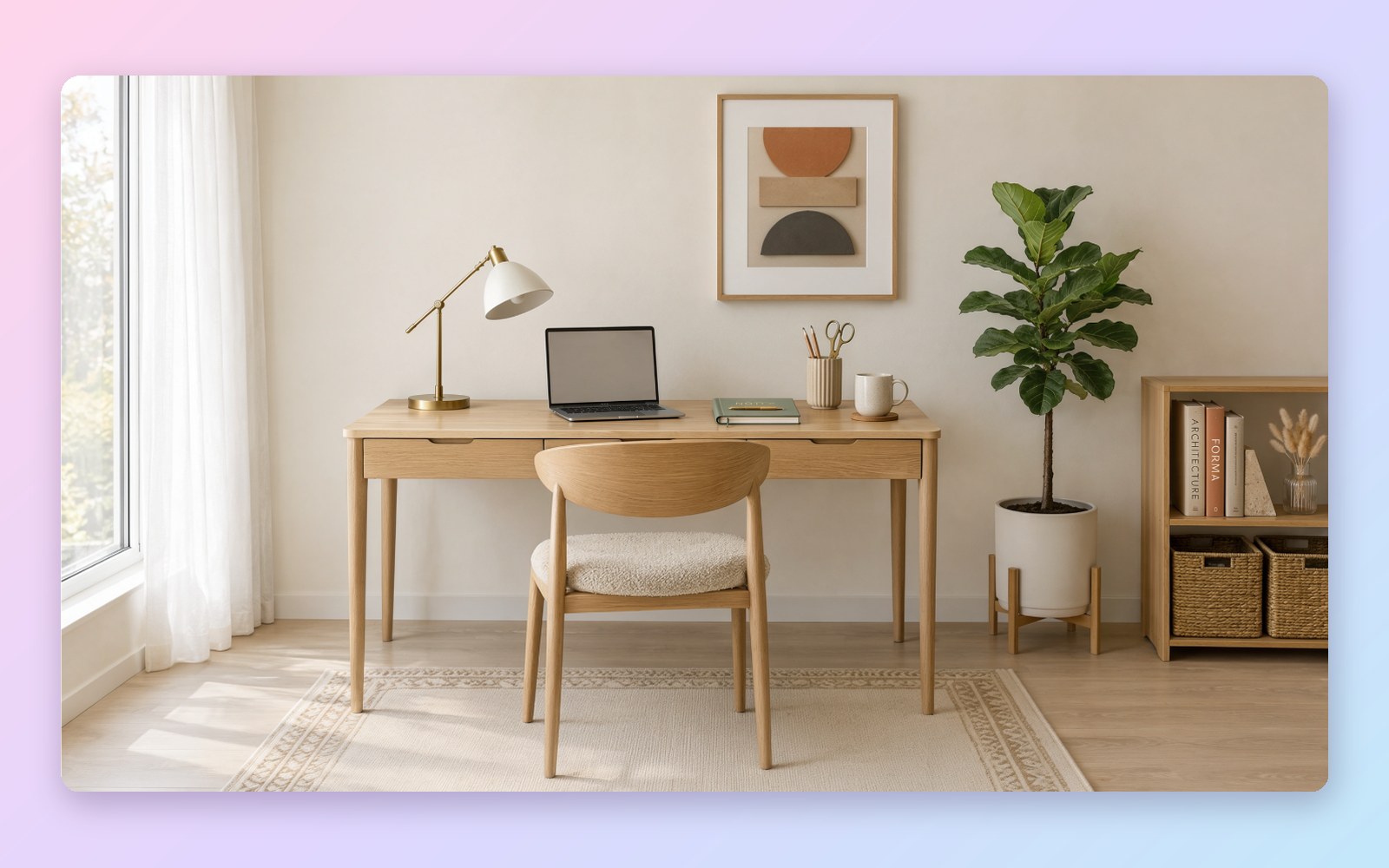
Our Canva account had kept a year-old generation, with the prompt « Créer une image d’un joli bureau » (“Create an image of a nice office”). We ran it again unchanged with Craft.

The old model delivered a generic open-plan office. Craft composes a real scene, with a subject, lighting and consistent objects. The image is 2,400 pixels wide, compared with 1,600 before.
Fixed image versus editable visual
Before, a generated image was a flat picture. To change a date, you had to regenerate everything or use photo-editing software. With Craft and Magic Layers, we changed the date of the afterwork in ten seconds, then created the LinkedIn version in one click.

Train your teams to create their visuals with AI
Workshops on your own materials: writing a precise prompt, following your brand guidelines, checking the result.
AI workshopsBook a callTutorial: three steps in GIFs
1. Generate the image in Dream Lab
Open Dream Lab from Canva’s left-hand panel. Craft is the default model. Paste your prompt, choose the format, then confirm. Allow about a minute to receive four options.

2. Make the image editable with Magic Layers
Click on an option, then « Ouvrir dans l’éditeur » (Open in editor). Under « Modifier l’image » (Edit image), run « Calques magiques » (Magic Layers). The title, date and objects become separate elements. Double-click on the date to rewrite it.

3. Turn it into a LinkedIn post
In the « Redimensionner » (Resize) menu, search for « LinkedIn », choose « Publication LinkedIn » (LinkedIn post), then « Copier et redimensionner » (Copy and resize). Canva creates a copy in square format and repositions the elements.

Our tip. Write the prompt like a brief for a graphic designer: the exact text in quotation marks, its position, the mood, the lighting. Add “no people” if you want to avoid the generic faces that instantly look like an “AI image”.
What to use it for at work
Internal communications
Event posters, newsletter visuals, invitations: Craft gives you a polished first draft in a minute, which anyone can then edit in Canva. This is where it saves the most time.
Marketing and social media
A campaign visual can be adapted into a post, a story and a banner without starting from scratch. Keep your brand guidelines in Canva’s Brand Kit and check every version. Our AI training for marketing teams starts from this kind of case.
E-commerce
Lifestyle shots, seasonal backgrounds, advertising visuals: Craft produces credible product photos, like our perfume bottle. That said, it does not reproduce your actual product. Keep it for moods and backgrounds, and photograph the real product.
Limitations to know
Automatic reframing sometimes leaves traces. On our LinkedIn version, Canva rebuilt the sky behind the title, and a blurred halo remained visible.
- The quota limits the pace. On the account used for this test, Canva imposed a wait of about three and a half minutes between two generations. Each plan caps monthly AI usage, and Canva has not published a quota specific to Craft.
- A generation takes about a minute, compared with around twenty seconds for some competitors. Faster versions, Craft-fast and Craft-ultrafast, have been announced with no date.
- Marketing materials are not its strong point: Craft is sixth in this DesignArena category. In the overall ranking, Canva claims fourth place, behind three OpenAI models, on a small number of votes.
- For advertising use, have your legal department check the rights: Canva has not specified how the creators of the works used for training are treated.
Key takeaways
- Canva Craft is the new engine behind Dream Lab, open to all Canva accounts.
- It excels at landscapes and portraits, ranking first on DesignArena, and writes accurate text in the image, French included.
- With Magic Layers, the image becomes an editable design: text, objects, format.
- The photo rendering is clearly better than a year ago, with the same prompt.
- Allow time: about a minute per image, and a quota between two generations.
Where to start in your company?
A 30-minute conversation to identify the visuals your teams can hand over to AI.
Book a callAI assessmentPrefer a full programme? Our corporate AI training starts from your real tools and files.
Sources
- Tests carried out by AI Sisters in Canva Dream Lab on 30 October 2026. All the images and GIFs in this article come from these tests.
- Canva, Introducing Canva Craft, 22 October 2026.
- TechCrunch, Canva releases its first image generation model, 22 October 2026.
- Blog du Modérateur, Canva lance Craft, son modèle de pointe pour la génération d’images, 23 October 2026.
- Pasquale Pillitteri, Canva Craft launches in Dream Lab, Canva’s first image model, 23 October 2026.
- DesignArena, image model leaderboard, accessed 29 October 2026.



.avif)