.svg)

If you work in a company, you already know:
👉 Excel is everywhere.
Budgets, forecasts, financial models, reporting, operational tracking…
A huge share of critical decisions are still made in spreadsheets.
That is exactly why Anthropic's announcement is major:
Claude in Excel is now available from the Pro plan ($20/month).
This is not a gimmick feature.
It is a turning point.
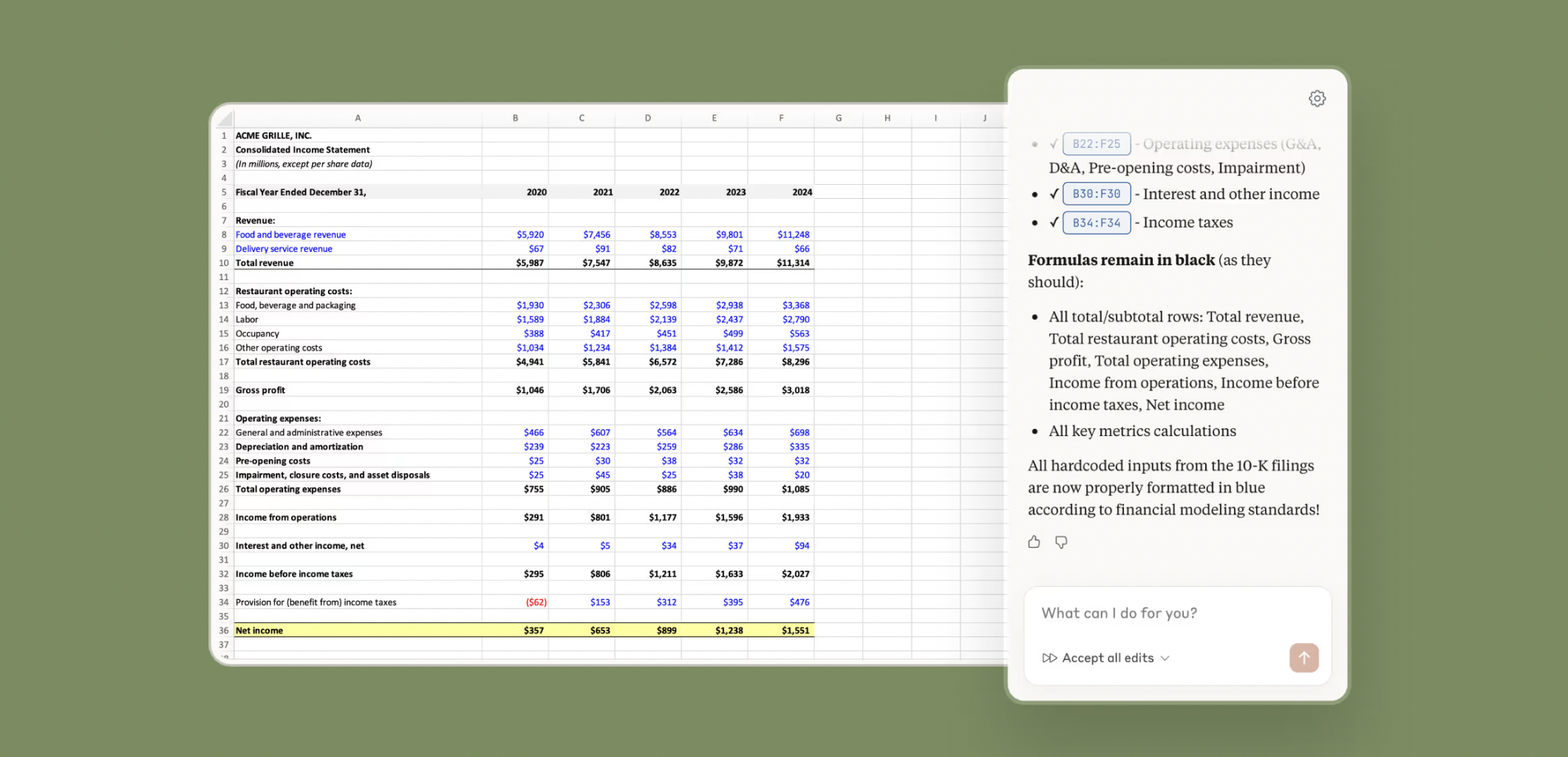
Excel enters a new era: the copilot that really understands your models
Most AI assistants simply "read" a file.
Claude goes much further.
It understands Excel like a senior analyst:
- nested formulas
- dependencies between tabs
- the full logic of a financial model
- workbook structure
- overall calculation flow
And above all: every answer comes with cell-by-cell citations.
👉 It is no longer opaque magic.
👉 It is an auditable assistant.
Why Claude in Excel is a revolution for companies
Excel remains the most widely used tool…
But also one of the most time-consuming.
With Claude, Excel finally becomes an augmented environment.
It is a massive gain for:
- finance teams
- management controllers
- data analysts
- ops teams
- executives who live in Excel reports
What Claude actually enables (and why it's creating a buzz)
Understand any cell in seconds
You can ask:
- "Why is this figure going down?"
- "Which formula feeds this KPI?"
- "Where does this total come from?"
Claude immediately traces the full calculation path, with precise references.
👉 No more spending 2 hours hunting for formulas.
Book your 30-minute call now
A no-obligation conversation to build your AI training around ChatGPT.
👉 Tell us about your AI project 👈
Run scenario planning without breaking your model
This is one of the most powerful uses.
You change an assumption:
- price
- volume
- material cost
- inflation
- churn
Claude updates the whole model without breaking the dependencies, and explains each impact.
👉 Scenario planning becomes instant.
Debug Excel like an expert (in 30 seconds)
#REF!, #VALUE!, circular references…
Claude can:
- trace the error to its source
- explain why it appears
- suggest a clean fix
- without breaking the rest of the file
A huge gain for finance and data teams.
Build or complete financial models with AI
Claude can also:
- create a complete forecast from scratch
- complete an existing template
- structure a P&L or a cash flow
- respect the formulas already in place
👉 Excel becomes a financial copilot.
How to become an Excel pro in 2026 with AI
That is the real promise:
It is no longer just about "knowing Excel".
It is about driving Excel with AI.
The pros will no longer be those who know every formula…
But those who know how to ask the model the right questions.
Claude turns Excel into:
- an analyst assistant
- an automatic debugger
- a strategic simulation engine
- a decision copilot
Conclusion: Excel is no longer a spreadsheet… it is an interface to intelligence
For years, Excel was the most critical tool…
But also the most archaic.
With Claude, we are entering a new phase:
👉 AI is finally arriving where decisions are made.
And it is probably one of the most important integrations of the year.
To get the most out of it, corporate Claude training lets your teams use it on their own models.
FAQ
Claude in Excel: how it works, uses and limits
Clear answers to common questions about Claude in Excel: availability, explaining formulas, fixing errors, productivity and finance use cases.
Is Claude available directly in Excel?
Yes. Anthropic now offers Claude built into Excel via the Pro plan, letting you analyse, explain and edit workbooks directly in the spreadsheet.
Can Claude fix Excel errors?
Yes. Claude can identify errors (#REF, #VALUE…), trace their origin and suggest a clean fix.
Can Claude explain a complex formula?
Yes. Claude can break down the logic of a formula, explain the dependencies between cells/tabs, and help you understand where a total or a KPI comes from without having to go through the whole workbook by hand.
Does Claude replace an analyst?
No, but it greatly increases productivity by automating understanding, simulation (scenario planning) and debugging. Business expertise and human validation remain essential for critical decisions.
Which roles will benefit most?
Finance, FP&A, management control, data analysts, ops and all the teams that use Excel every day (reporting, forecasts, KPI tracking, models).
Can Claude create a complete financial model?
Yes, it can help build or complete a model (forecast, P&L, cash flow), structure the tabs and suggest formulas. For an "enterprise-ready" model, you still need to frame the assumptions, check the calculations and have the structure validated (auditability, consistency, controls).
Where does your company stand with AI? Take the free AI diagnostic in 5 minutes and get your action priorities.







.avif)
