.svg)
Connecting Claude to Pennylane: the setup guide
The step-by-step guide to connecting Claude to Pennylane's official MCP, for accounting firms and finance departments alike, with twelve ready-to-copy prompts.
Get the PDF




Download for free
Fill in the form: the download link appears straight away.
Thank you! You will receive the resource in your inbox within a few minutes. Check your spam folder if you cannot see it.
Download the PDFThey trust us
From CAC 40 groups to the public sector, our AI training is deployed in organisations of every size.













What you will find inside
- The prerequisitesThe Pennylane and Claude plans to check, and the choice between a firm connection and a company connection.
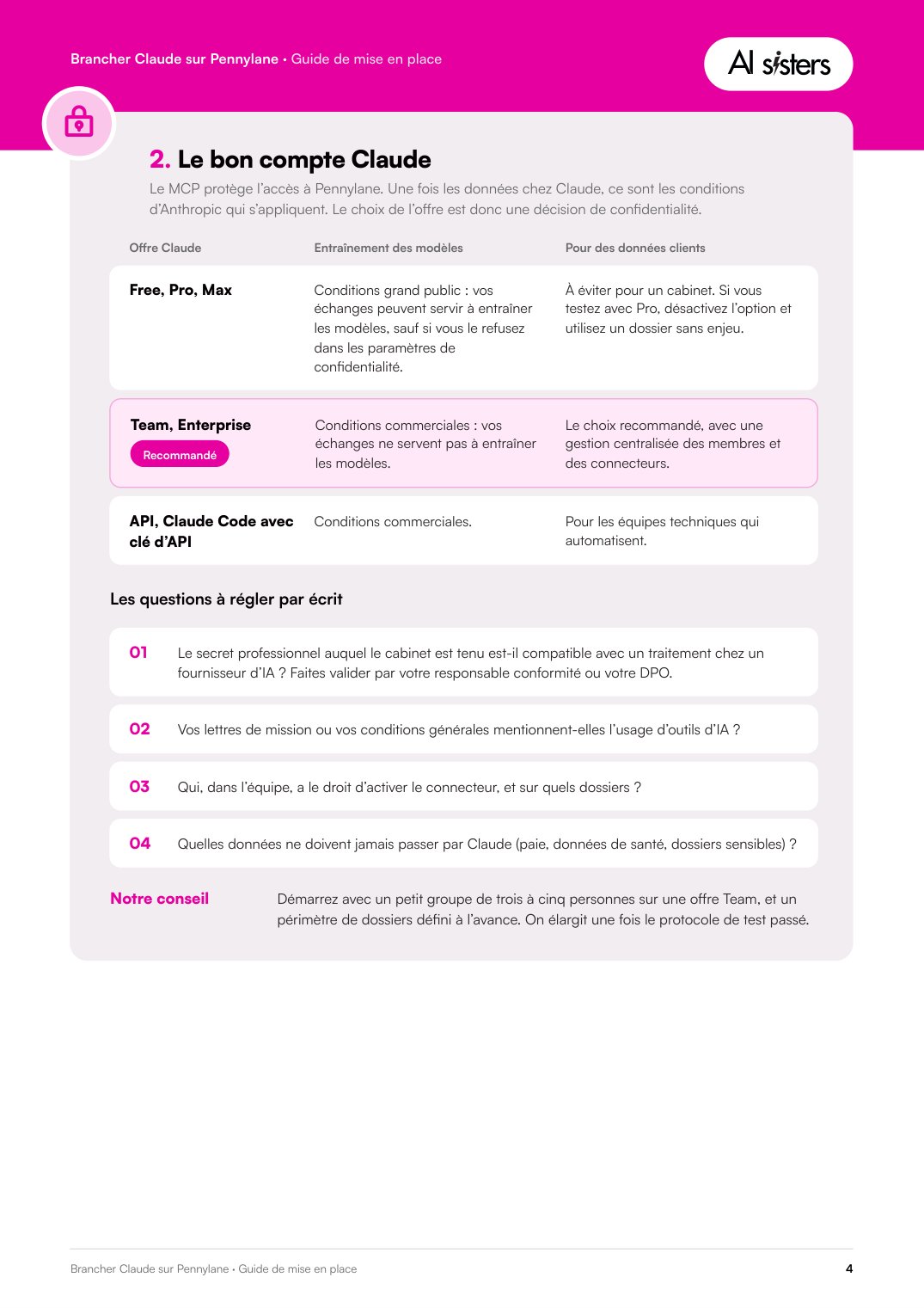
- The right Claude accountWhich plan to choose for client data, and the four questions to settle in writing.
- Connecting step by stepSix steps in Claude, the command for Claude Code, and how to revoke access.
- PermissionsThe data families to open for the first use case, and nothing more.
- The test protocolFive questions to ask on a file you know before any client use.
- Twelve prompts and a charterSix prompts for accounting firms, six for companies, a usage charter and a checklist.
The eight steps of the guide
- The prerequisites
- The right Claude account
- Connecting step by step
- Setting permissions
- The test protocol
- Twelve ready-to-copy prompts
- The usage charter
- The checklist
For accounting firms and finance departments that want to connect Claude to Pennylane properly, before the first client use.


A few pages from the document



Why companies trust us with their teams
employees trained in generative AI, in organisations of every size, from CAC 40 groups to the public sector.
companies supported from start to finish: scoping the need, training the teams, then following up on usage.
more productivity per trained employee, according to an MIT and Stanford study cited in the white paper.
the average rating of our sessions on Google, for a Qualiopi-certified training provider.
What our clients experienced
“It was really great: AI Sisters supported the entire IT department with an immediate impact. I recommend it 100%.”
“Great training and a very concrete audit: we are already seeing tangible benefits.”
“AI Sisters supported the 400 employees of Samsung France with a great show and workshops. A team of 10 exceptional trainers: a large-scale system carried out with flying colors.”
The PDF is yours in one minute
Fill in the form and the download link appears straight away.
Get the PDFOr book a 30-minute call
-Photoroom.webp)

.avif)
