.svg)

A ChatGPT subscription paid for by your sales rep. A Copilot that came with the Microsoft licence. A third tool trialled by marketing in the spring, and never cancelled. Nobody really knows what it all costs. 😅
The 2027 budget is being prepared now, and the same question keeps coming back: what do we keep, what do we pay for, and for whom?
By the way: at AI Sisters, we train SME teams on ChatGPT, Claude and Copilot. Let’s go 👇
“This usage rate has thus tripled since 2023,” wrote INSEE in July 2026, referring to companies with at least ten employees that use artificial intelligence.
In brief
- One SME in two says it uses generative AI; fewer than one in five uses it regularly. That is what Bpifrance measured at the end of 2025.
- Six needs come up in every SME: the assistant, meetings, marketing, sales, automation and internal knowledge.
- Budget around 20 euros per person per month for an equipped workstation, excluding tax, on an annual commitment.
- Two needs can be covered for free at first: meeting notes and automation both have zero-euro plans.
- Training your teams has been a European obligation since February 2025, relaxed this summer: measures to take, not a level to certify.
- Screening job applications with AI becomes a regulated use on 2 December 2027.
Further reading
Explore our other articles to go further in choosing your AI tools:
AI tools for SMEs: the six needs that keep coming up
The catalogues are dizzying. Start from the need, not the tool: in an SME there are six, and you do not need all six.
🔥 The general-purpose assistant. ChatGPT, Claude, Gemini or Copilot. Writing, summarising, analysing, searching, preparing a document. It is the first subscription, often the only one. We compared Claude, ChatGPT and Gemini for a company.
🔥 Meetings and minutes. Fireflies, Fathom, Otter, or Copilot in Teams. The tool listens, transcribes, summarises and pulls out the action points. Otter transcribes 300 minutes a month for free.
🔥 Marketing and content creation. Canva, ChatGPT, the Adobe suite, image tools. The month’s posts, the visuals, the launch presentation, as in our article on Claude Slides.
🔥 Sales and CRM. HubSpot and Salesforce with their AI, Clay and prospecting tools. Enriching a record, preparing a meeting, writing the follow-up, qualifying leads.
🔥 Task automation. Make, Zapier, n8n, and agents. Connecting your tools so the repetitive task gets done with nobody behind it.
🔥 Productivity and internal knowledge. Notion, Gemini in Google Workspace, Copilot in Microsoft 365. Finding information, working on your documents, building a knowledge base.

💡 In plain terms: you are not buying a tool, you are solving a need. A list sorted by need can be compared in ten minutes; a list sorted by brand, never.
AI tools for SMEs: what they really cost in 2027
Budget between 18 and 21 euros per person per month for a professional assistant, excluding tax, on an annual commitment.
⚠️ Copilot cannot be bought on its own. It is added to a Microsoft 365 licence: the real price of a seat is the sum of the two. At Google, Gemini is included in the Workspace plans, starting with the cheapest. We cover Microsoft’s tool in detail in our guide to Microsoft Copilot at work.
⚠️ Agents are not billed at a flat rate. You pay for what they consume, and the bill needs checking every week.
⚠️ Promotions distort budgets: Microsoft and Google slash their prices for the first year only.

💡 In plain terms: ten subscriptions of which three are used every day cost more than three well-chosen subscriptions. You are paying for empty seats.
AI tools for SMEs: Salesforce, HubSpot and prospecting
The most cost-effective need is the one you already pay for. The two CRM giants have built their AI into the subscription, and bill it by usage.
🔥 Salesforce. Its agents, grouped under the name Agentforce, work inside your data. Budget around ten US cents per action, paid in credits bought in advance.
🔥 HubSpot. Its Breeze assistant is included in every plan, from Starter to Enterprise. The agents, however, consume credits.
🔥 Clay, for prospecting. It enriches your lists and qualifies leads at scale. Free up to 500 actions a month, then from 167 dollars: it is the line that surprises most in an SME budget. In our key-account case study, an agent went from several days to under an hour.
This year’s novelty lies elsewhere: your CRM can now talk to your assistant. Both connectors install from the Claude marketplace.

✅ On the HubSpot side: create and update contacts, deals and tickets, log a call or a note, without leaving the conversation. It deletes nothing, and an administrator authorises it before your teams can use it.
✅ On the Salesforce side: the connector is in beta, and the vendor publishes its own servers, to be declared once in your org, tool by tool.
⚠️ The assistant inherits the permissions of the signed-in person. What they see in the CRM, it sees. What they can edit, it can edit.
💡 In plain terms: connecting your CRM means opening a door between two tools. The question is not “does it work?”, but who is allowed in, and to do what.
AI tools for SMEs: from idea to tool, without a developer
That leaves what no off-the-shelf software covers. Interface builders change the game: you describe, they build.
What an SME gets out of them: a mini internal CRM when yours is a spreadsheet, a client portal to stop the back-and-forth by email, a dashboard that brings your figures together, a lead qualification tool, an interface for an agent, or a prototype before investing in real development.
🔥 v0, by Vercel. You describe a screen, it produces ready-to-deploy code that belongs to you and goes to GitHub. The bill is counted in tokens.

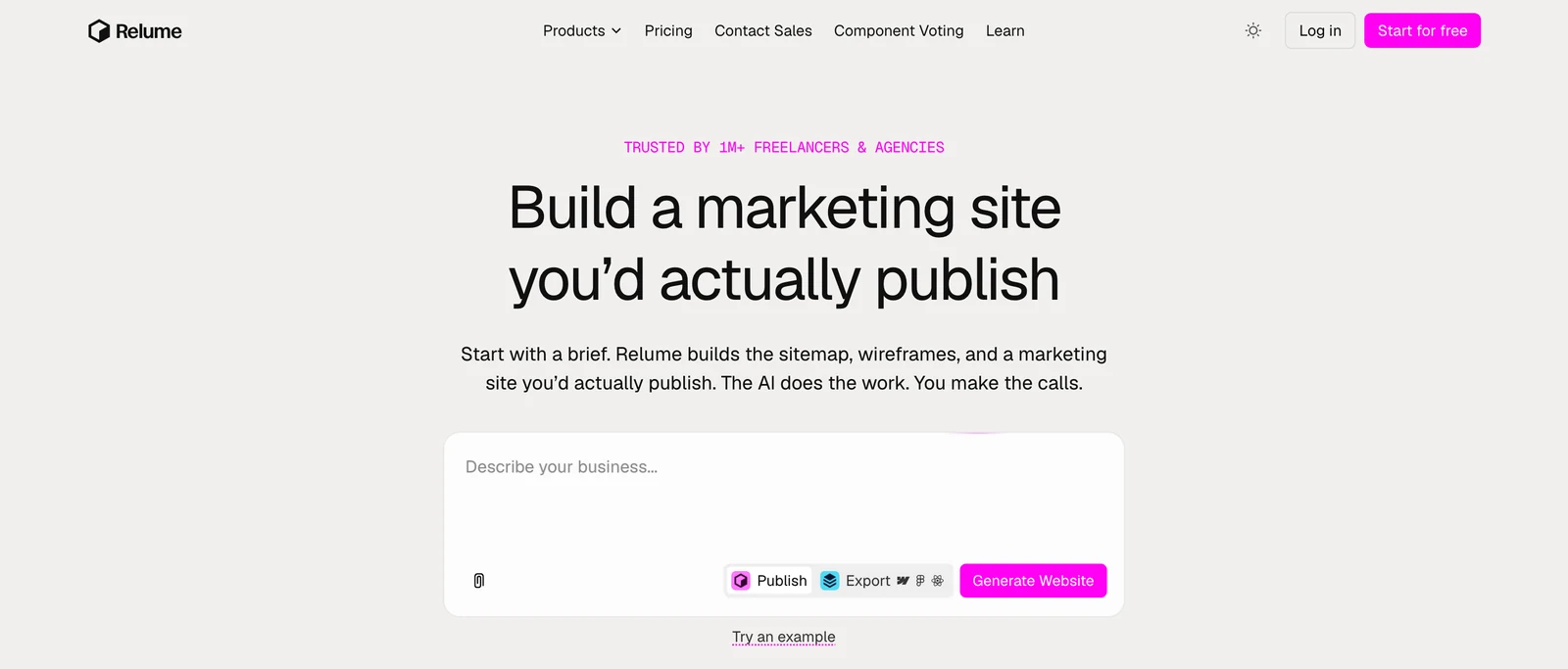
🔥 Relume. You give it the brief, it suggests the sitemap, the wireframes, then the site, assembled from a library designed by humans, exportable to Figma, Webflow or React.
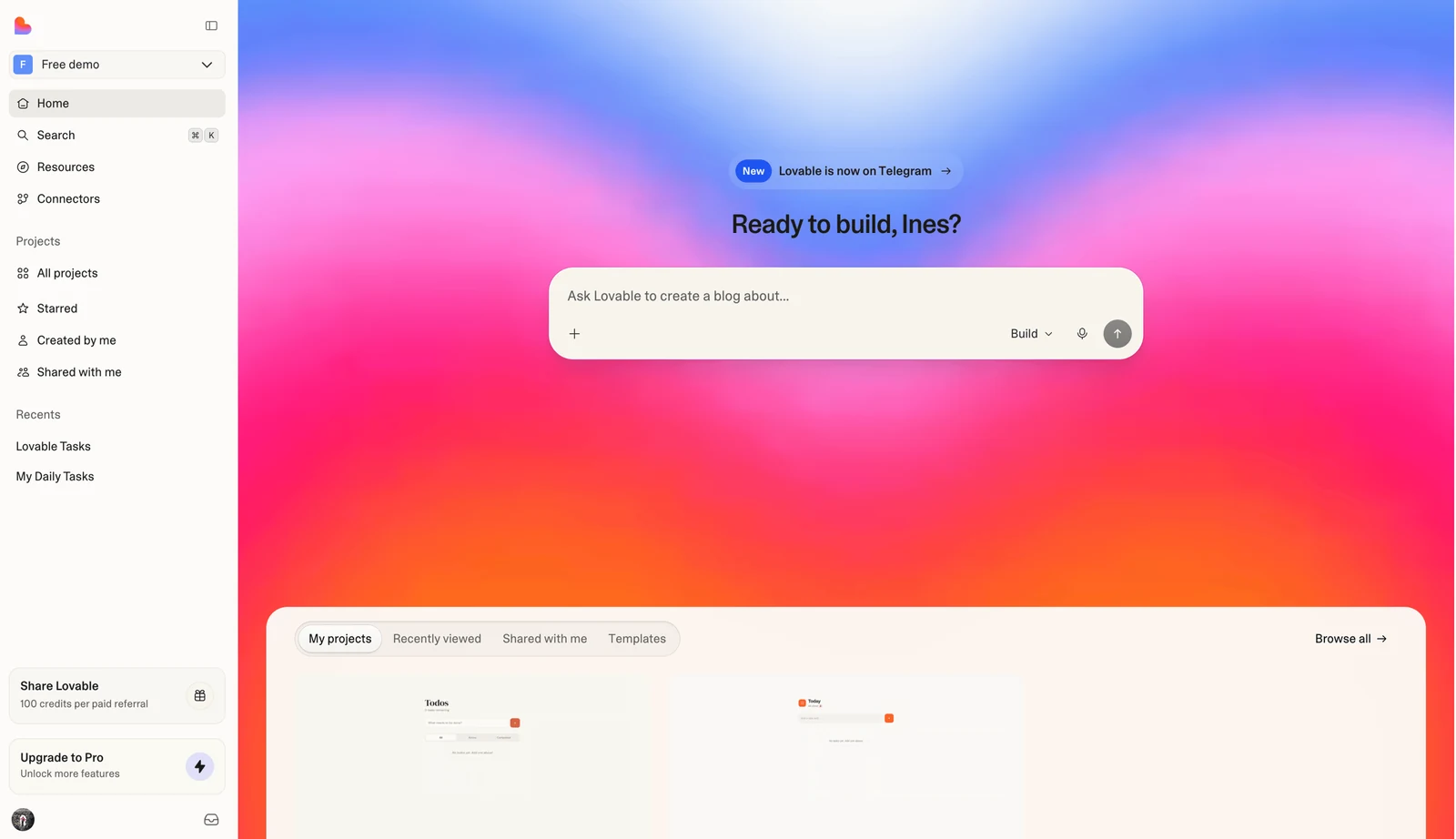
🔥 Lovable. It goes the furthest: a complete application, database and user accounts included. It is the one that best turns an idea into an internal tool, and it is billed in credits, not per seat.
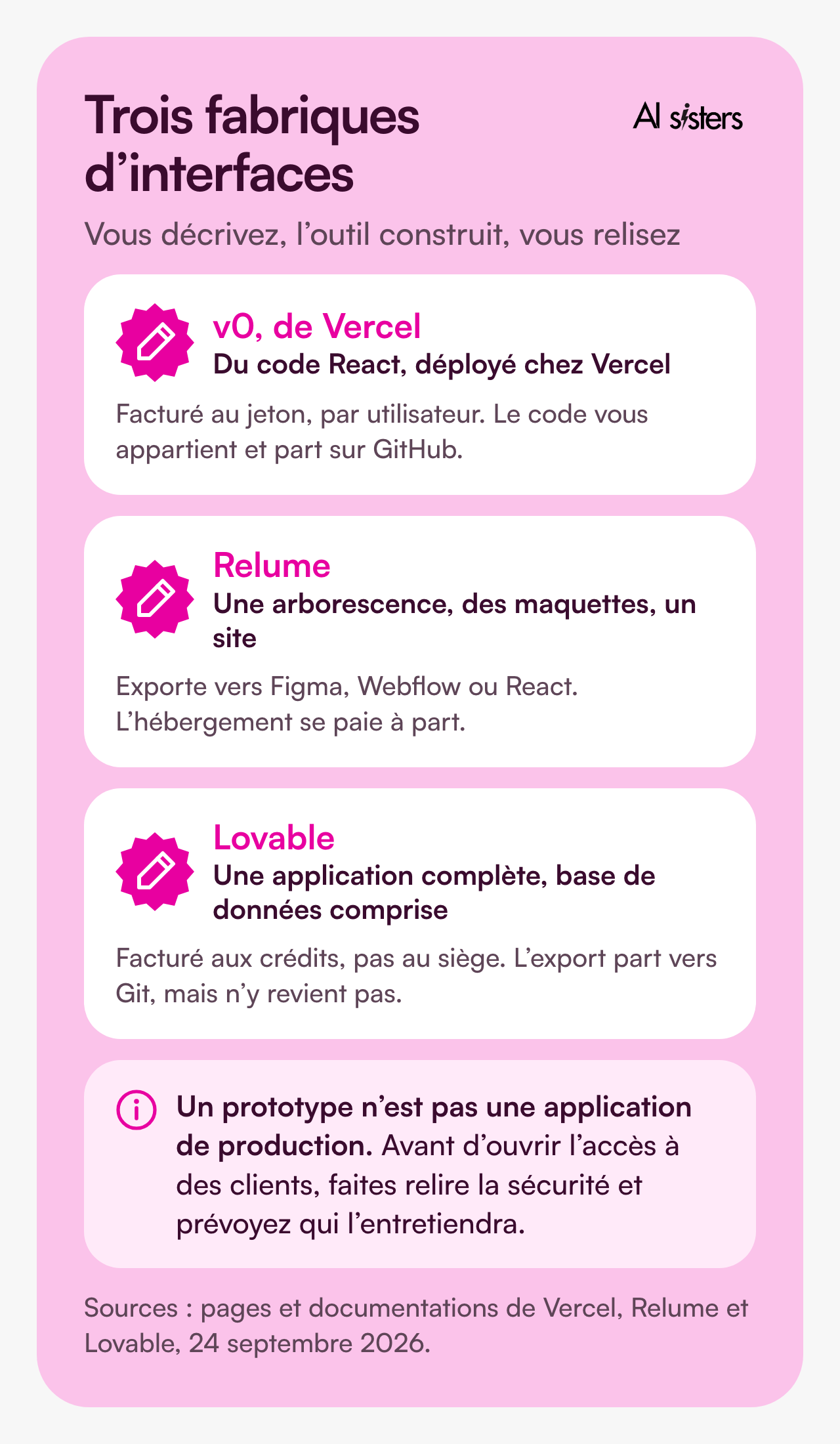
⚠️ A prototype is not a production application. Before opening access to clients, you need a security review and someone to maintain it.
⚠️ Read the enterprise small print. Lovable documents single sign-on, logs and European hosting. v0 documents its own, with no European region, and Relume nothing at all.
💡 In plain terms: these tools save you the first week, the prototype week. The rest of the journey looks like any other IT project.
Book your 30-minute call now
A no-commitment chat to build your AI training around your tools.
👉 Tell us about your AI project 👈
AI tools for SMEs: automating recurring tasks
A tool that works on its own is worth more than one more tool. Make, Zapier and n8n connect your software and carry out the next steps for you.
✅ What it looks like: the website form creates the record in the CRM, the assistant drafts the reply, and the follow-up goes out three days later if nobody has answered.
✅ What it costs: Make and Zapier have a free plan, and n8n can be installed on your own servers when your data must not leave. Budget around twenty euros a month once volume rises.
To connect the assistant to your tools, one common plug works everywhere, MCP: Microsoft has opened it in Copilot Studio, Google in Gemini Enterprise, OpenAI on its business plans. Lovable even has its own app in ChatGPT.
⚠️ A decision to make with your eyes open: opening a plug to a third-party tool means opening access to your data. At Microsoft, authorisation is given for the whole organisation, and it is all or nothing.
💡 To understand: this common plug is like an electrical socket. It does not tell you which appliance to plug in.
AI tools for SMEs: what the law requires in 2027
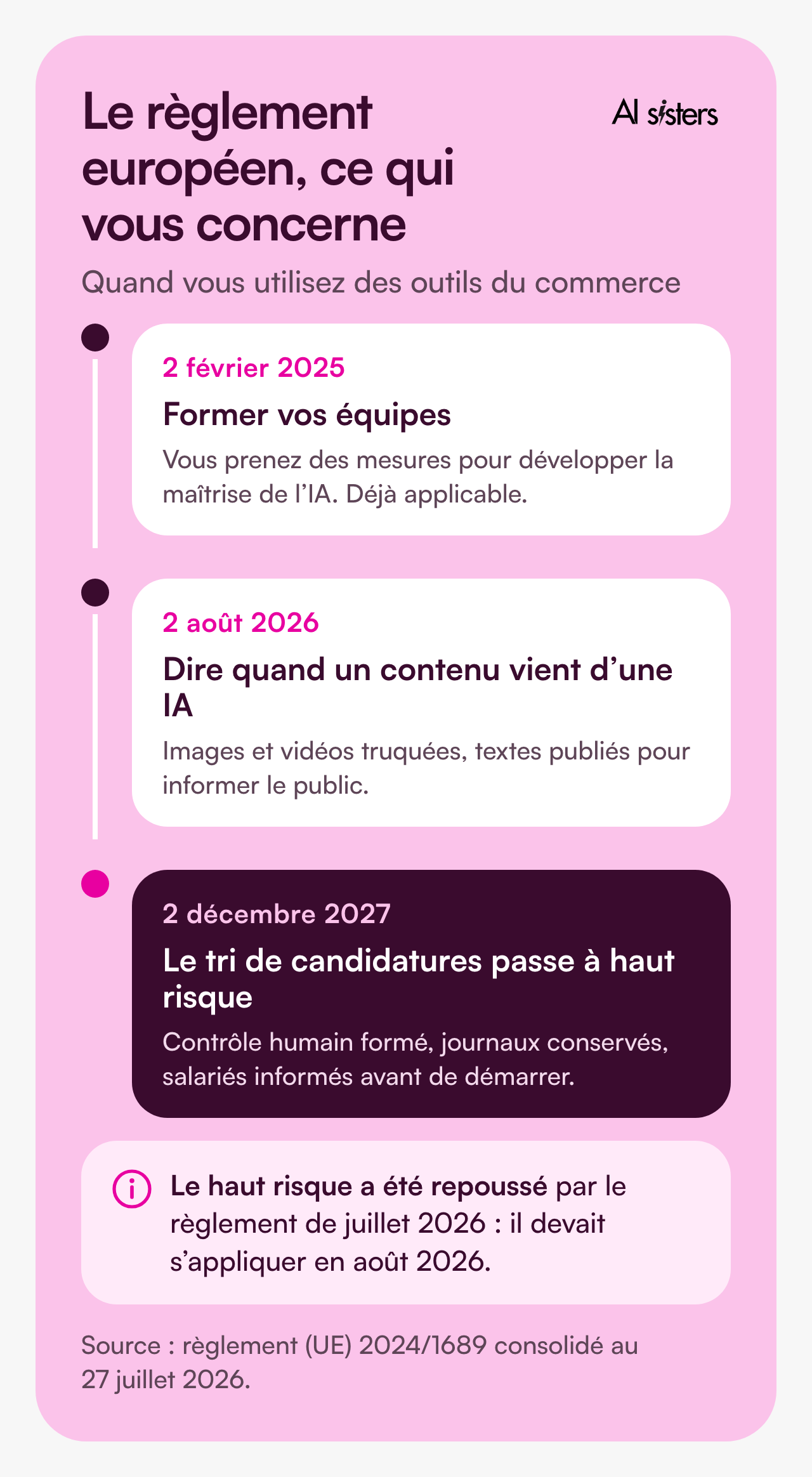
The European AI regulation (AI Act) has applied since 2 August 2026, and it was relaxed in July. Good news: for an SME using off-the-shelf tools, the obligations fit in three lines.
✅ Train your teams. Since February 2025, you must take measures to develop AI literacy among your employees, and keep a written record. On the budget side, your OPCO (French training fund) can fund part of the training.
✅ Say when content comes from an AI, for deepfake images and videos, and for texts published to inform the public. A text reviewed and owned by a person is not affected.
✅ Choose what goes into the tool. The CNIL asks for a list of authorised and prohibited uses, and advises against entrusting personal data to the system.
⚠️ The AI in your office suite sees what your teams see. Microsoft says so: Copilot only displays data the person is already authorised to access. If your shared folders are open to everyone, tidy up before deploying.
⚠️ The trap is recruitment. Screening job applications becomes a high-risk use on 2 December 2027: trained human oversight, logs kept, employees informed. Other HR uses are covered here.
And where does your data live? Mistral hosts in the European Union by default. OpenAI offers Europe under conditions, and Microsoft’s EU Data Boundary still allows some routing outside the zone.
💡 To understand: the law does not ask you to audit ChatGPT, but to know who uses it, for what, with which data. And to have written it down.
Discover our AI training & book a call
Explore our different training modules and choose, with us, the one that best meets your AI needs.
📚 See our AI training 📞 Book a discovery call
Which AI stack: one for a start-up, one for a large group
Piling up tools does not make a stack: it holds when every layer serves someone.
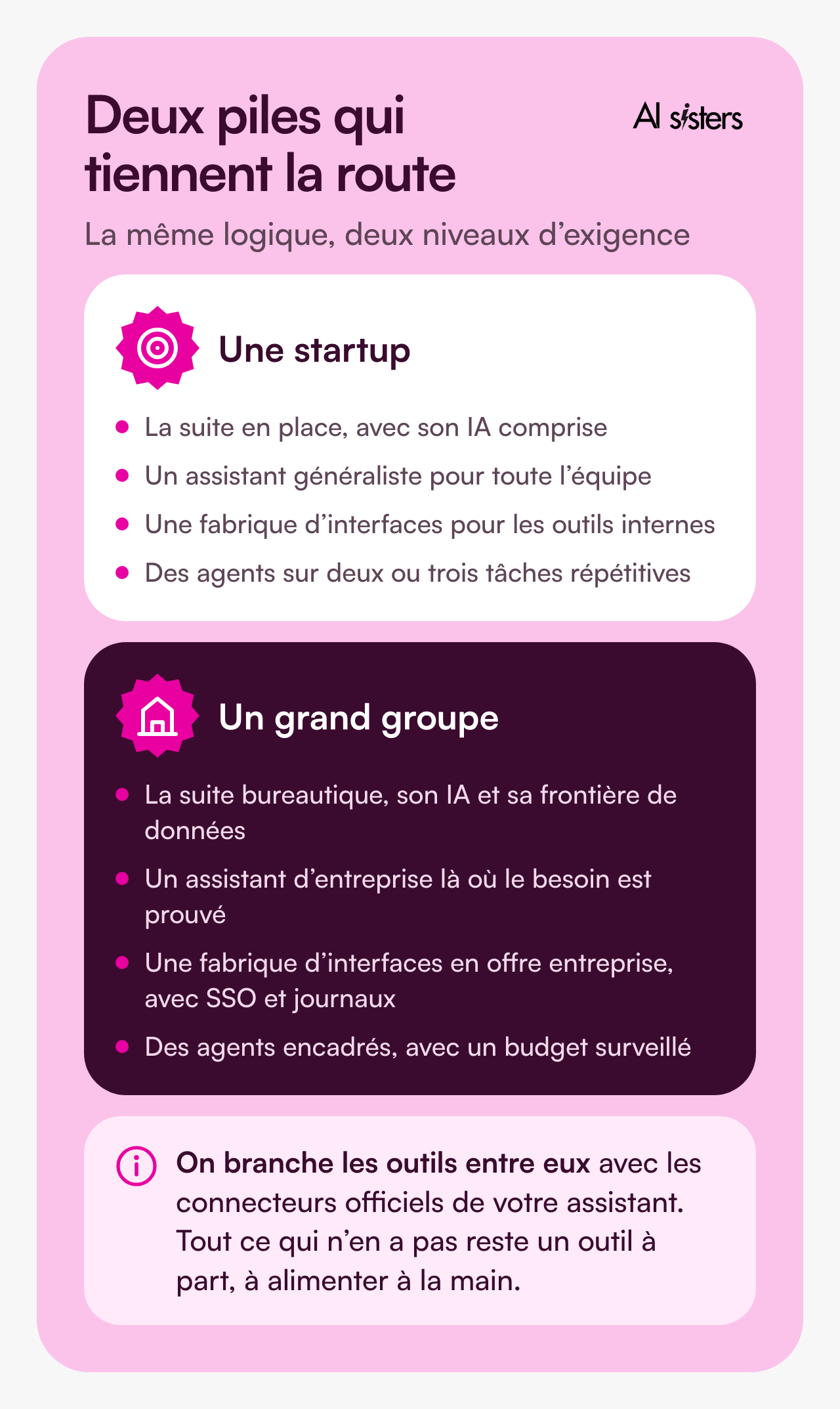
For a start-up of ten to fifty people: the suite already in place with its AI included, a general-purpose assistant for everyone, an interface builder for internal tools, two or three automations on repetitive tasks.
For a large group: the same logic, plus three requirements: single sign-on, audit logs, and a written answer on where your data lives. One pilot per business function is better than a company-wide rollout.
How to choose your AI tools: the five-question method
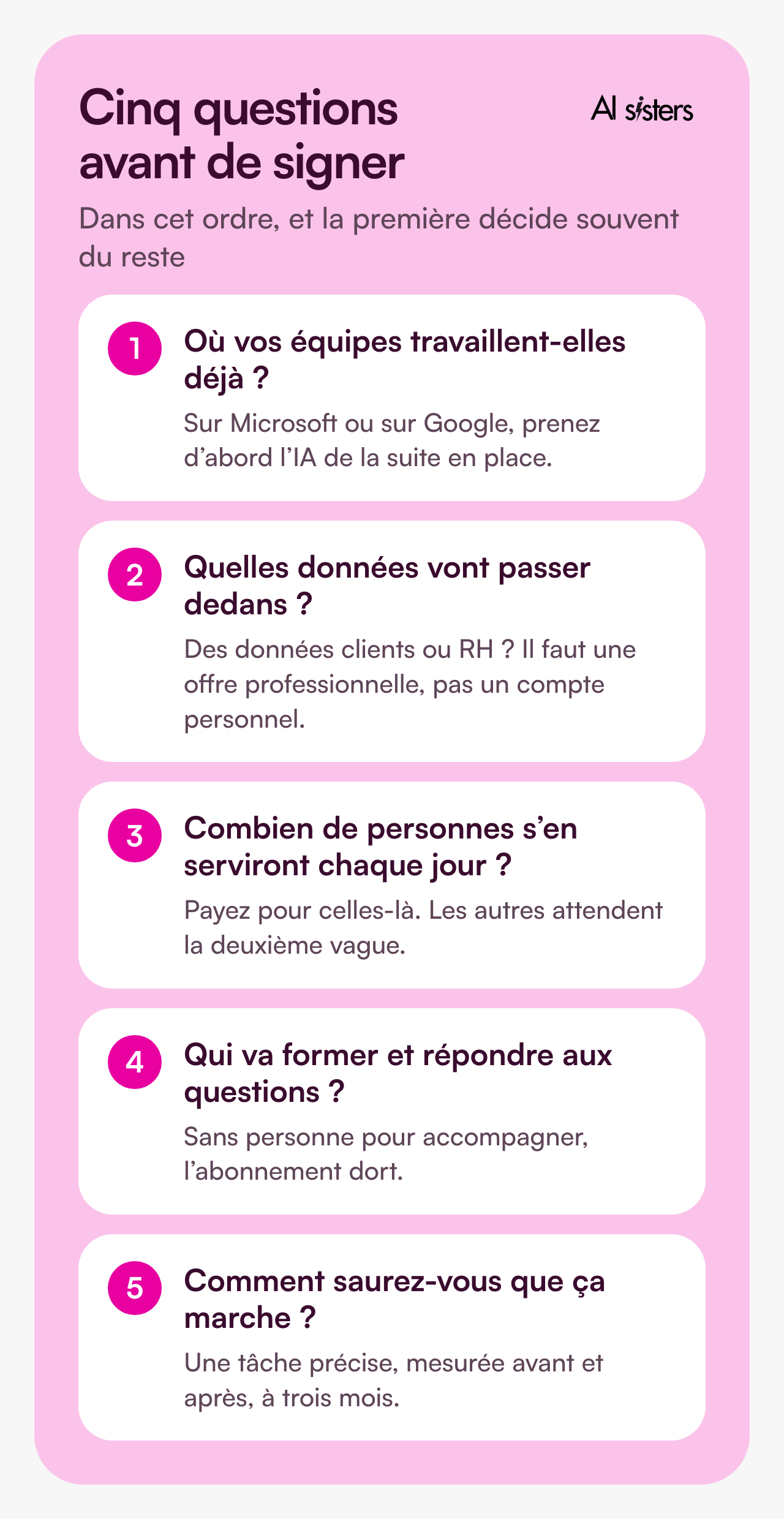
Five questions, in this order. The first often decides the rest.
- Which need costs you the most time? Take that one, and leave the other five for later.
- Where do your teams already work? On Microsoft or on Google, start with the AI in the suite you already have.
- What data will go into it? As soon as clients or staff are involved, you need a business plan, with a written commitment that your content does not train the models.
- Who will train people and answer questions? With nobody to support them, the subscription sits idle. It is the first obstacle cited by companies using AI, ahead of price, and it is the whole principle of our role-based approach.
- How will you know it works? One specific task, measured before and after, at three months. If the gain is not visible, change the use case before changing the tool.
Sign for one year, not three: the offers change every quarter. And if you are starting from scratch, we have written a practical guide to integrating AI into a company.
Key takeaways
- Six needs, and you do not need all six. Start with the one that costs you the most time.
- Around 20 euros per person per month for an equipped workstation, excluding tax, on an annual commitment.
- Meeting notes and automation start free. Test before you pay.
- Your CRM connects to your assistant, with the permissions of the signed-in person, no more and no less.
- Training your teams has been an obligation since February 2025, and AI-based CV screening becomes regulated on 2 December 2027.
- Choose one need, one team, three months. Then scale up what worked.
Sources
- INSEE, Artificial intelligence in companies, Insee Première, July 2026.
- Bpifrance Le Lab, 82nd half-yearly barometer of very small businesses and SMEs, 13 January 2026.
- Eurostat, use of artificial intelligence in enterprises, December 2025.
- European Union, Regulation 2024/1689 on artificial intelligence, consolidated version of 27 July 2026.
- Microsoft, data, privacy and security for Microsoft Copilot, updated 9 July 2026.
- CNIL, using generative AI in very small businesses and SMEs, accessed 24 September 2026.
- Interface builders, official pages accessed 24 September 2026: v0, Relume and Lovable.
- CRM, official pages accessed 24 September 2026: Agentforce pricing, Breeze at HubSpot, HubSpot connector for Claude and Salesforce DX server.
- Meetings, content, prospecting and automation, pricing pages accessed 25 September 2026: Otter, Fathom, Canva, Clay, Make, Zapier and n8n.
- Connectors and the MCP protocol, documentation accessed 24 September 2026: Microsoft, Google and Anthropic.
- Pricing pages accessed 24 September 2026: OpenAI, Anthropic, Microsoft, Google and Mistral.




.avif)
