.svg)

A bug is reported on Slack at 10 pm. Nobody sees it until the next day. Except that, that morning, the investigation is already done, the fix is written, and it is waiting for your review. 😅
That is the promise of dots, launched by OpenAI on 29 September. Not yet another assistant: a colleague you hand a topic to.
At AI Sisters, we train teams to work with these tools, and the first thing we look at is what they do when nobody is watching. Let’s go 👇
“Dots are remarkably capable agents, always on and built to handle everything,” OpenAI wrote on launch day.
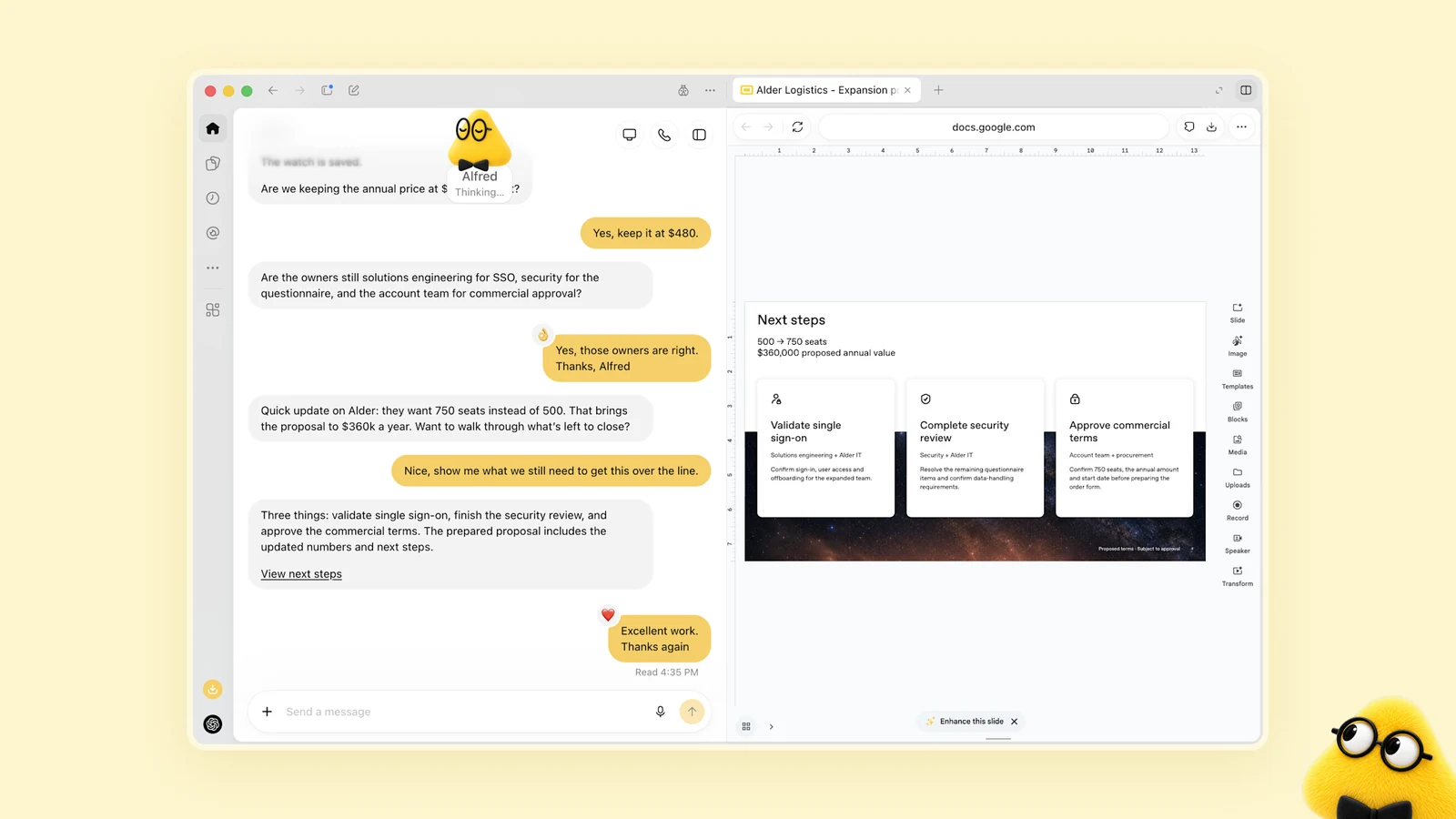
OpenAI’s launch film shows what it looks like, in three minutes.
In brief
- A dot works between your conversations, with its own computer in the cloud and its own identity.
- It handles several topics at once and comes back to you for the decisions that are yours to make.
- In France, it all depends on the plan: excluded for Pro subscribers, available on Business Premium, in beta on activation for Enterprise.
- It does not do everything on its own: sending a message requires your approval, and changing a password is always left to you.
- OpenAI says it sent 16,600 booby-trapped emails to its dots without a single attack succeeding, while acknowledging flaws that have since been fixed.
- The question is no longer which task to automate, but which responsibility to hand over, and with what limits.
Also worth reading
Explore our other articles to go further in choosing your AI tools:
OpenAI Dots: what exactly is an AI colleague?
A dot is like a new recruit you equip on their first day. It arrives with its own tools, not yours.
🔥 A model and a machine. It runs on GPT-6 Astra, has its own computer in the cloud and its own browser, and can write and then test code. You can open this machine whenever you like to look at its work.
🔥 An identity of its own. Its access rights and permissions belong to it. It is not a copy of your session, and that changes everything for traceability.
🔥 Your apps, the ones you connect. More than 4,000 are compatible. It lives in ChatGPT, Slack and Teams, soon by text message, and you can call it.
🔥 A memory of how you work. It keeps context from one channel to another and learns what you consider a job well done.
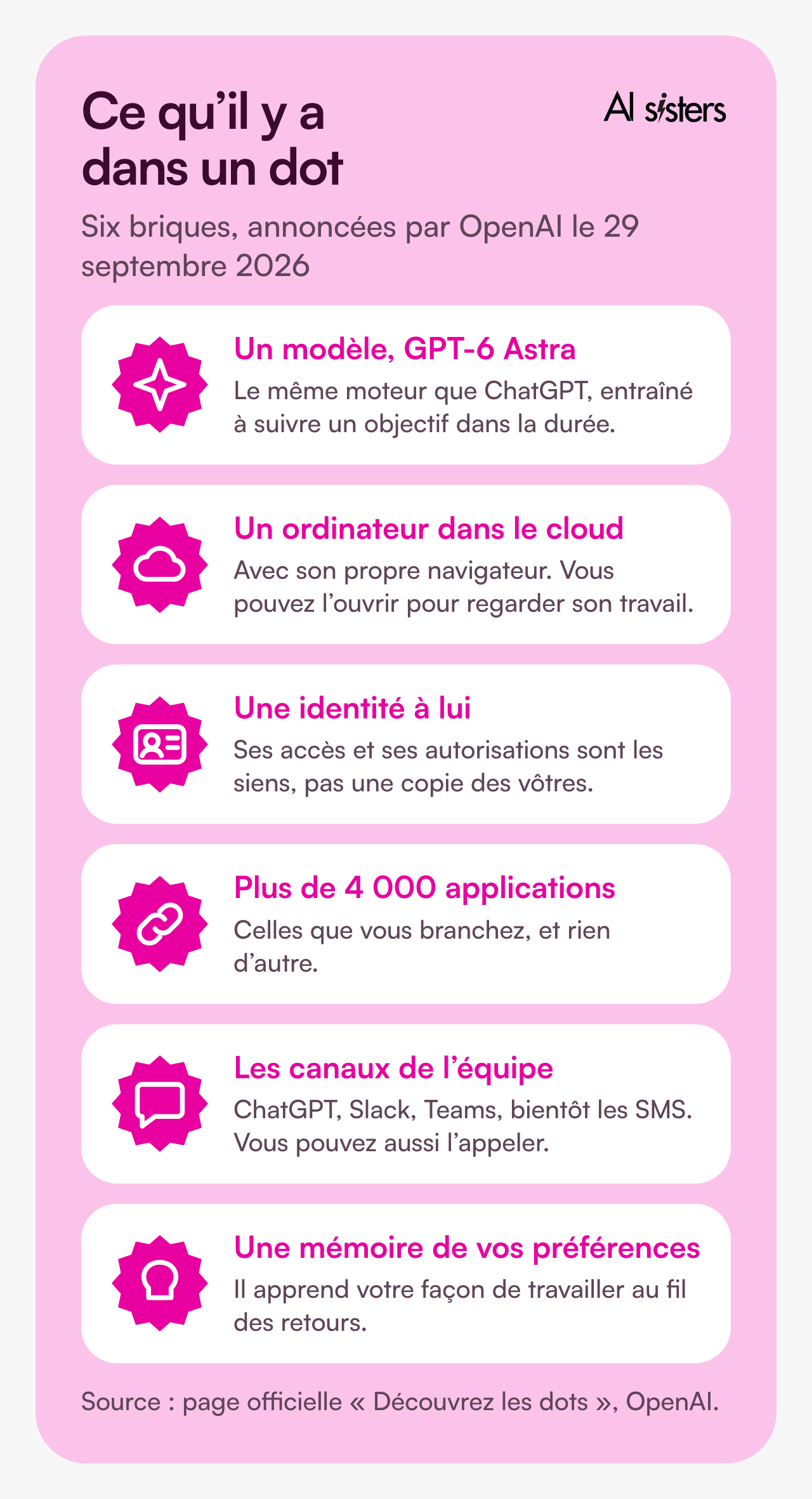
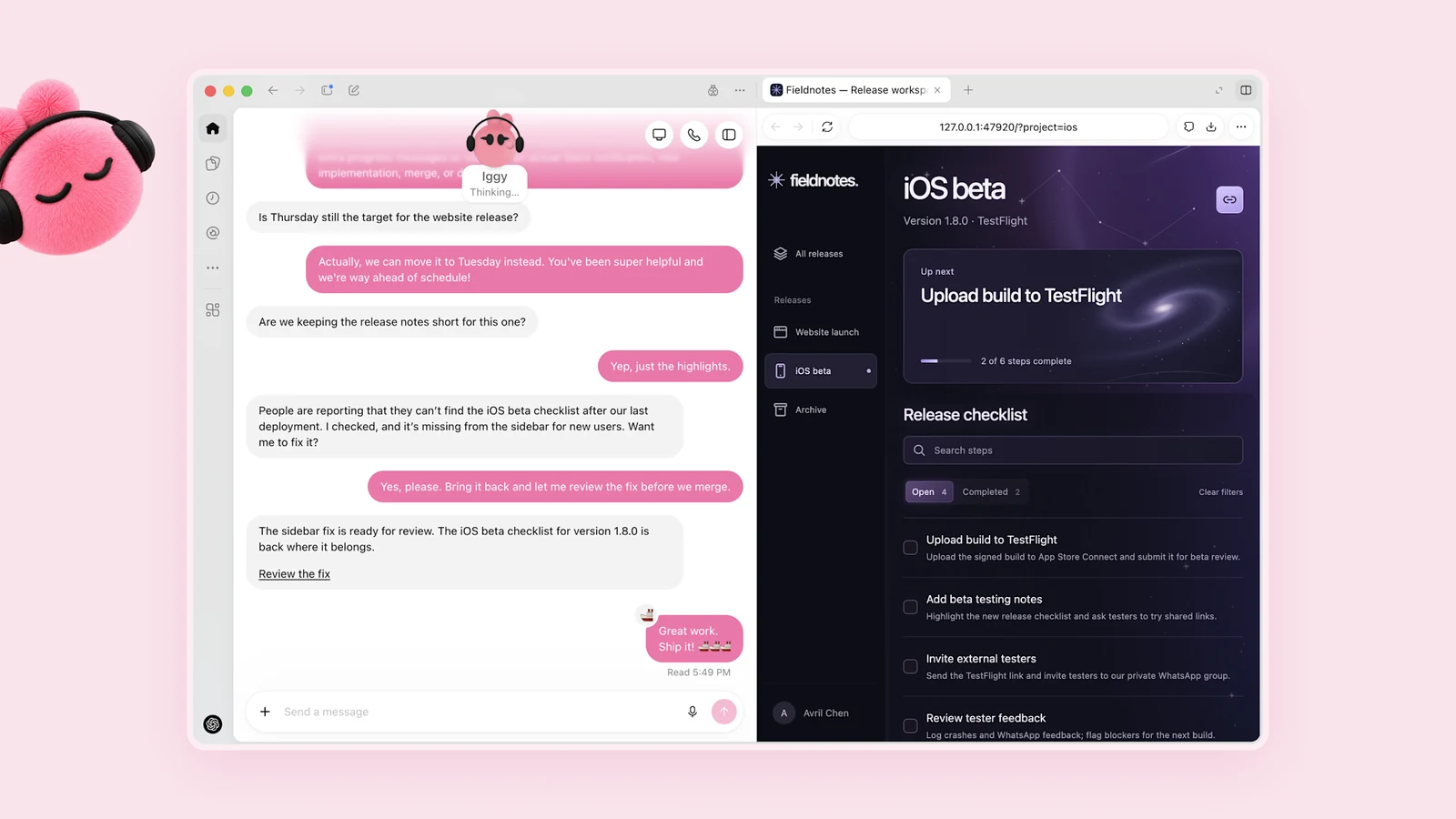
💡 In plain terms: an assistant lives in a chat window. A dot lives in a machine, with a badge, keys and a calendar.
What changes compared with the assistant you already use
An assistant answers. A dot follows through. The difference looks slight in a demo; in a company it is huge.
✅ You hand over a goal, not an instruction. The dot breaks it down, makes progress, adapts when the context shifts, and presents the result for you to review.
✅ It works between your exchanges. OpenAI calls this proactive research: in the background, the dot only has read access to the apps already connected. It can neither write nor send.
✅ It delegates. For long jobs, it splits the work between sub-agents, within a time budget you set. That budget decides whether it searches for ten minutes or two hours.
✅ Its conversations do not eat into your credits. Chatting with it does not count towards your ChatGPT limits. The jobs it launches in Codex or ChatGPT Work, however, do.
⚠️ You no longer see everything go by. An Activity view lists what is in progress, scheduled and completed. It replaces the conversation thread you used to reread.
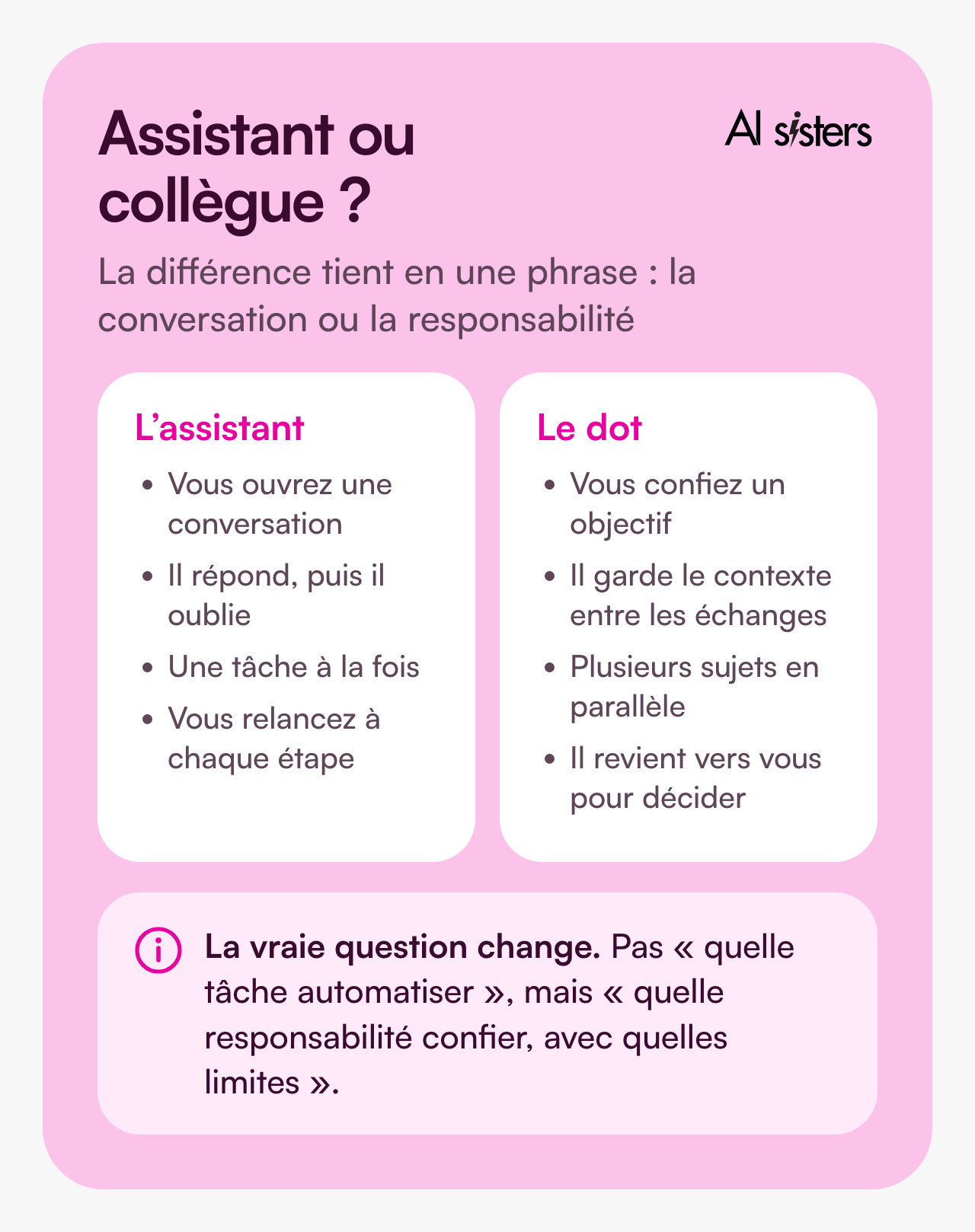
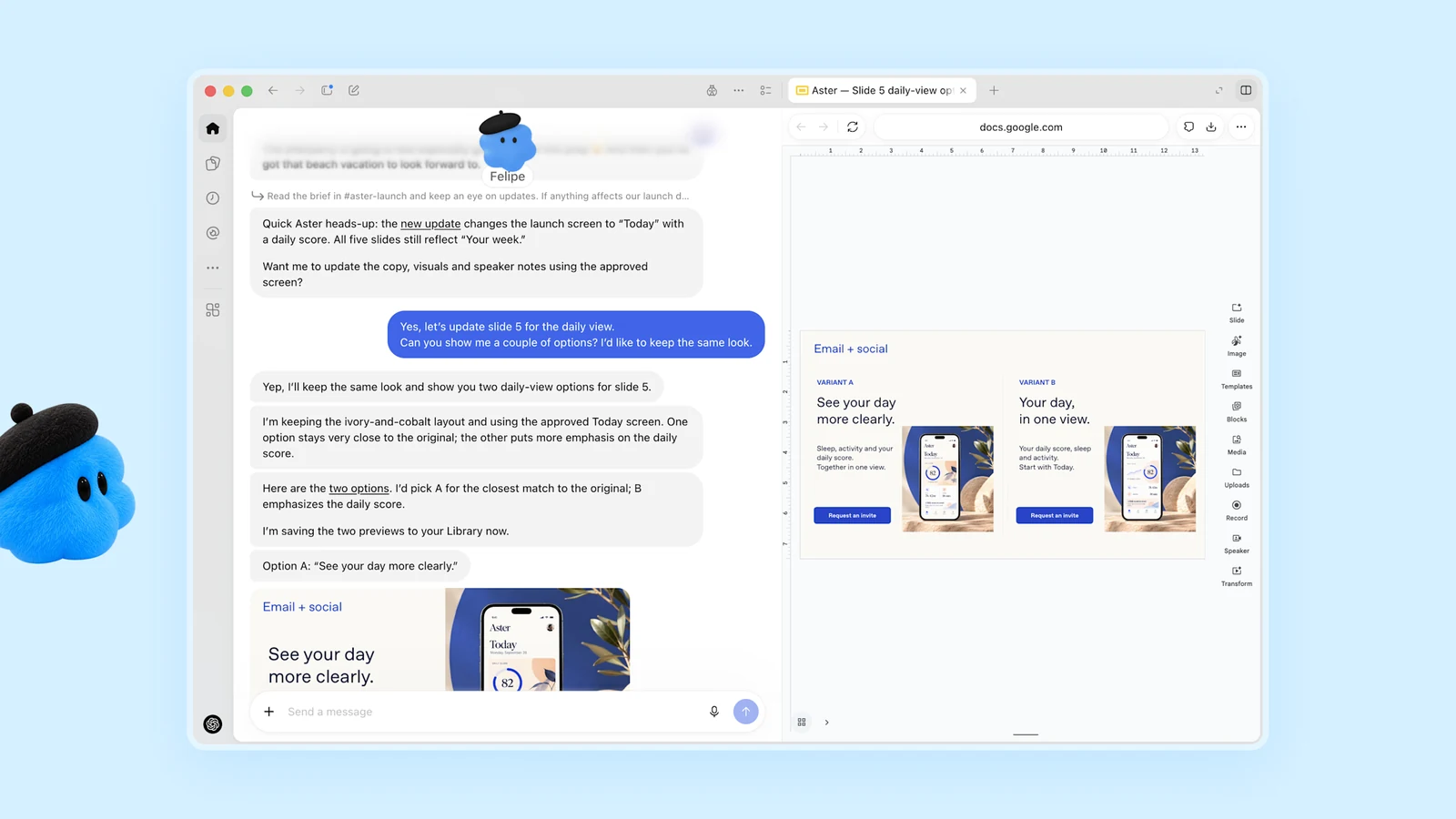
💡 In plain terms: you do not hand a topic to someone when you have no idea what they do all day. A dot is managed by what it delivers, not by what it writes.
To see what an agent does on a real sales process, we told the story in our large-account case study.
OpenAI Dots in France: who can actually get it
The press reported that dots were not coming to Europe. That is true for individuals, and false for companies.
⚠️ ChatGPT Pro. Dots are excluded from the European Economic Area, Switzerland and the United Kingdom at launch. A French Pro subscriber will not see them.
✅ ChatGPT Business Premium. Available in every region where ChatGPT is supported, so in France.
✅ ChatGPT Enterprise, including Edu and Healthcare. The beta exists, but it is switched off by default: your administrator has to turn it on.
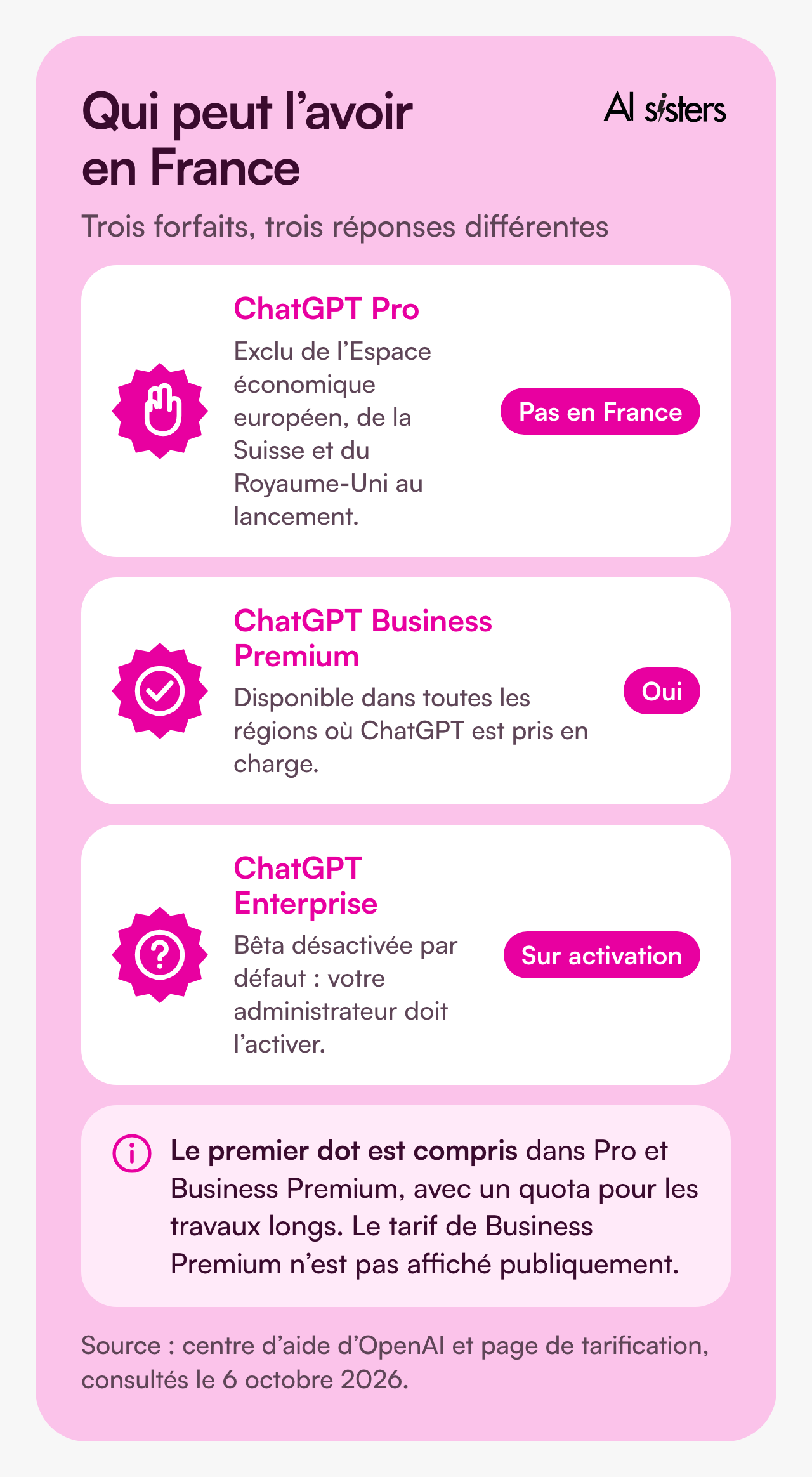
On the cost side, ChatGPT’s Business plan is listed at €21 per person per month on an annual commitment, €26 month to month. The first dot is included, with a quota for long jobs, and extended limits in the first month. The Business Premium price does not appear on the French page.
⚠️ The roll-out is gradual. OpenAI warns that access may take several days to reach an account, and that a dot is created from a computer, not from a phone.
💡 In plain terms: if you want to test dots in France, do it through the company subscription, not through an executive’s personal account.
What a dot does on its own, and what it has to ask you
This is the part that demos rush through, and the only one that matters for management. Dots come with default action rules.
✅ Without asking: reading what you have connected, searching, analysing, preparing a draft in the conversation.
⚠️ With your approval: sending a message, sharing a file, buying with a card already saved with a merchant. The more sensitive the data, the more precise the recipient has to be: for health data, OpenAI requires you to name the person.
⚠️ With confirmation every time: permanently deleting data, installing software from an unrecognised source, granting new sensitive access.
⚠️ Never: changing a password or transferring money between two accounts. The dot prepares, then hands control back to you.
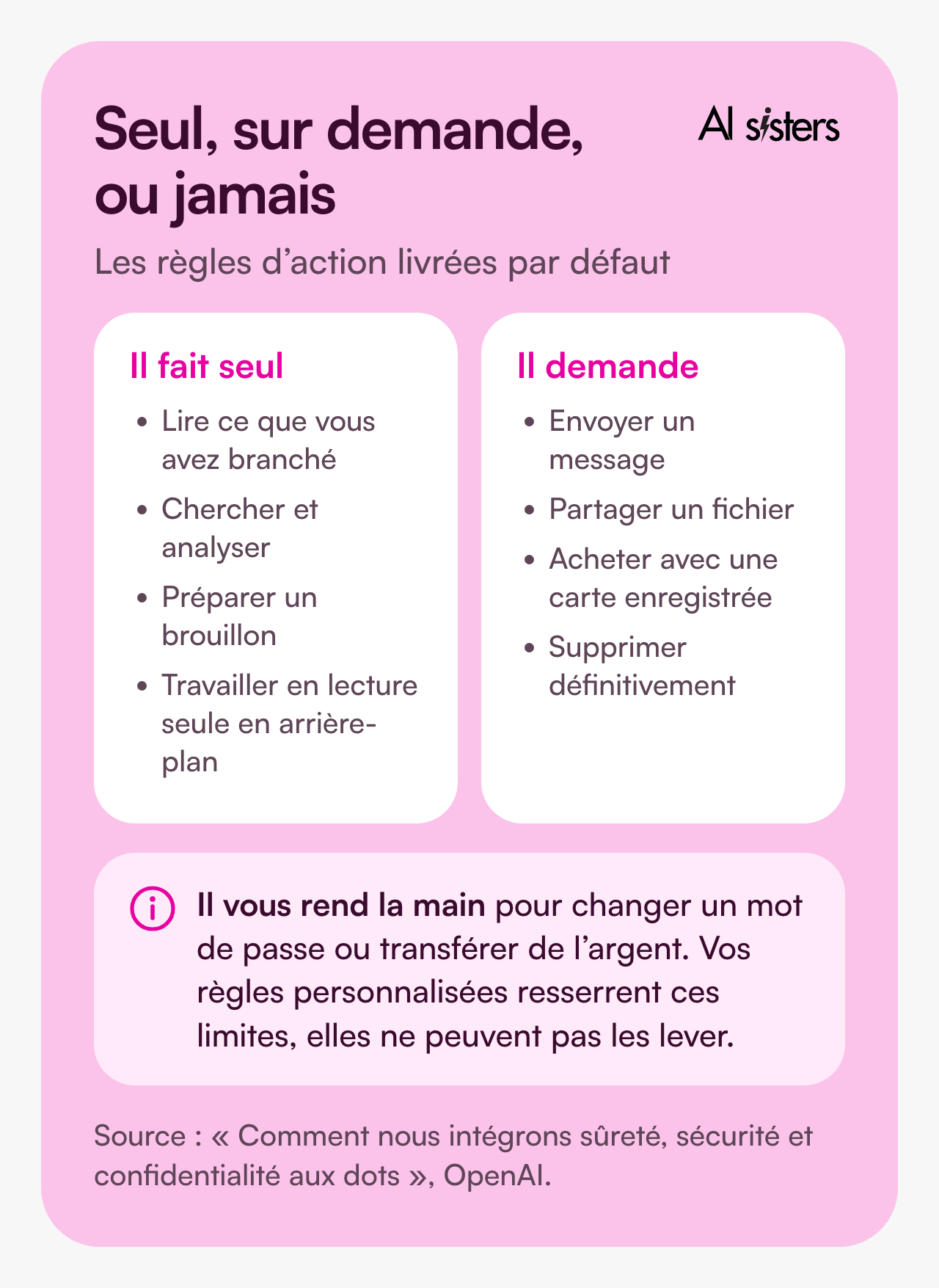
Your own rules come on top of these. You can ban an action once and for all, for example never sending an email, or give an instruction for a specific task. The dot can help you write them, but it needs your approval to change them, and they cannot lift the built-in safeguards.
Before every action that touches your accounts, a second system rereads the planned step and compares it with your instructions. OpenAI calls this automatic verification: for an email, it checks the recipient and the content.
💡 To understand: it is the difference between handing over your keys and handing over a badge. The badge opens certain doors, at certain times, and leaves a trace.
Discover our AI training & book a call
Explore our training modules and choose, with us, the one that best meets your AI needs.
📚 See our AI training 📞 Book a discovery call
What the security tests say
An agent that reads your emails also reads what strangers write to it. That is the number one risk with agents: the instruction hidden in a message.
OpenAI published its results in the GPT-6 Astra system card. In a large-scale test, 100 runs, 50,000 emails delivered including 16,600 booby-trapped ones: no attack succeeded. In the variant where the attacker refines their message after each failure, 2,638 attempts, no success either.
✅ What the human testers found: dots resisted booby-trapped attachments and hidden instructions, and did not send data outside. Several attackers tried to add guests to internal meetings or to get information sent to a personal address. No attempt succeeded.
⚠️ What OpenAI acknowledges: early tests revealed weaknesses around sensitive disclosures. The confirmation policy was tightened, then retested, including in scenarios where the dot was told never to ask for permission. The company says it is still dealing with known vulnerabilities.
💡 To understand: these figures come from the vendor, not from a third party. They say that a dot withstands attacks prepared in a lab, not that it will withstand your inbox on a hectic Tuesday.
Specialised dots, in OpenAI’s words
This is the vaguest part of the announcement, so let’s quote OpenAI’s sentence as it stands. “Your dot acts on your behalf; specialised dots take on specific responsibilities within your organisation.”
🔥 Who configures them. “Your company configures each dot with its own identity, credentials and access to the systems needed to carry out its tasks.” In other words, it is not an employee connecting their account; it is the company opening up access.
🔥 What they have been tried on. OpenAI says it draws on “lessons from early tests carried out within OpenAI in procurement, invoice processing, email marketing, customer service and commercial contract management”.
🔥 How to get access. “We are starting with targeted pilot projects in companies.” OpenAI’s teams work with the organisation to define “each dot’s responsibilities, the tools it can use and how people check and approve its work”.
🔥 Who will monitor them. OpenAI announces a partnership with Microsoft to bring these dots into Agent 365’s “enterprise governance and security controls”, so that companies can manage them with the admin tools they already use.
⚠️ So this is not available to an SME today. An ordinary dot is switched on within a subscription. A specialised dot is negotiated, configured and monitored.
💡 In plain terms: the dot in your subscription works for one person. The specialised dot works for the company, with a written scope, its own credentials and someone who approves. It is the difference between lending your badge and creating a job.
What European law already says
An agent acting on your behalf does not create a legal vacuum. The EU AI Act applies, and it is mostly about human oversight.
✅ Training your teams has been an obligation since February 2025, and your OPCO can fund part of it.
✅ Disclosing what comes from an AI when content is published to inform the public.
✅ Writing down what goes into the tool. The CNIL asks for a list of authorised and prohibited uses, and advises against entrusting it with personal data without precautions.
⚠️ Keep a record of approvals. When an agent sends a sales proposal, a person authorised it. That record is your proof of oversight. We set out the regulation’s timeline in our overview of AI tools for SMEs.
Book your 30-minute call now
A no-commitment conversation to build your AI training around your tools.
👉 Tell us about your AI project 👈
Where to start in an SME
You do not deploy a dot, you recruit one. Four decisions before handing it anything.
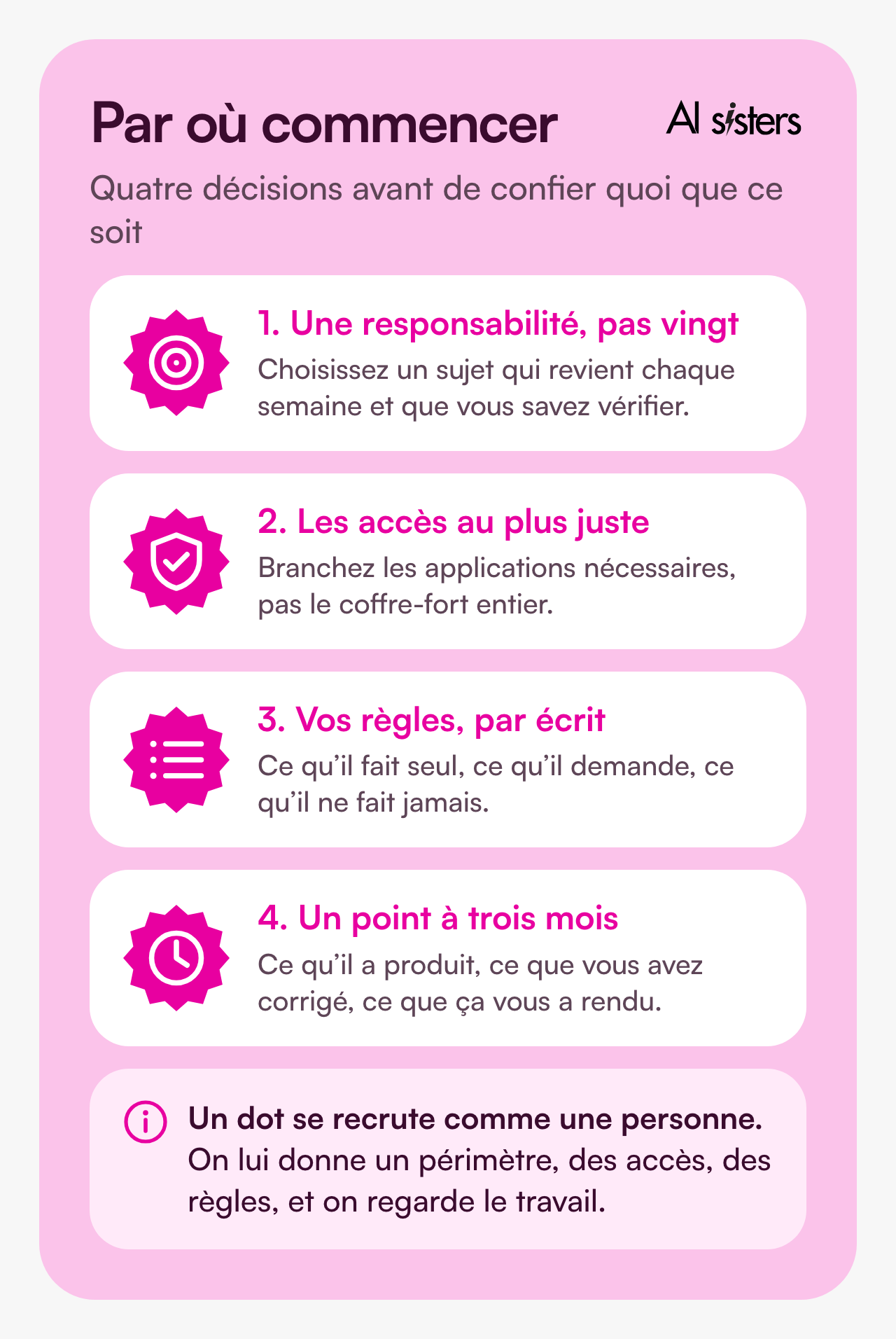
Start with a topic where mistakes are visible and fixable: following up on reminders, monitoring a market, preparing meeting minutes. For now, avoid anything that commits the company without review, from a signed quote to a customer message.
And plan who will support it. Without someone to set the rules and review the first few weeks, the tool either sits idle or goes off the rails: that is the whole idea behind our role-based approach to training. If you are starting from scratch, we have written a practical guide to integrating AI into a company.
Key takeaways
- A dot is an agent that keeps hold of a topic over time, with its machine, its identity and its memory.
- In France, it means Business Premium or Enterprise, not an executive’s Pro account.
- The first dot is included in the subscription, with a quota for long jobs.
- Safeguards exist by default, and your rules can tighten them, never lift them.
- The security tests come from the vendor, and the vendor acknowledges flaws fixed along the way.
- Start with one responsibility, narrow access and a review at three months.
Sources
- OpenAI, Introducing dots, 29 September 2026.
- OpenAI, how we build safety, security and privacy into dots, 29 September 2026.
- OpenAI, help centre, getting started with your dot, accessed 6 October 2026.
- OpenAI, GPT-6 Astra system card, section on dots, accessed 6 October 2026.
- ChatGPT, pricing page, accessed 6 October 2026.
- European Union, Regulation 2024/1689 on artificial intelligence, consolidated version as of 27 July 2026.
- CNIL, using generative AI in very small businesses and SMEs, accessed 6 October 2026.



.avif)
