.svg)
How to create a postcard with ChatGPT: the new TikTok trend!
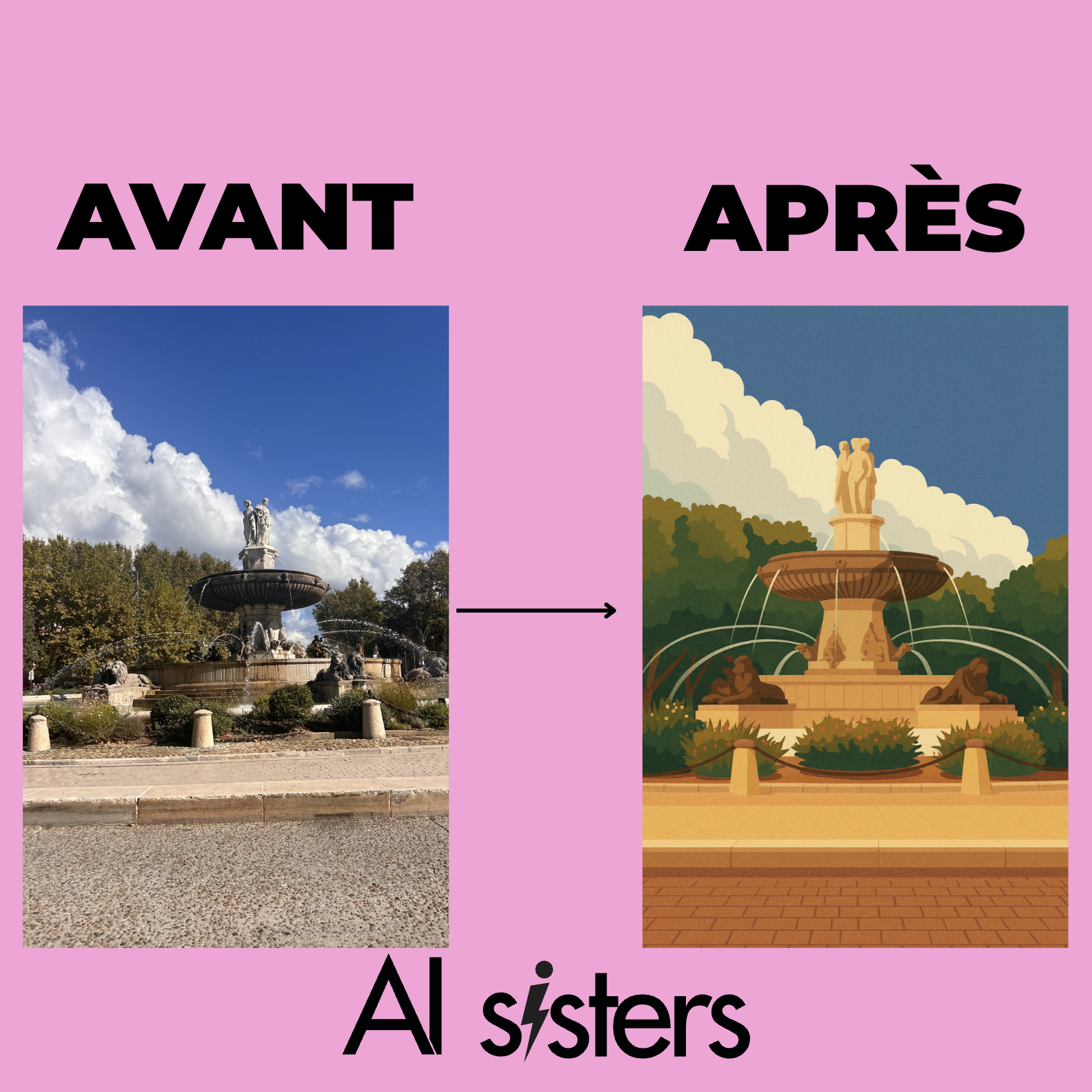
That's all TikTok is about: turning a simple photo into Postcard stylized in flat design, with a rendering worthy of a professional illustration. And the good news? You can do it in 30 seconds with ChatGPT.
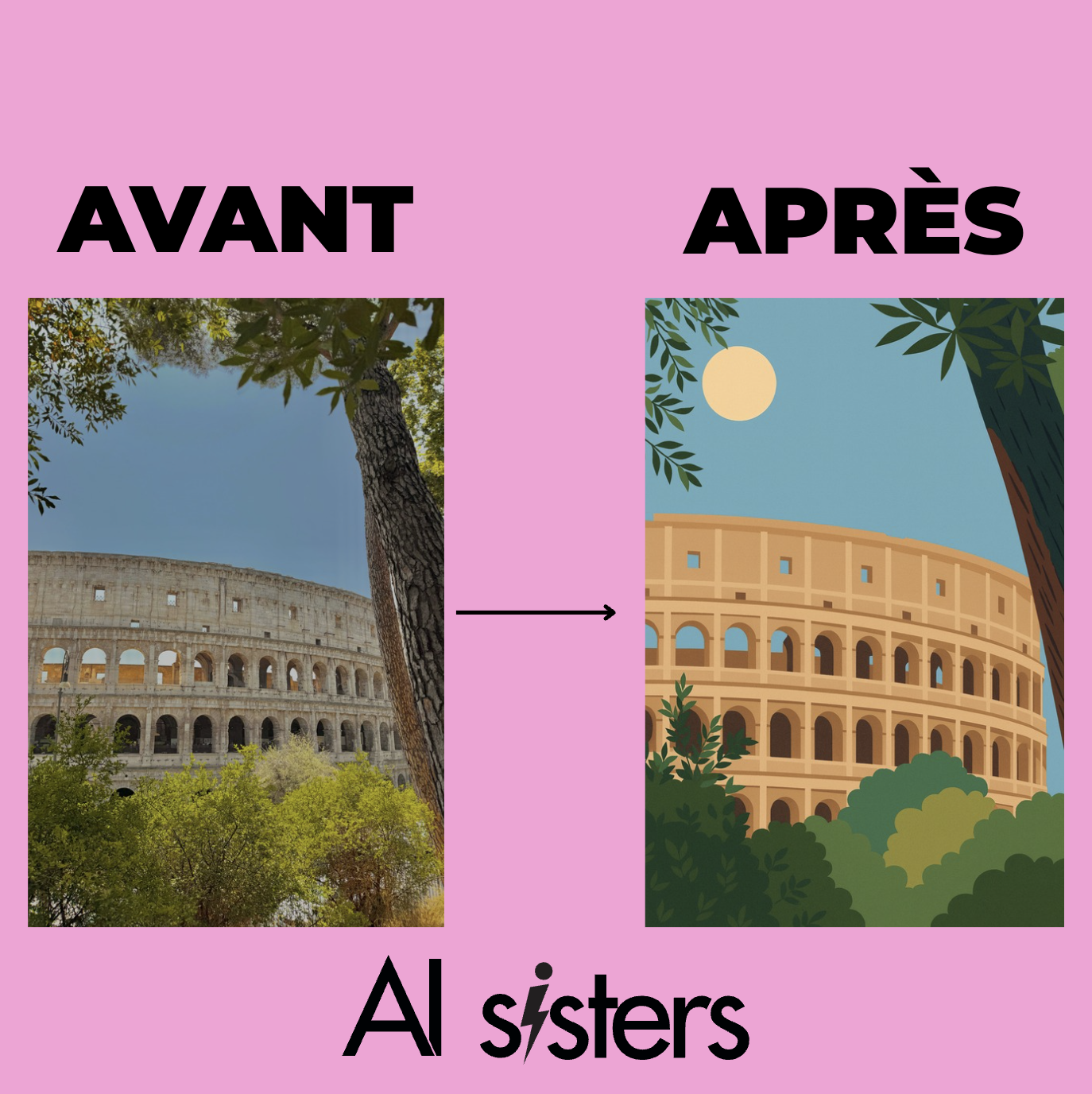
The AI trend that turns your photos into postcards
Impossible to miss: in recent days, the videos of “photo turned into an AI postcard” are multiplying on TikTok, Instagram and Reels.
It shows creators who:
- Upload a simple landscape, vacation, or street photo
- Generate an ultra-stylized illustration, In flat design, like a vintage postcard or museum poster
- Display a refined, colorful, unique result, in A4 format ready to print
What's going on the buzz: the side visually elegant, without text, Borderless, with a professional graphic style but accessible to all.
How do you generate your own postcard with ChatGPT?
1. Choose a nice base photo
Landscape, street scene, architecture, mountain, beach, terrace... The important thing is to have a well-framed, bright and aesthetic photo.
2. Copy this prompt into ChatGPT (with the image):
“From this photo, create a very detailed flat design postcard.
You will make this rendering in A4 format (21x29.7) portrait, without borders and without writing.
You will make sure to keep the flat design concept, without going too much into drawing for children.“
Download your visual
Once generated, you can download the image, print it, share it on TikTok, or use it as a wallpaper.
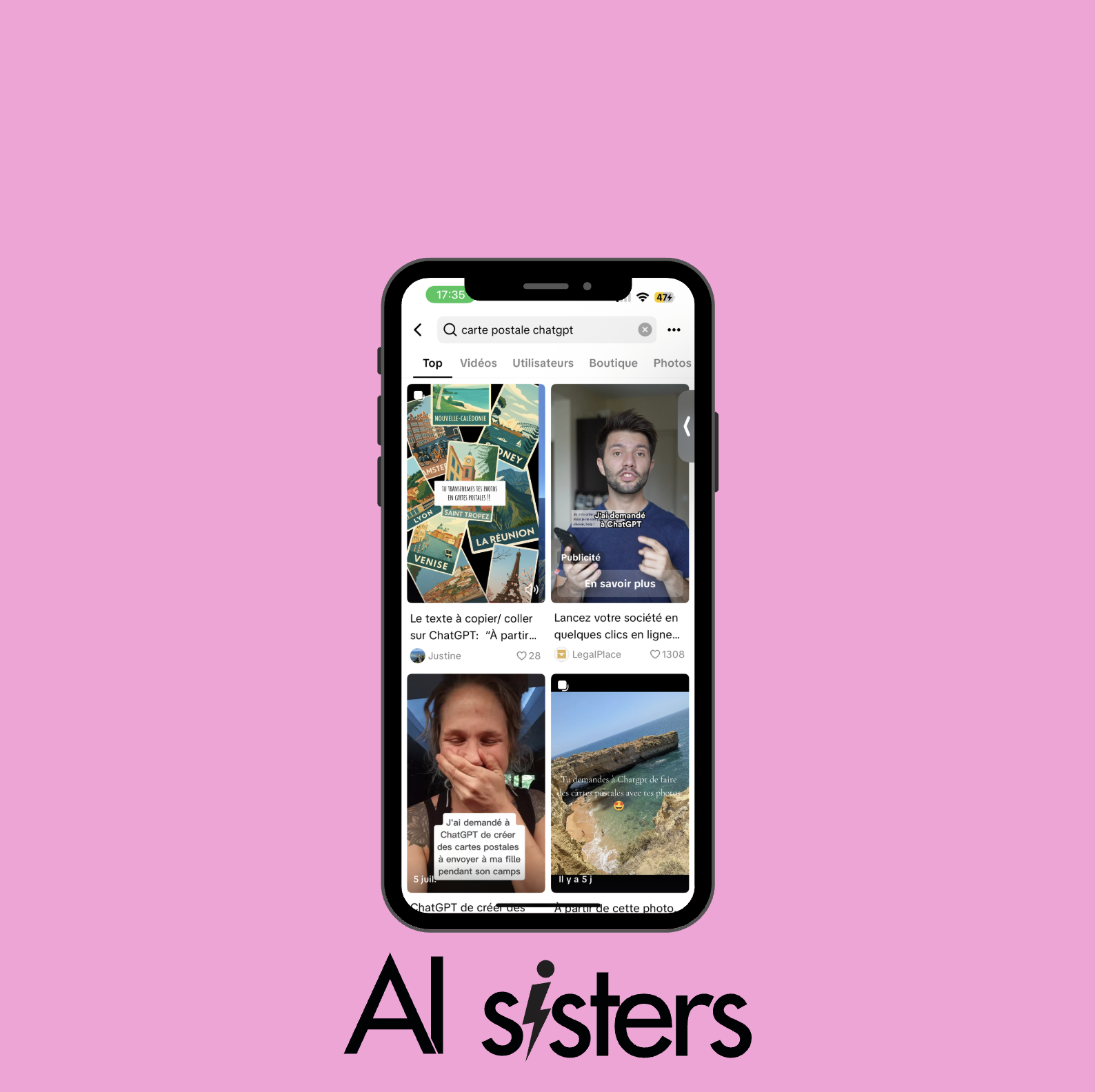
Why is this AI trend so popular on TikTok?
Simple to test, without any graphic skills:
- Ultra aesthetic result in a few seconds
- Customizable result according to your photo
- A4 format ready to print or share
Bonus: each has a unique visual, based on their own photo. It's personal, artistic... and viral at the same time.
AI postcard ideas to test
- View of your city (retro poster style)
- Holiday landscape (beach, mountain...)
- Lively street scene
- Skyline of a metropolis
- View from a window
- Iconic monument in flat design



.avif)
