.svg)
Everyone is going to use ChatGPT for their 2026 greeting cards: here's how to make a difference
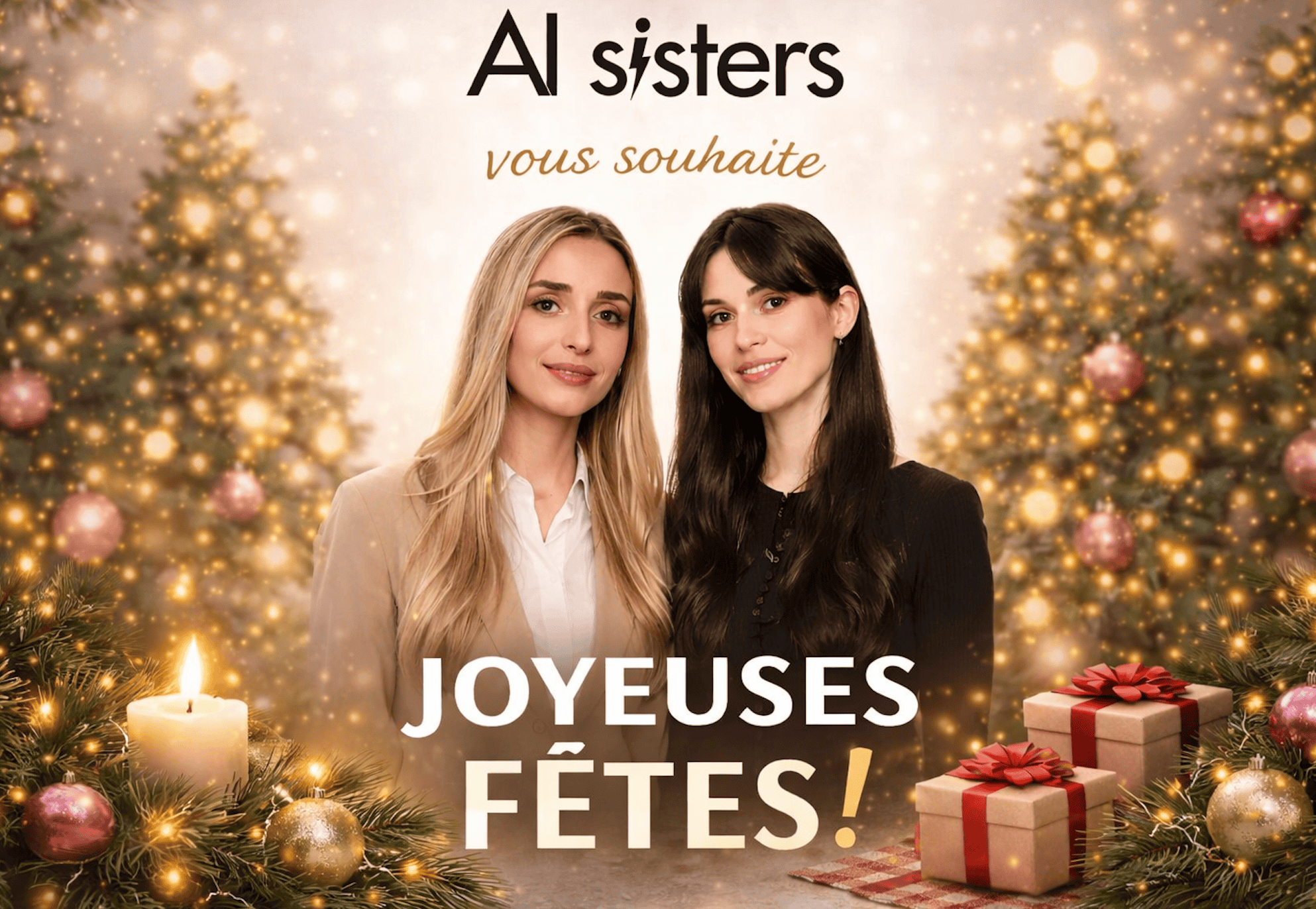
At the end of the year, Greeting cards are created in ChatGPT.
No agency. No software. No graphic skills.
With The arrival of ChatGPT Image 1.5, creating greeting cards with AI is becoming simpler, more accurate and more customizable.
👉 Result: a greeting card created in a few minutes, directly in ChatGPT!
In this article, we explain stepwise :
- how to generate a greeting card with ChatGPT Image 1.5,
- How the personalize with your own photos (you, your team, your founders),
- How to perform precise retouching without starting all over again,
- and how does this tool compare to Nano Banana 🍌
What is ChatGPT Image 1.5?
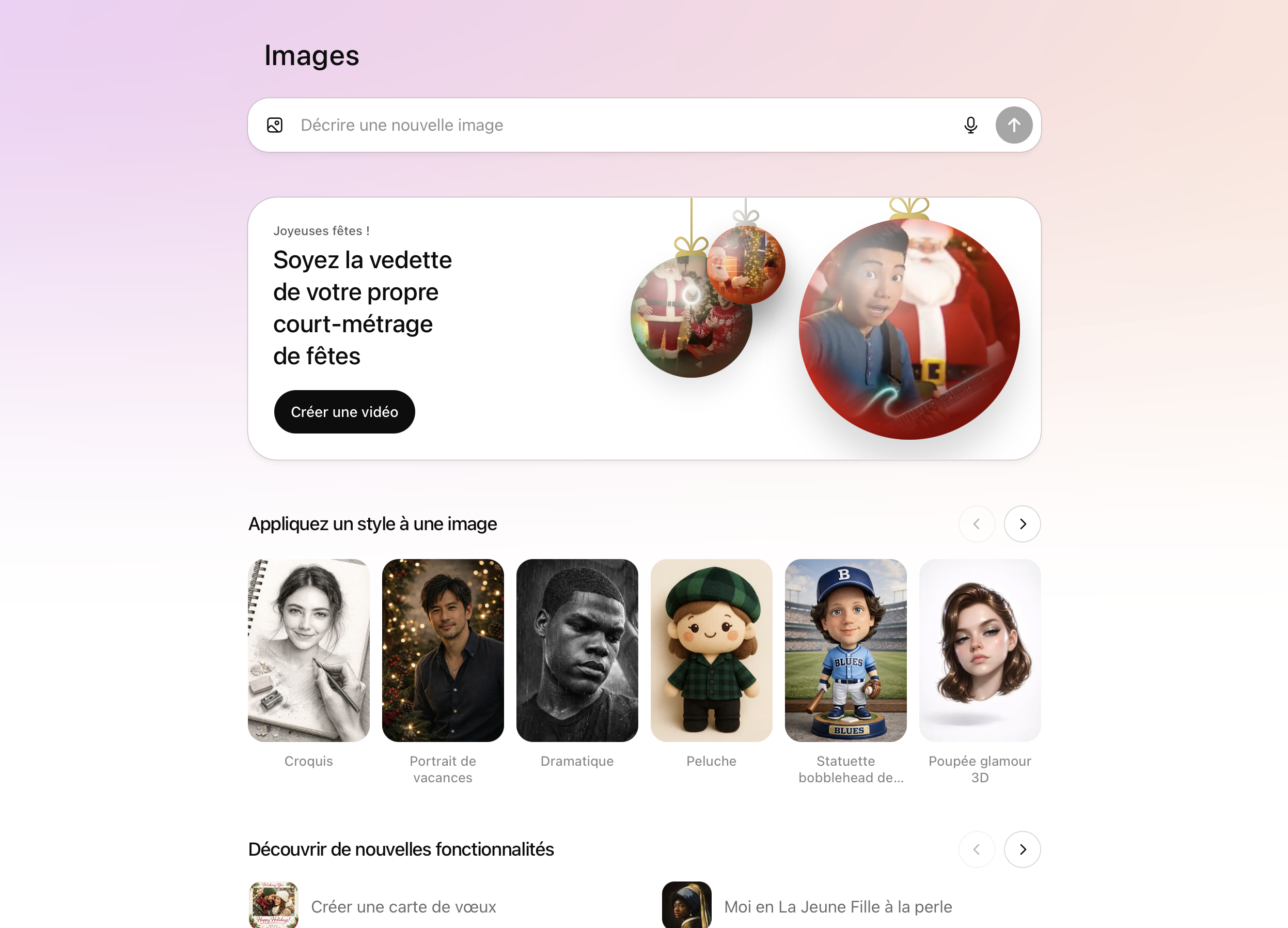
ChatGPT Image 1.5 is the new OpenAI image generator.
It allows you to create images from text, but also from edit existing images, which is radically changing business use.
Its strengths:
- better understanding of instructions
- readable embedded text (in French)
- consistent and professional images
- targeted retouching without recreating the whole image
It is precisely this level of control that makes ChatGPT Image 1.5 ideal for designing credible and personalized 2026 greeting cards.
Where is the image generation tool in ChatGPT? (SEE PHOTO)
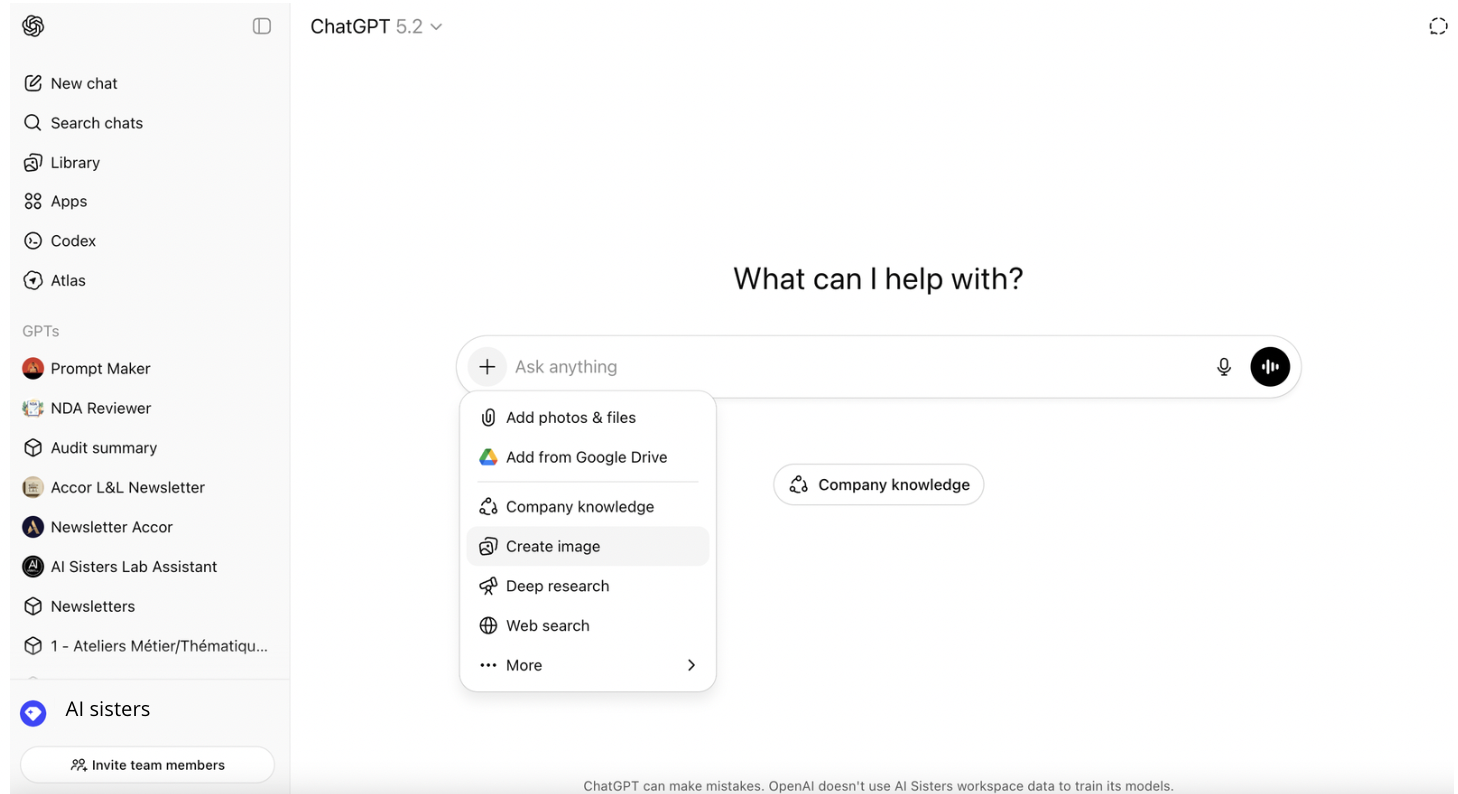
From the ChatGPT interface (as in the screenshot above):
- Click on the button “+” to the left of the input field
- Select “Create image”
- The field becomes a space dedicated to the generation of images
You then automatically use ChatGPT Picture 1.5.
👉 Everything is done in a single interface, without any external tools.
What style should you choose for a corporate greeting card?
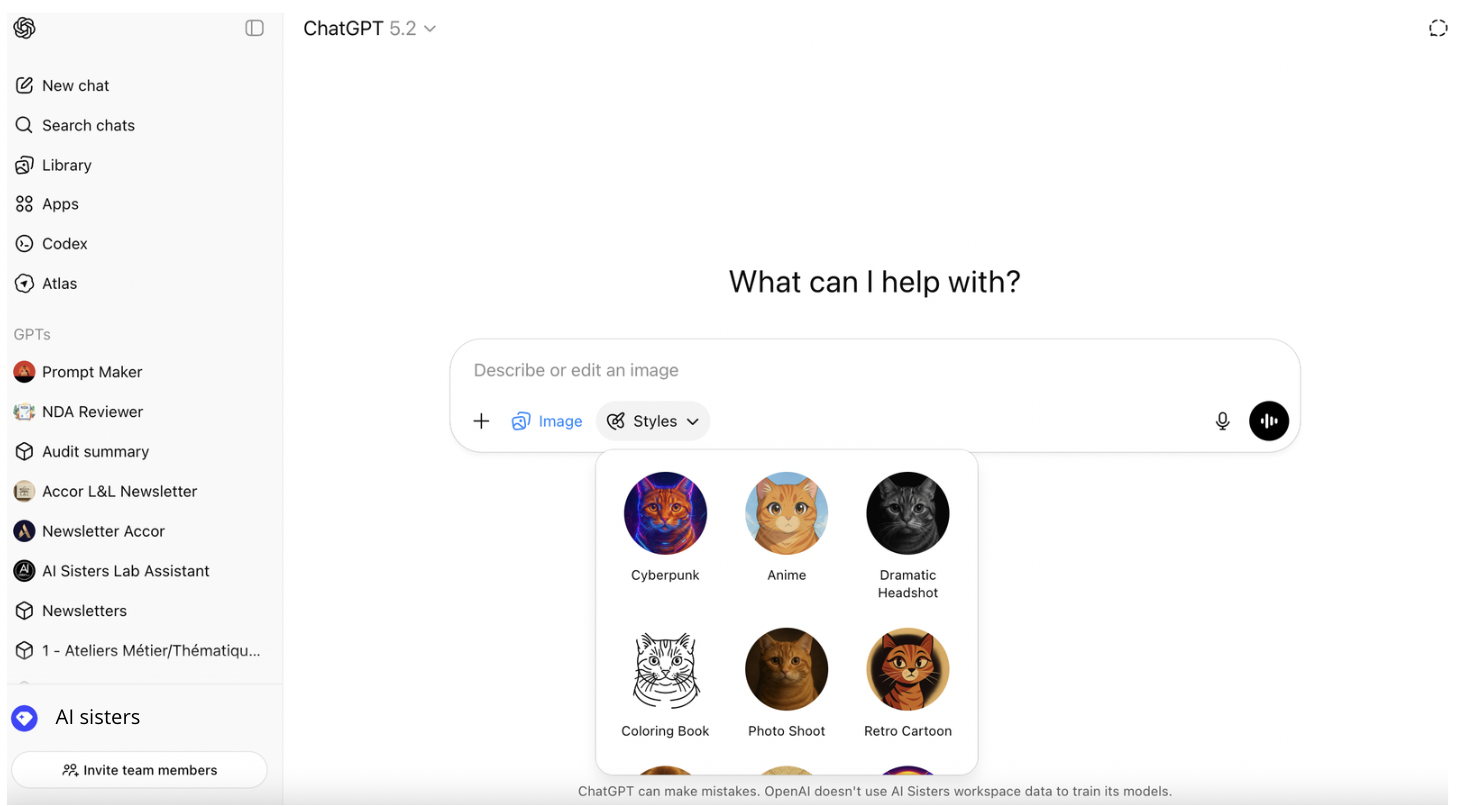
In the menu “Styles”, ChatGPT offers several predefined visual renderings.
The choice of style directly influences the credibility of the visual.
For a professional greeting card, it is better to choose simple and realistic renderings.
The most suitable styles:
- Photo Shoot for a corporate and natural look,
- Dramatic/Portrait to enhance portraits from real photos,
- No style when the objective is neutrality and elegance.
The most effective option: creating a greeting card from a real photo: photo
With ChatGPT Picture 1.5, you can go further by creating a greeting card from a real photo (you, your team or the founders), The result is more human and warmer, while remaining professional.
To get started:
- Click on Create image in ChatGPT
- Upload your photo via Add photos & files
- Describe the desired result
ChatGPT Image 1.5 then takes care of transforming the photo without changing the faces.
Example of a prompt from a photo
From this photo, create a professional greeting card for 2026.
Strictly maintain people's faces, expressions, and proportions.
Add a warm and elegant end-of-year ambiance: soft lights, discreet festive decor, warm and refined tones (not kitsch).
Embed text “Happy holidays” in a legible and harmonious way, with a sober and elegant typography, suitable for professional use.
Photorealistic, clean and natural rendering.
Image designed for professional use on LinkedIn and email (balanced composition, good readability on screen).
👉 AI Integrate the photo into a decor, without changing the people.
Retouch a greeting card with ChatGPT Image 1.5 (without starting from scratch)
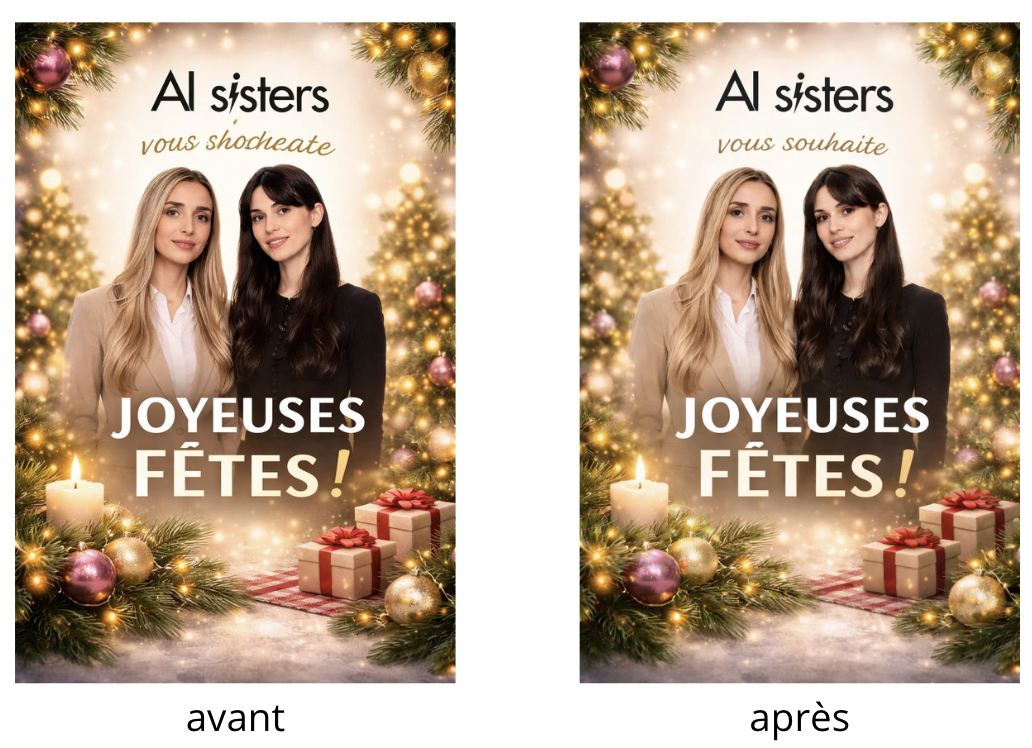
This is one of the big new features of version 1.5: targeted retouching.
With ChatGPT Image 1.5, you can:
- change text only
- Adjust brightness or colors
- add or remove a decorative element
- make the atmosphere more festive or more sober
- adapt the format (LinkedIn, email, site banner)
Example of a retouch prompt
Edit this existing image:
Correct text by replacing “wish you” through “wishes you”.
Strictly maintain faces, expressions, proportions, and decor.
Increase the overall brightness very slightly, without changing the colors or the style of the image.
👉 The image remains consistent: it is not completely recreated.
ChatGPT Image 1.5 vs Nano Banana 🍌 with the same prompt
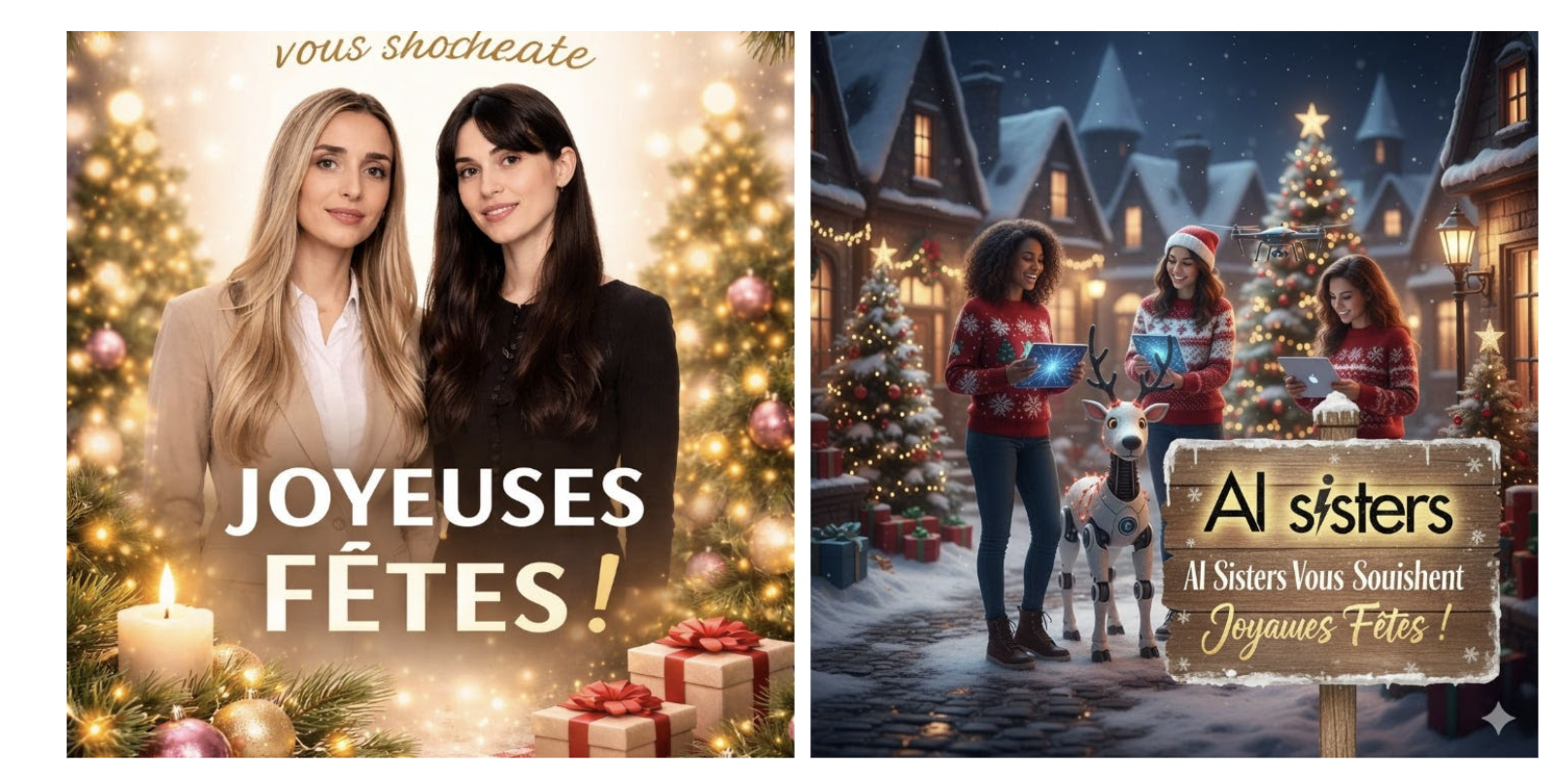
Nano Banana stays slightly above in terms of pure creative and artistic rendering.
But with ChatGPT Picture 1.5, the gap is narrowing sharply.
ChatGPT Image 1.5 stands out for:
- Of precise retouching without recreating everything,
- one excellent text management in French,
- one ease of use ideal for fast business needs.
And you, which one do you prefer?


.avif)
